SYNCHRO Excite +: Service & maintenance manual - rev. 7.1
Page 7.3
7.1.3. 700VISIO VERSION
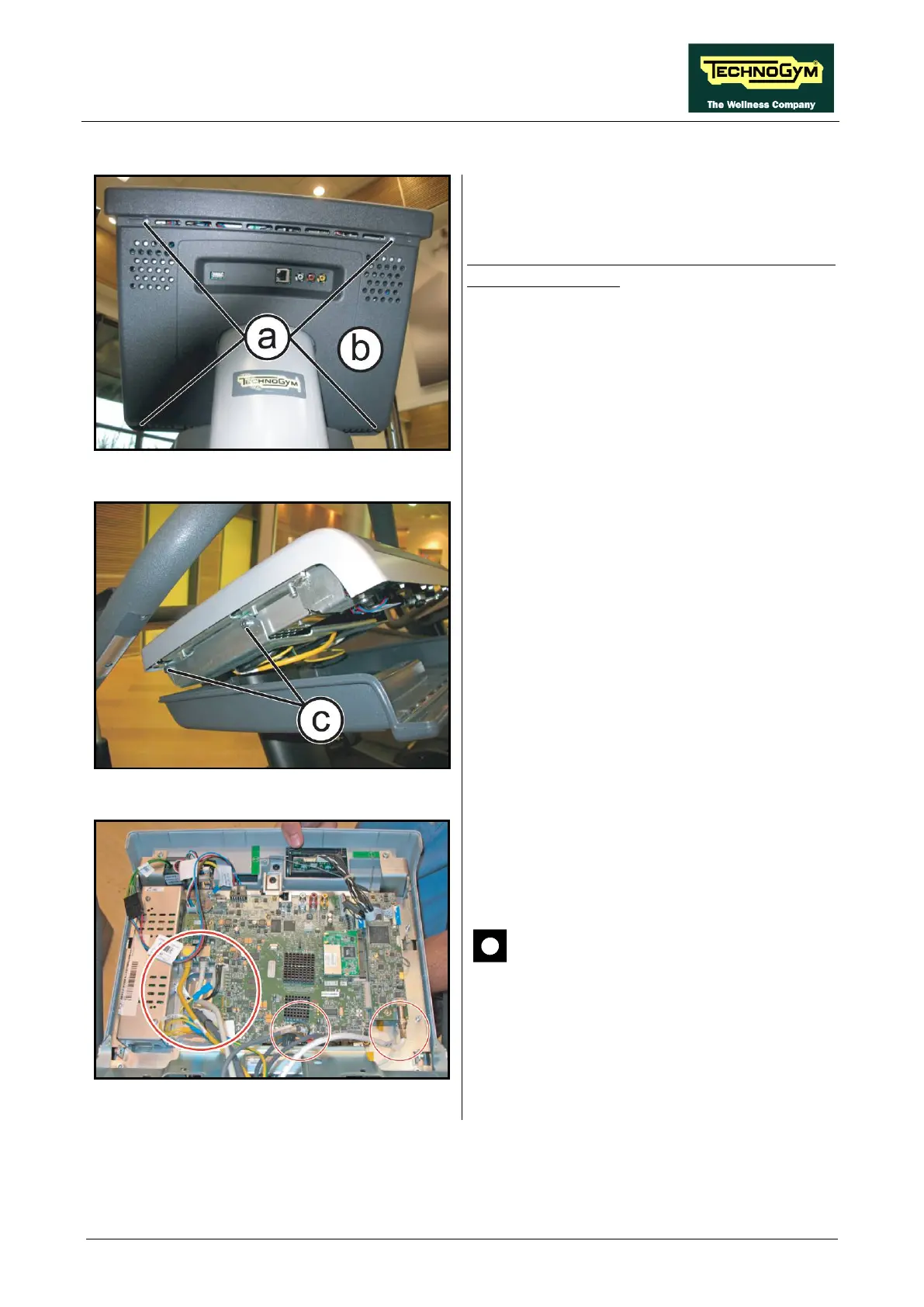
Figure 7.1-7
Turn off the machine and unplug the mains lead
from the wall outlet:
1. Back off the 4 screws (a)
Phillips Screwdriver.
2. Lower the guard (b).
Figure 7.1-8
3. Back off the 2 screws (c) using a 3mm
hexagonal wrench, on both side.
Figure 7.1-9
4. Unplug the connectors highlighted in the
figure at the side.
5. Remove the Display.
CAUTION: Connect the network
cables (on the left in the photo)
correctly, because they may not be
inverted.
To reassemble the VISIO Display,
carry out the above steps in reverse order.














 To Next Page