SYNCHRO Excite +: Service & maintenance manual - rev. 7.1
Page 7.19
7.3. DISASSEMBLING THE KEYBOARD / TOUCH SCREEN
7.3.1. LED KEYBOARD
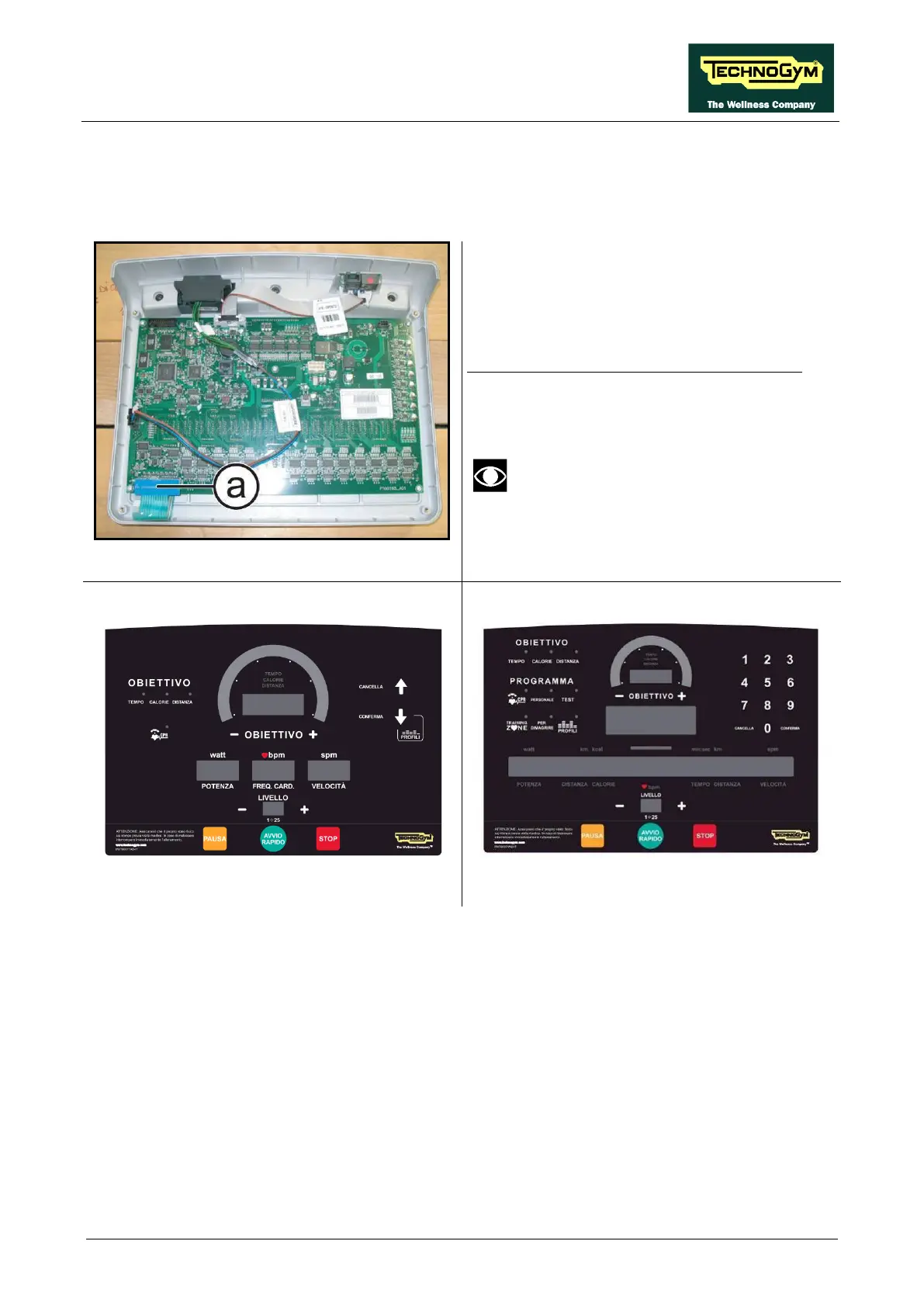
Figure 7.3-1
Carry out the procedure described in paragraph:
7.1. “Disassembling the display
(3).
Place the display assembly on a work bench:
1. Unplug the connector (a).
After the reassembling of the board,
remember to fix the keyboard
connector using a drop of hot glue.
Figure 7.3-2
700 model
Figure 7.3-3
2. Use a sharp tool to lift up and detach a corner of the keyboard then remove the keyboard.
Continued on following page ...














 To Next Page