SYNCHRO Excite +: Service & maintenance manual - rev. 7.1
Page 7.1
7. DISASSEMBLY OF COMPONENTS
7.1. DISASSEMBLING THE DISPLAY
7.1.1. 500 AND 500SP VERSION
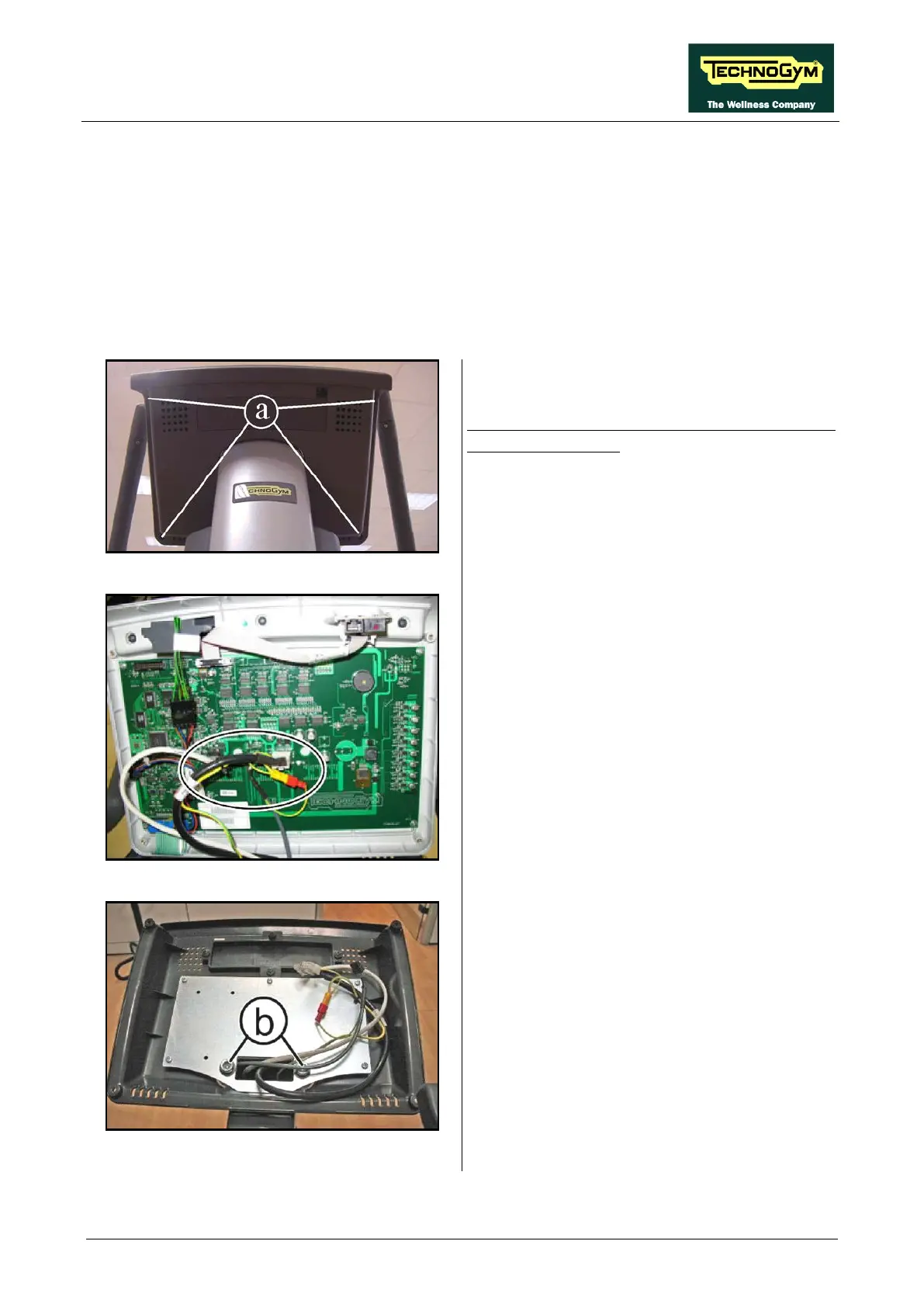
Figure 7.1-1
Turn off the machine and unplug the mains lead
from the wall outlet:
1. Back off the 4 screws (a) using
Phillips screwdriver.
Figure 7.1-2
2.
Unplug the connector highlighted in the
figure at the side.
3. Remove the Display.
Figure 7.1-3
4. Back off the 2 screws (b)
, using a 8mm
hexagonal wrench, for remove the rear
support of the Display.
To reassemble the Display,
carry out the above steps in reverse order.














 To Next Page