SYNCHRO Excite +: Service & maintenance manual - rev. 7.1
Page 7.14
7.2.2.6. LCD (E) + Touch Screen
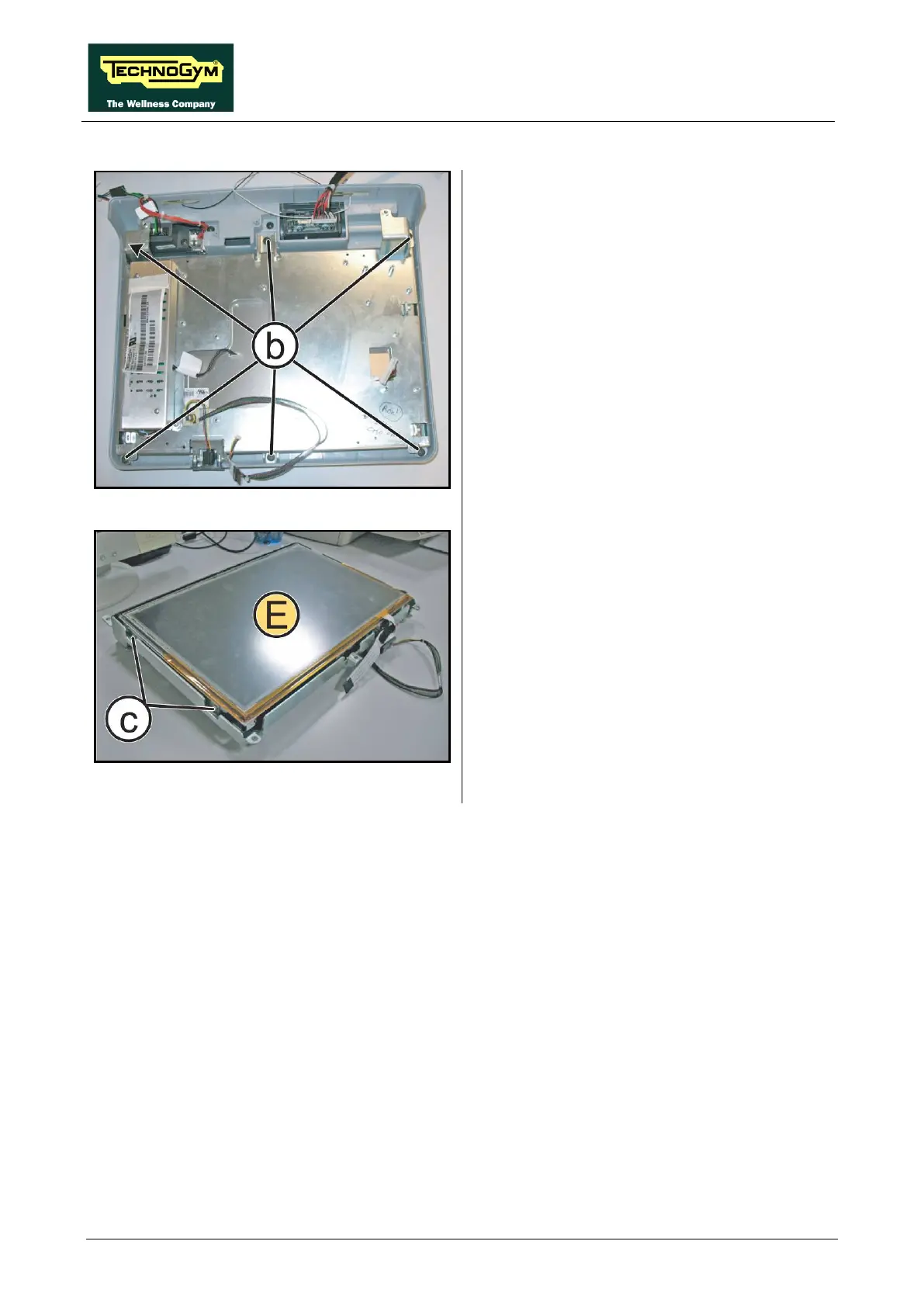
Figure 7.2-16
Carry out the procedure described in paragraph:
7.2.2.5 “CPU board (D)”.
1. Back off the 6 screws (b)
Phillips Screwdriver.
2. Remove the LCD Inverter as described in the
paragraph: 7.2.2.4 “LCD Inverter (C)”.
3. Remove the LCD group completely.
Figure 7.2-17
4. Carefully overturn the LCD group.
5. Back off the 2 screws (c)
using a medium Phillips Screwdriver.
6. Remove the LCD (E) from the support plate.
To reassemble the LCD and the Touch Screen,
follows the above steps in the reverse order.














 To Next Page