111
(4) Register on the website of the selected DDNS service porvider. Assume the registered information
are listed as follows:
Service Provider: dyndns.org
User Name: Tenda
Password: 12345678
Domain Name: tenda.dyndns.org
Step 2 Set DDNS.
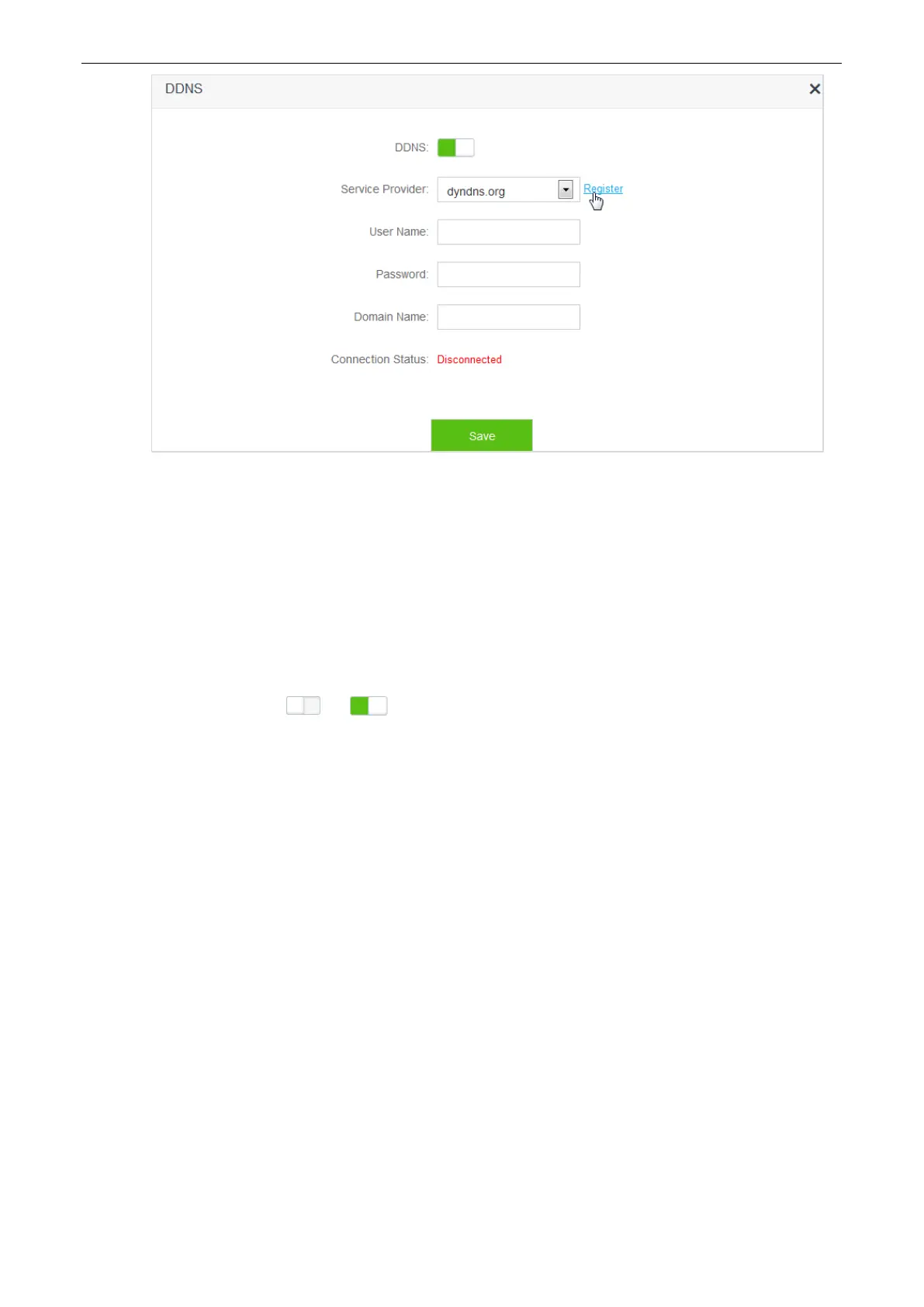
(1) To access the configuration page, click Advanced Settings > DDNS.
(2) DDNS: Switch to .
(3) Service Provider: Click drop-down-box and select dyndns.org.
(4) User Name: Enter user name registered on DDNS service provider's website, which is Tenda in this
example.
(5) Password: Enter password registered on DDNS service provider's website, which is 12345678 in
this example.
(6) Domain Name: Enter domain name registered on DDNS service provider's website, which is
tenda.dyndns.org in this example.
(7) Click Save.


 To Next Page
 Loading...