95
the WiFi on/off button on the rear panel of the router or using Tenda app. For details
about how to enable this WiFi function by Tenda app, refer to the Tenda app usage.
It specifies time when the Sleeping Mode function is effective.
If Delay enabling the Sleep mode when there is an online user option is
selected and client exchanges data with the router in a WAN speed of no more
than 3KB/s within 30 minutes, the router enters Sleeping mode. If no client
exchanges data with the router, and the traffic is less than 3 KB/s within 3
minutes, the router enters Sleeping mode.
If Delay enabling the Sleep mode when there is an online user option is not
selected, the router enters Sleeping mode during Sleeping Time after Sleeping
Mode is enabled.
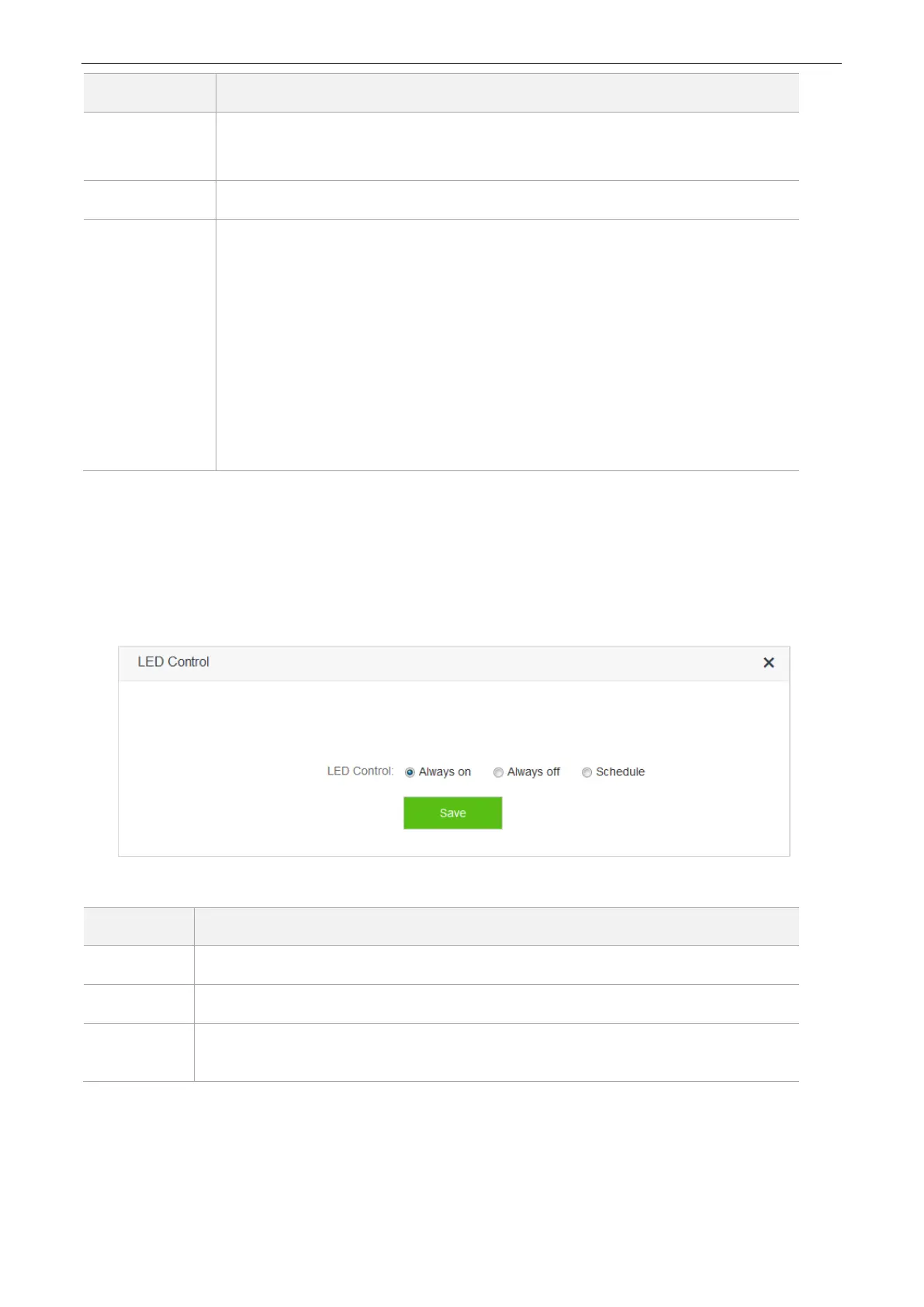
10.4 LED Control
On the LED Control page, you can set the on/off status of the router’s LED indicators.
To access the configuration page, click Advanced Settings > LED Control.
Parameter descriptions
It indicates that all the LED indicators are on.
It indicates that all the indicators are off.
It specifies that all the LED indicators are off in the period Turn Off During and become
enabled when the periods expire.


 To Next Page
 Loading...