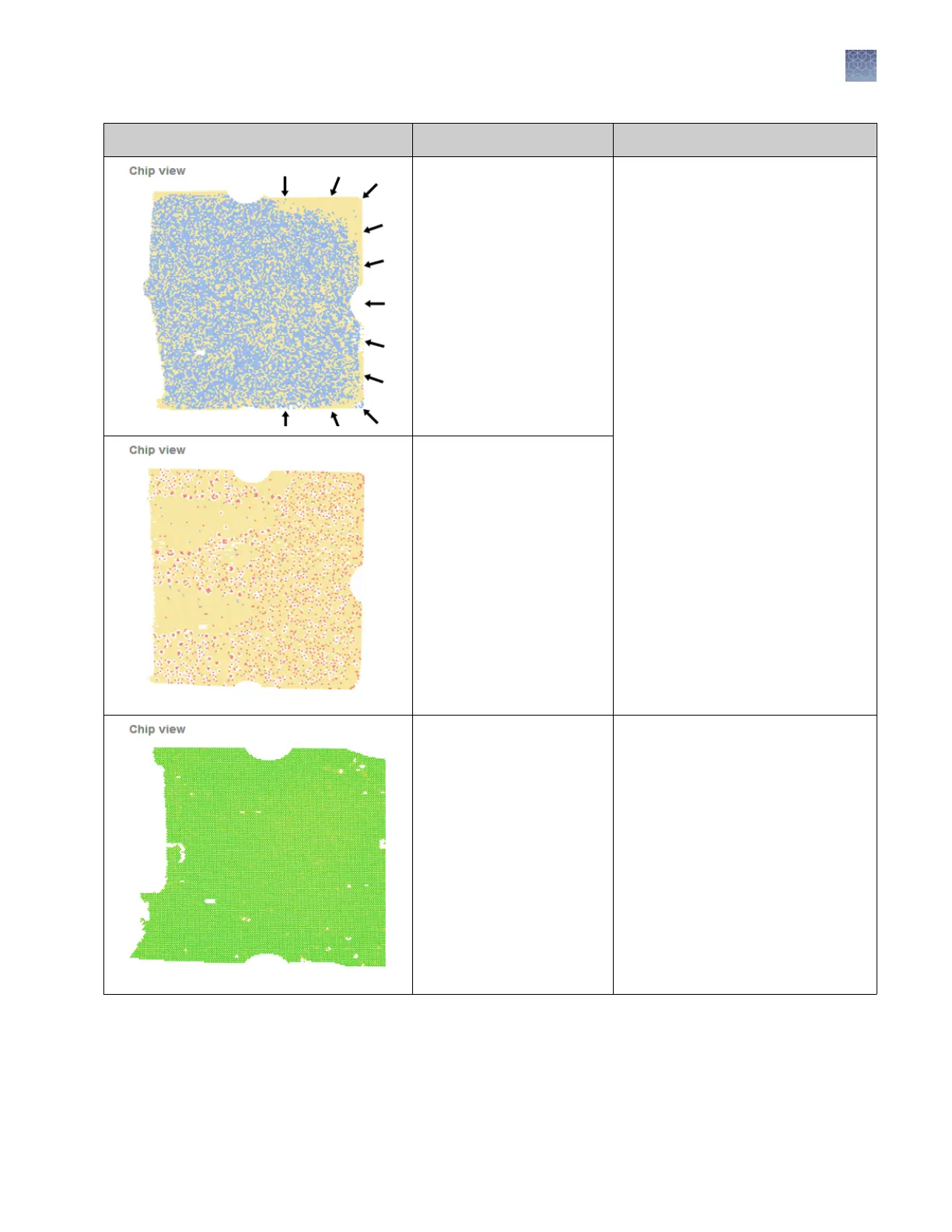
Observation Possible Cause Action
The chip was not completely
covered with Immersion
Fluid immediately after
loading (while still on the
chip loader or heated block)
Note: (QuantStudio
™
3D
Instrument firmware version
1.1 or earlier) Yellow around
the edges is a strong
indication of evaporation.
Add Immersion Fluid as soon as the
loading blade is off of the chip.
Ensure that the entire chip is covered
with Immersion Fluid, even the edges.
Note: When adding Immersion Fluid,
the uid can overow into the chip
base, but do not allow it to spread
onto the sides of the chip lid.
Immersion Fluid was not
applied to the chip
immediately after loading
(evaporation of the PCR
reaction).
Debris or other
contaminants are present on
the chip lid during imaging.
No action required.
The AnalysisSuite
™
Software can
compensate for small quantities of
debris or other contaminants on the
chip.
Chapter 6 Troubleshooting
Troubleshooting chip images using the Chip View
6
QuantStudio
™
3D Digital PCR System User Guide
57











 To Next Page