11.
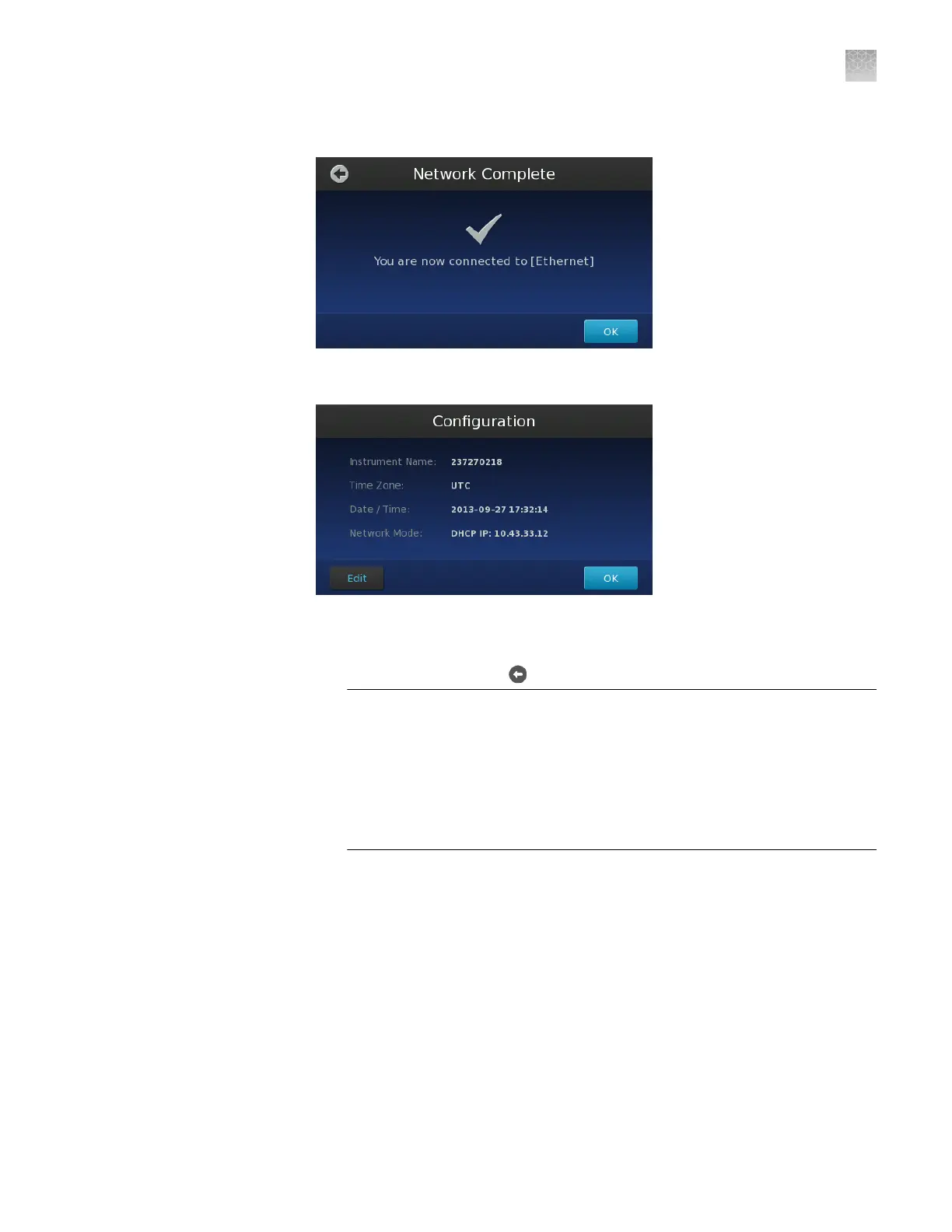
In the Network Complete screen, touch OK.
12.
In the Conguration screen, touch
Edit
to change the instrument settings.
13.
In the Edit Conguration screen, modify the elds as needed, then touch Save.
•
Touch the Instrument Name eld, enter up to a 16-character name for the
instrument, then touch
to save the setting.
IMPORTANT! The instrument name is an alphanumeric string used to
identify the instrument on the network. The instrument name:
·
Can be up to 16 characters long.
·
Must consist of alphabetic and numeric characters.
·
Can contain hyphens, but not as the rst or last characters in the name.
·
Cannot include spaces or special characters ( ; : " < > * + = \ | ? , ).
Note: By default, the Instrument Name is set as the serial number of the
instrument.
•
Touch the Time Zone eld, then select the correct continent and region
from the list.
•
Touch the Date eld, enter the current date, then touch Enter.
•
Touch the Time eld, enter the appropriate time units, then touch Enter.
14.
In the Conguration screen, touch OK to accept the instrument conguration.
The QuantStudio
™
3D Instrument is ready to use when the touchscreen displays
the Start Run screen.
Appendix A
Install the QuantStudio
™
3D Digital PCR System
Install the QuantStudio
™
3D Digital PCR Instrument
A
QuantStudio
™
3D Digital PCR System User Guide
67











 To Next Page