Connection Action
Wireless
1.
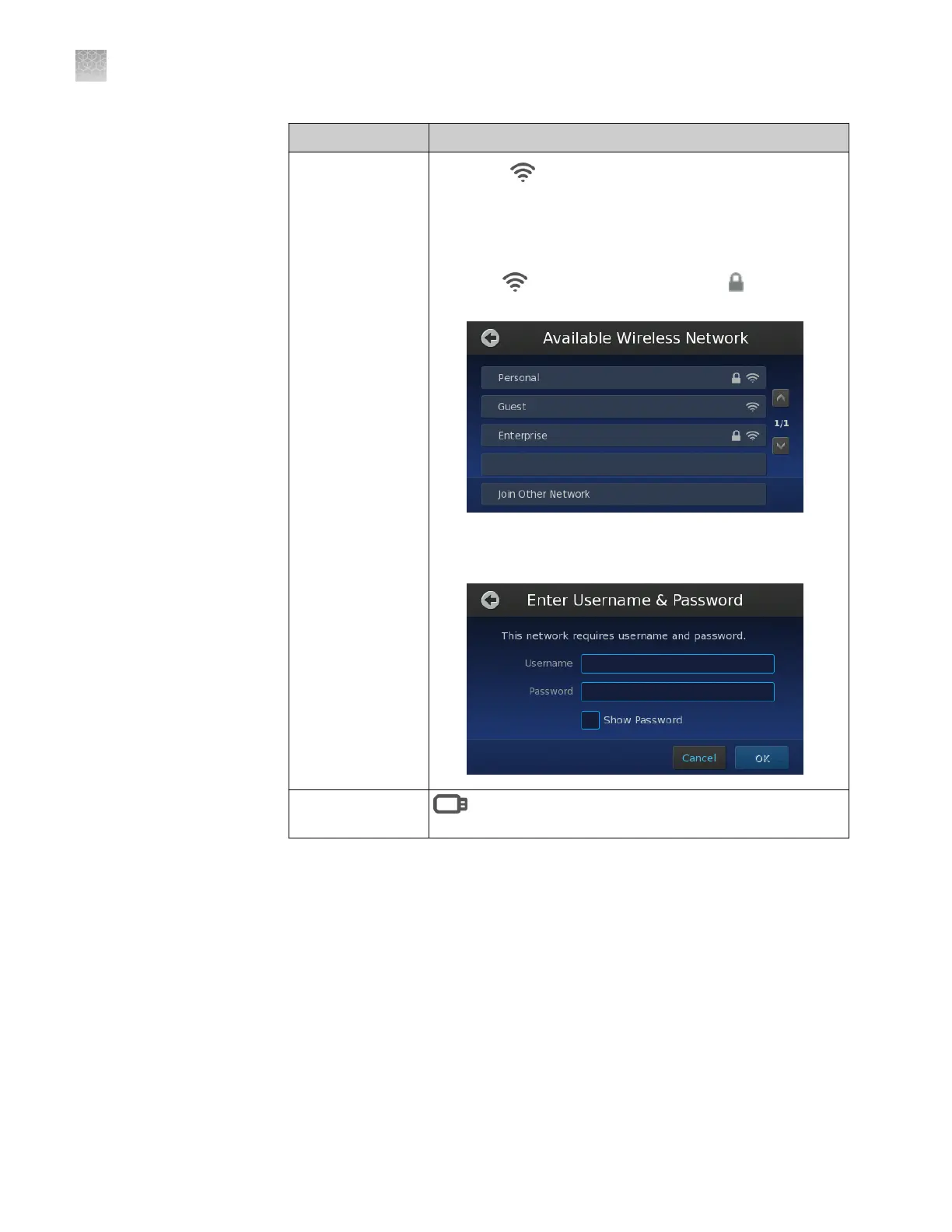
Touch Wireless.
2.
In the Available Wireless Network screen, touch the
desired wireless hotspot.
Note: The signal strength of a wireless hotspot is
indicated by the number of bars present in the wireless
icon (
). The presence of a lock icon ( ) indicates that
the hotspot is secure (WPA, WEP, or WPA2).
3.
If your selected wireless hotspot is secure, enter the
required authentication information (user
name/password), then touch OK.
None (no network
connection)
Offline to congure the instrument to save data to a
local USB drive.
The instrument is connected to the network when the touchscreen displays the
Network Complete screen.
Appendix A Install the QuantStudio
™
3D Digital PCR System
Install the QuantStudio
™
3D Digital PCR Instrument
A
66
QuantStudio
™
3D Digital PCR System User Guide











 To Next Page