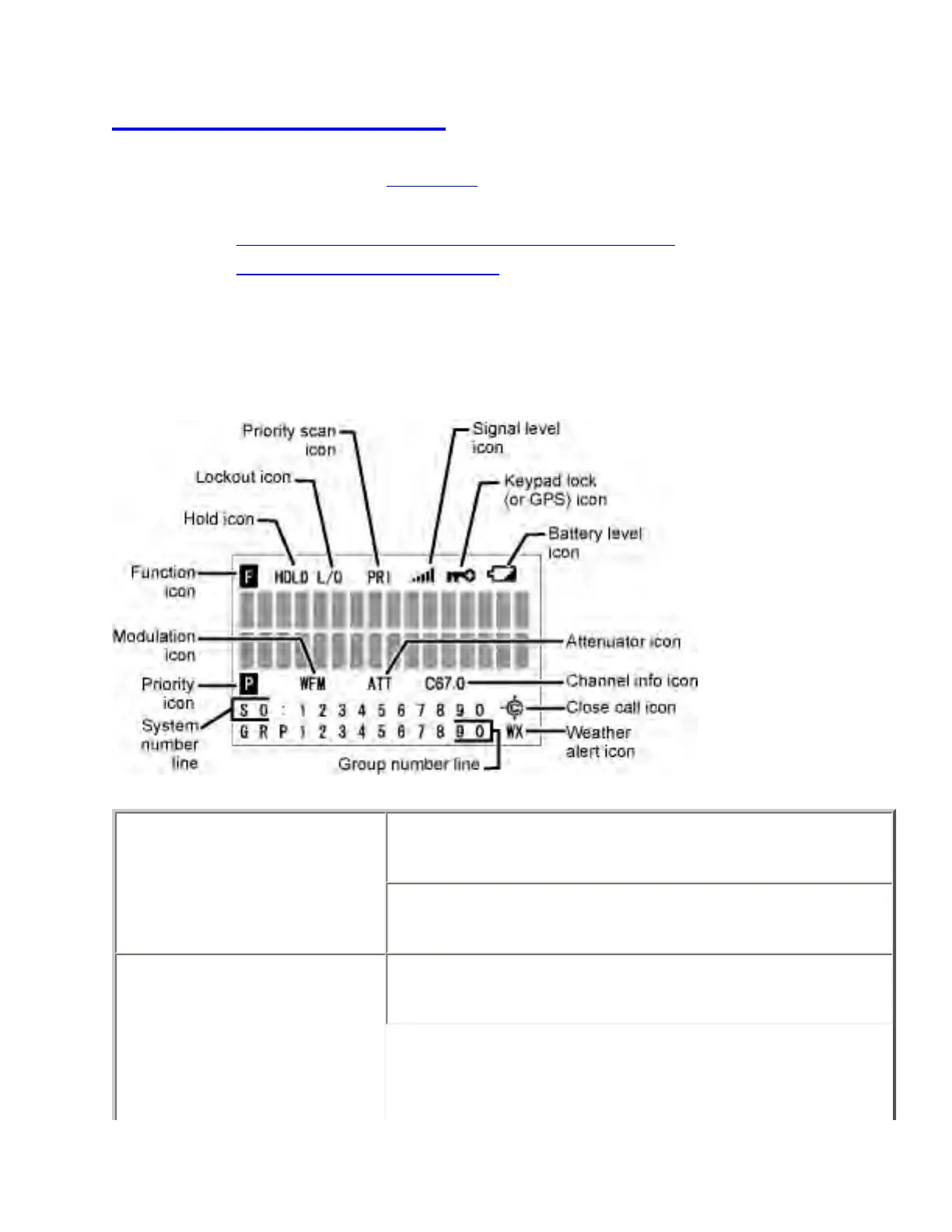
BC346XT displays
This page applies to the BC346XT. For other models, see:
● BCD396XT and BCD996XT Reading the Display
● BCT15X Reading the Display
The display icons vary depending on the status of the scanner and what youre doing at
any given time. The diagram shows common icon locations, and table below lists the
most common icons and their meanings:
Attenuator icon Steady: The attenuator is turned on for the current
channel.
Blinking: The attenuator is turned on globally (for all
channels).
Battery level icon x.xx: The remaining battery voltage is displayed in
place of the Xs.
file:///C|/Documents%20and%20Settings/POpitz/My%20D...nts/temp/CDImage_090515/Manual/BC346XTDisplays.html (1 of 4)5/26/2009 11:14:39 AM



 To Next Page