FUNCTION
+ Tap
Enter the Menu for
the current system
or search range.
NA NA NA
Key Name
(2nd
operation)
Action on:
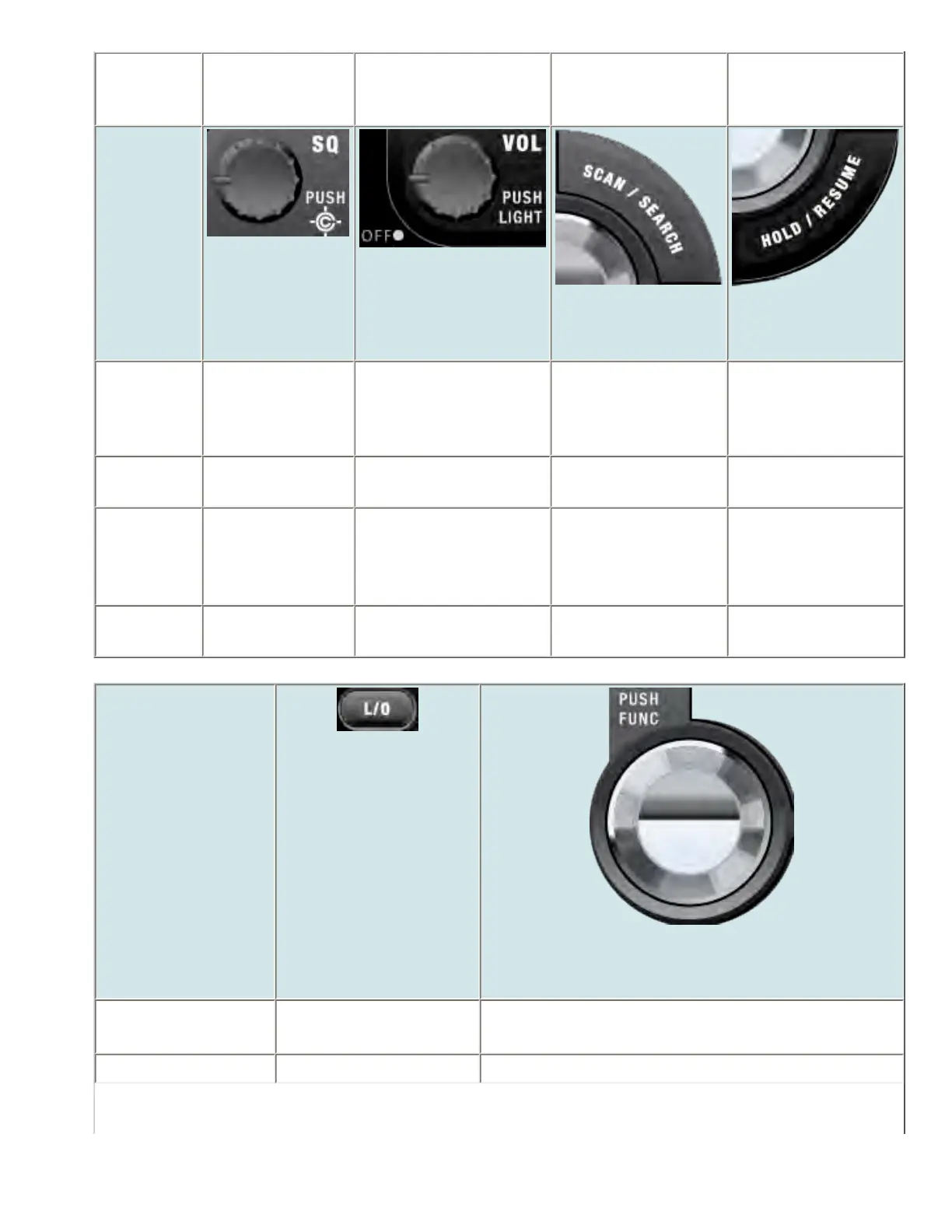
SQUELCH
VOLUME
SCAN/SEARCH
HOLD/RESUME
Rotate Adjust Squelch. Adjust volume. Turn
fully counterclockwise
past click to turn off
scanner.
NA NA
Tap Change Close Call
mode.
Change backlight level. Resume scanning. Resume scanning.
Press &
Hold
Go to Close Call
Only mode.
NA NA Hold on the current
system and resume
scanning.
FUNCTION
+ Tap
Go to Tone-Out
Mode.
Go to P25 status mode. Go to the Quick
Search prompt.
NA
Key Name
(2nd operation)
Action on:
LOCKOUT
SCROLL - FUNCTION
Rotate NA Scroll through channels.
Function + Rotate NA Scroll through systems.
file:///C|/Documents%20and%20Settings/POpitz/My%20...s/temp/CDImage_090515/Manual/BCD996XTHoldMode.html (3 of 7)5/26/2009 11:15:35 AM



 To Next Page