User-selected diagnostic tests and settings 5-9
Test and settings list
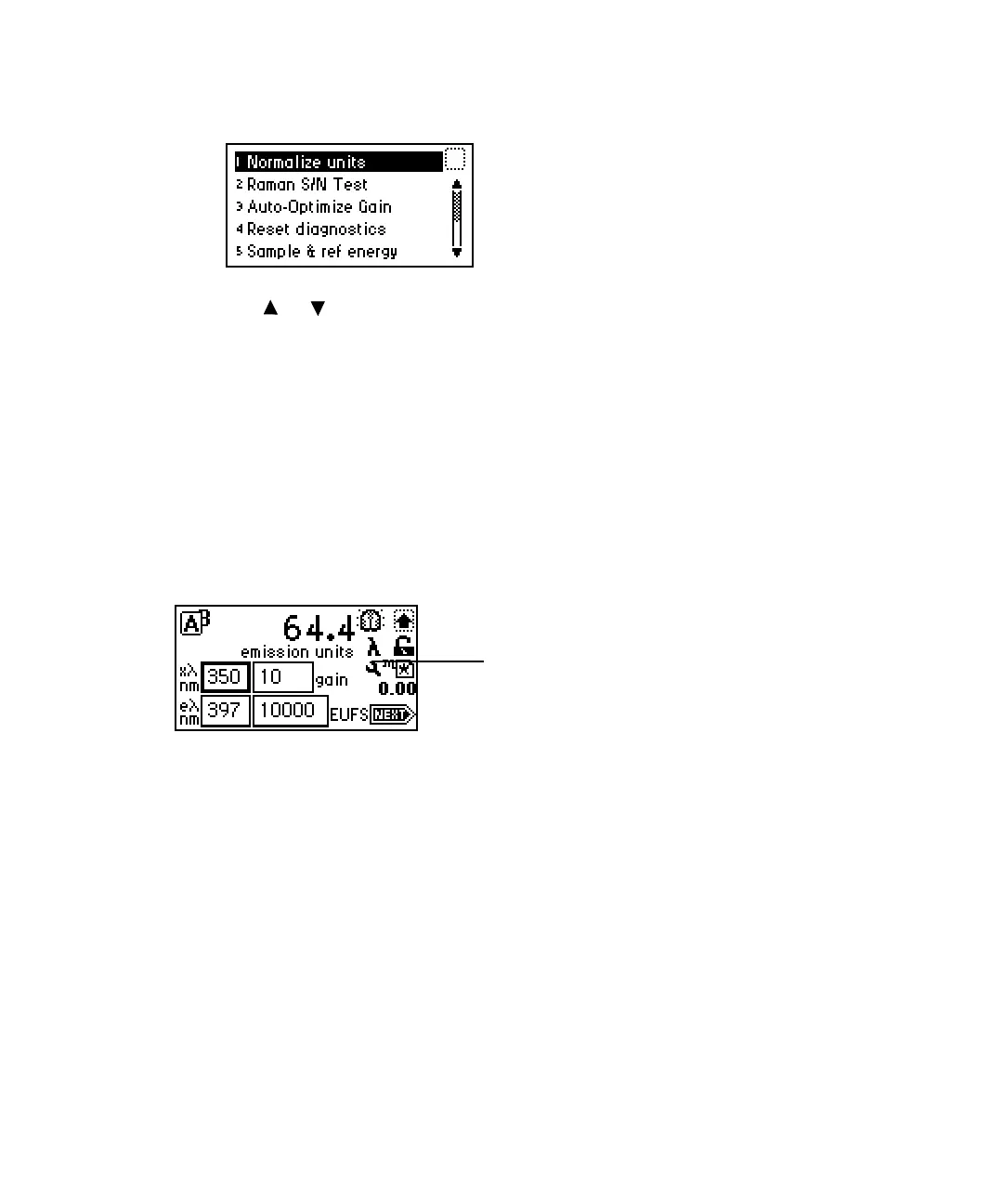
2. Use or to select the test you want to run or setting you want to
change, and press Enter, or press a number from 1 through 8. Choices
that display other choices are indicated by >> (see the table titled “2475
detector diagnostic tests and settings” on page 5-10).
Sticky diagnostic settings
Sticky diagnostic settings remain in effect until you disable them. When a
sticky diagnostic test is active, the home screen displays a wrench icon. If no
tests are active, the wrench icon does not appear on the home screen.
Home screen showing active sticky diagnostic settings
• To disable a specific sticky diagnostic setting, reset it to the default
settings.
• To disable all active sticky diagnostic settings, press DIAG, then press 4
Reset diagnostics.
• When you shut down the detector, all sticky diagnostic settings are
disabled.
You can select the following sticky diagnostic settings:
•Auto-optimize gain
• Fix EU [Fix (set) fluorescence input]
• Fix voltage [Fix (set) voltage outputs]
• Generate test peaks
Wrench icon



 To Next Page