User-selected diagnostic tests and settings 5-13
• Override the optical filter.
To perform one of the input and output tests or change a setting, press 6 Input
& output. A list of four diagnostic tests and settings appears.
Input and output diagnostic tests and settings
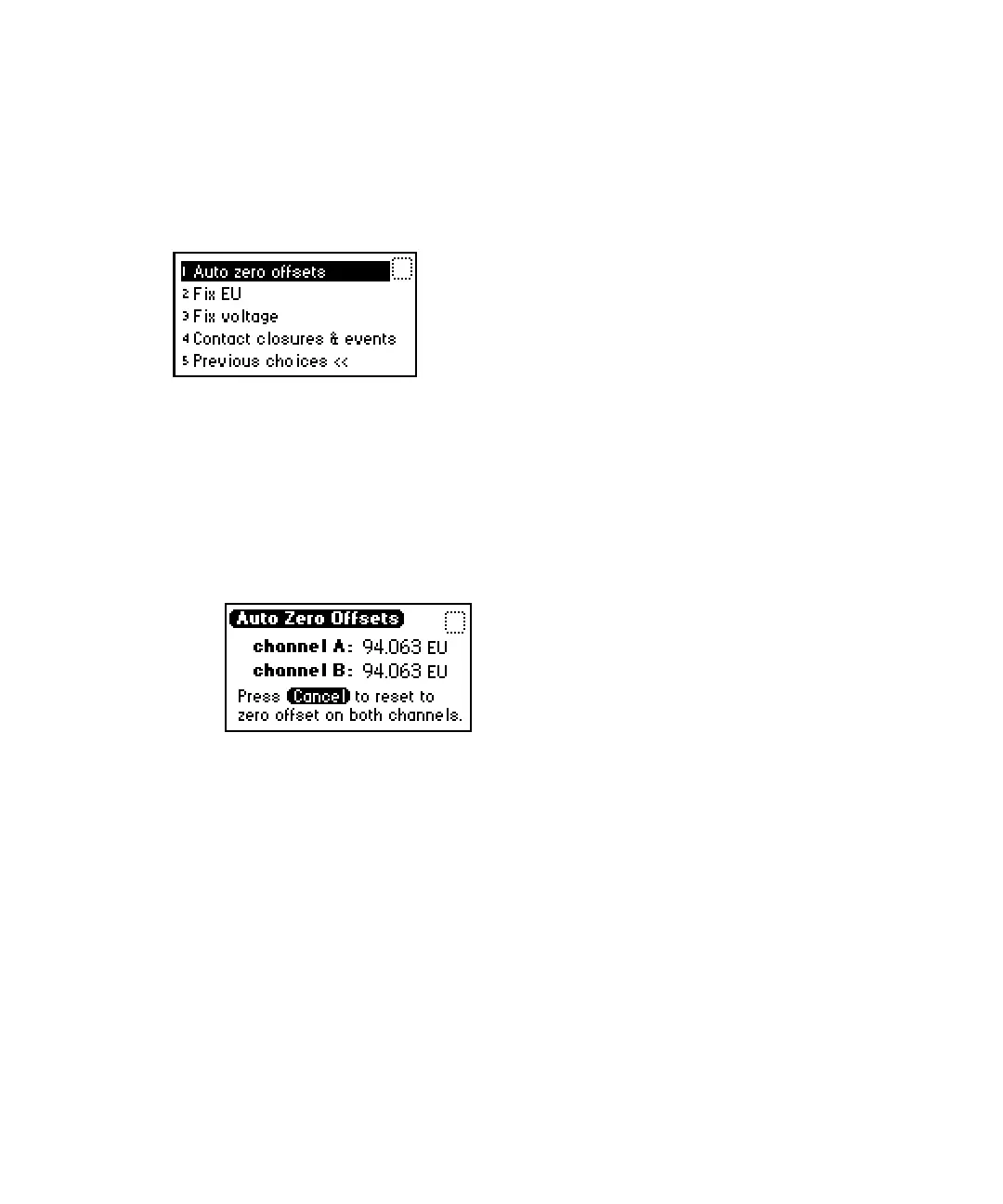
Displaying auto-zero offsets
To display auto-zero offsets:
1. From the Input & output list, press 1 Auto zero offsets.
Auto-zero offsets screen
2. Select Cancel (Shift, 0) if you want to clear the offset on both channels to
zero.
Setting the fixed EU value
This function sets the voltages on the analog output channels based on the
current EUFS setting.
To set the fixed EU value:
From the Input & output list, press 2 Fix EU to set a fixed fluorescence value
for channel A or channel B. The allowable range is from –100.0 to +1000 EU.
You can also specify sensitivity in EUFS. The allowable range is from 10 to
100,000 EUFS.


 To Next Page
 Loading...










