Version 18-01 · 9401-191-003-EN · Exclusive and IS 600 E
Page 6
Caution!
Risk of burning
on the
hot device.
2017-01-11
15:32:15
4 The Main Menu
A
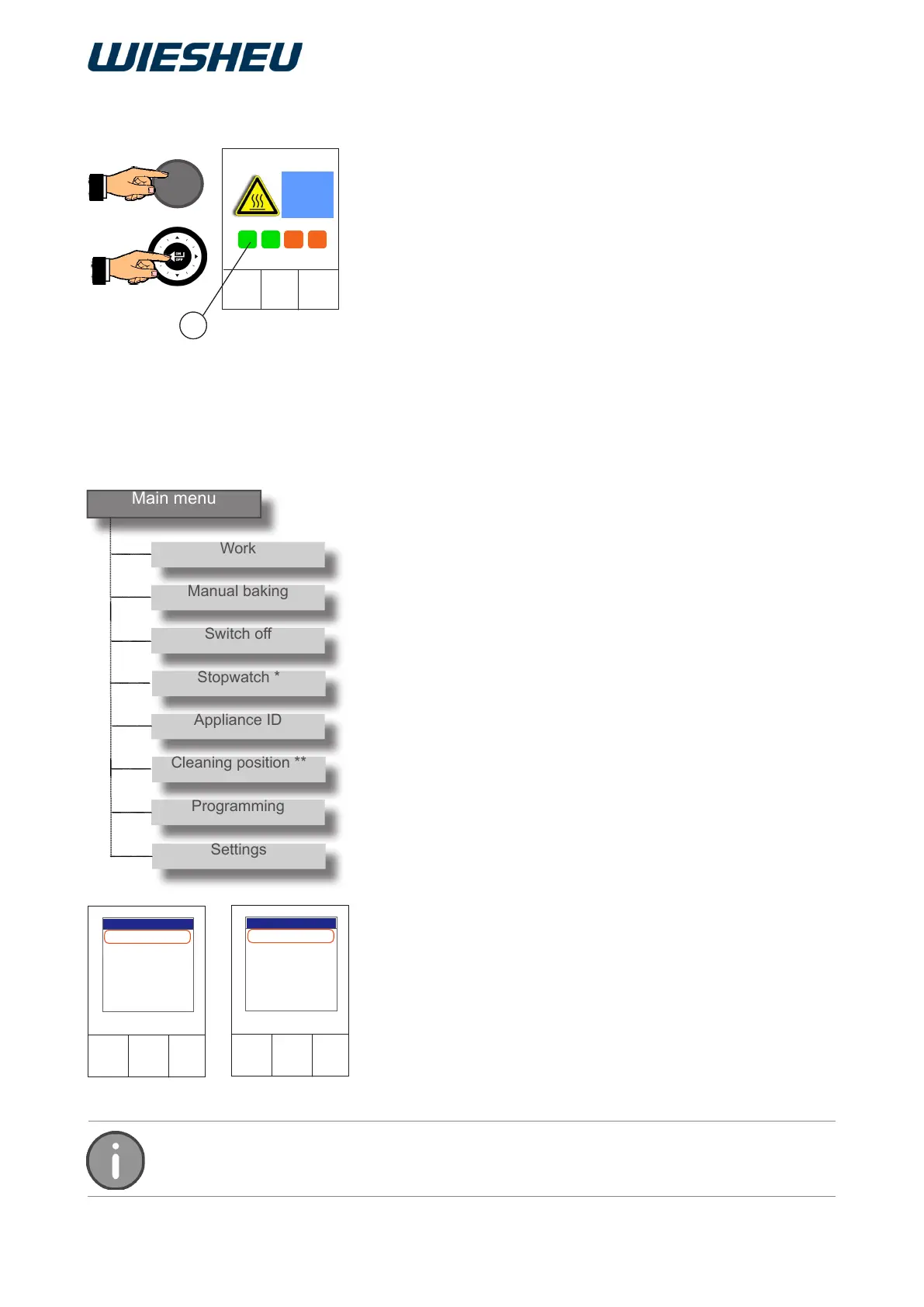
3.4 Switching on
Caution!
Risk of burning
on the
hot device.
2017-01-11
15:32:15
A
You are in the “Work” menu item.
Press the “C” button.
You are in the main menu.
The following menu items are displayed in the main menu:
● Work
● Manual baking
● Switch off
● Stopwatch *
→ * Only with Dibas 64 blue
● Appliance ID
● Cleaning position **
→ ** Only with Dibas 64 blue, Automatic door option
● Programming
● Settings
2017-01-11
15:32:15
Work
Manual baking
Switch off
Stopwatch
Appliance ID
Cleaning position
Programming
Main menu
2017-01-11
15:32:15
Work
Manual Baking
Switch off
Appliance ID
Programming
Main menu
Illustration: Ebo Illustration: convection oven
The oven is connected to the electricity network.
When switched on for the rst time, the software
information of the control is displayed.
■ Press the ON/OFF button.
→ The logo is shown in the display.
■ Keep the ON/OFF button pressed for approx. 5 seconds.
→ The display shows the progress of the switch-on process by
a progress bar [Progress Bar (A)].
→ The colour of the progress bar changes.
→ The progress bar has a uniform colour.
→ The control is switched on.
→ The system displays the “Work” menu item.
Press the “C” button once or several times to go back to the main
menu from any menu item.



 To Next Page