Version 18-01 · 9401-191-003-EN · Exclusive and IS 600 E
Page 54
2017-01-11
15:32:15
End PH
End NB
Enter standby
Switch off display
Standby light
Oven light on
Cleaning light
Energy saving
Save changes?
No
Yes
?
Off
Switch on/off
On
Switch on/off
2017-01-11
15:32:15
End PH
End NB
Enter standby
Switch off display
Standby light
Oven light on
Cleaning light
Energy saving
Save changes?
No
Yes
?
Off
Switch on/off
On
Switch on/off
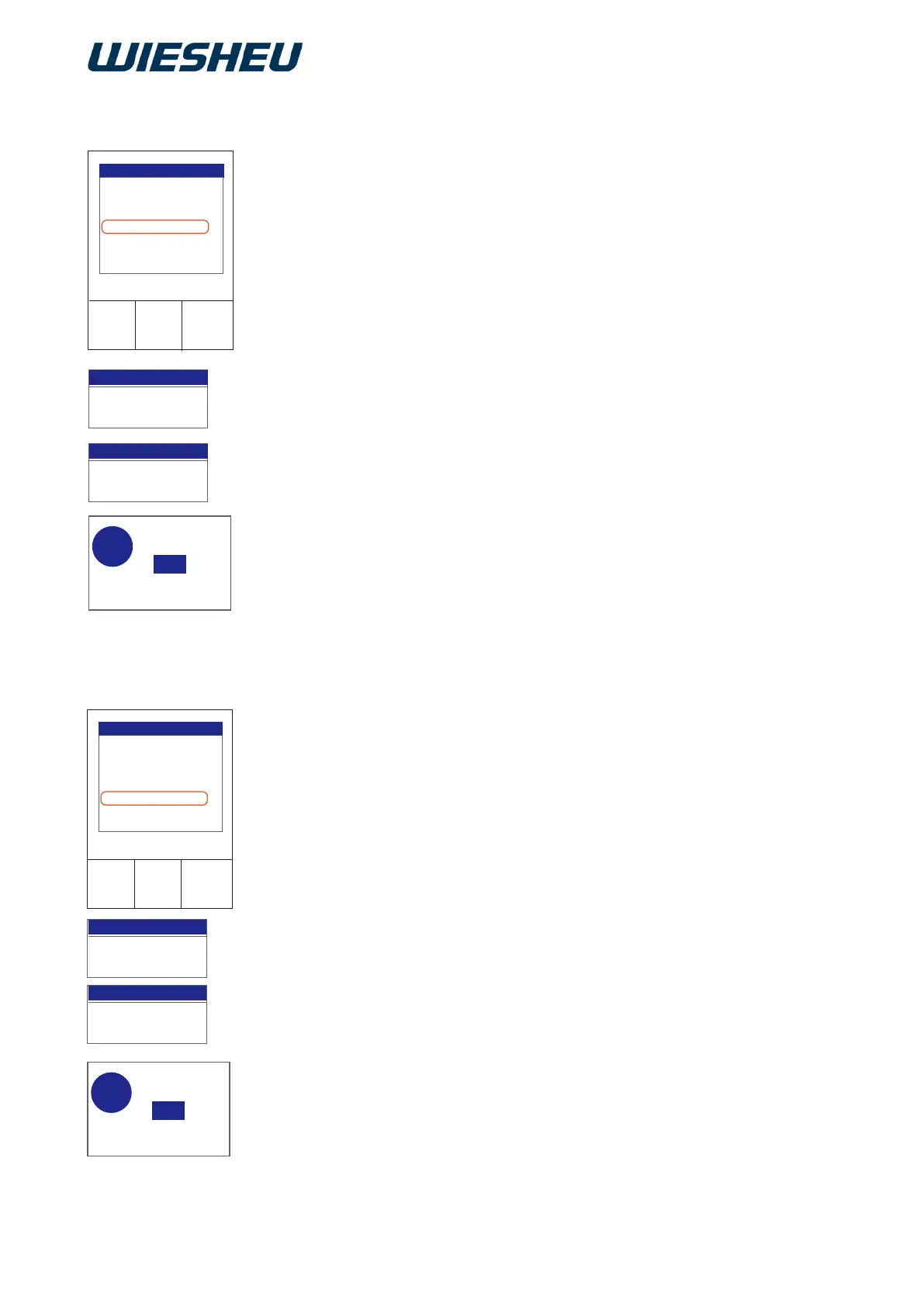
13.3.4 Switch off the display
13.3.5 Light standby
The control display requires energy.
Switch the control display off while the appliance is in standby mode.
You are in the “Energy saving” menu.
■ Use the slider/rotary button to select the “Switch display on/off”
submenu.
■ Choose from the following settings:
● Switch display on/off “ON”:
→ “Switch display on/off” function is not active, meaning that the
display is switched on in standby mode.
● Switch display on/off “OFF”:
→ “Switch display on/off” function is active, meaning that the display
is switched off in standby mode.
→ The display shows the message:
“Save changes? Yes / No”.
Select “Yes”:
→ The setting is saved.
or
■ Select “No”:
→ The process is cancelled.
Switch the baking chamber lighting On/Off during standby mode.
You are in the “Energy saving” menu.
■ Use the slider/rotary button to select the “Light standby” submenu.
■ Choose from the following settings:
● Light “ON”:
→ The “Light standby” function is not active.
→ The oven's lighting is switched on in standby mode.
● Light “OFF”:
→ The “Light standby” function is active.
→ The oven's lighting is switched off in standby mode.
→ The display shows the message:
“Save changes? Yes/No”
Choose “Yes”:
→ The setting is saved.
or
■ Select “No”:
→ The process is cancelled.



 To Next Page