Version 18-01 · 9401-191-003-EN · Exclusive and IS 600 E
Page 48
2017-01-11
15:32:15
Communication
Energy saving
Current conditions
Operating parameters
Factory settings
Appliance settings
15:32:15
USB
Network setting
Communication
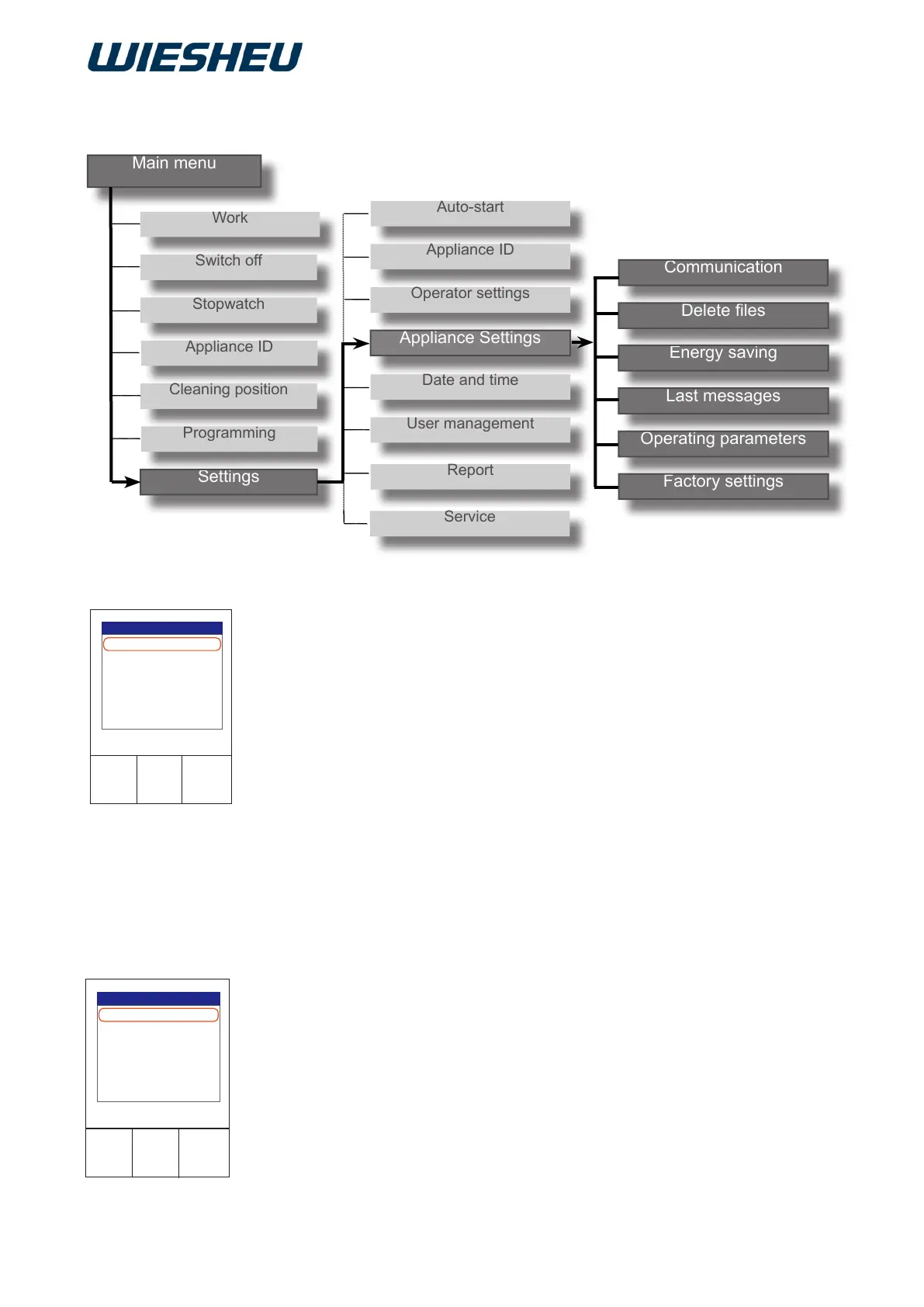
You are in the “Settings” menu item.
■ Choose the “Appliance setting” menu item.
The following menu items are displayed:
● Communication
● Delete files
● Energy saving
● Last messages
● Operating parameters
● Factory settings
Connect your USB medium with the oven or set up the network con-
nection of your store baking oven.
■ Choose the desired communication interface:
● USB
● Network setting
13. Menu item “Appliance setting”
13.1 Communication



 To Next Page