Version 18-01 · 9401-191-003-EN · Exclusive and IS 600 E
Page 22
Save changes?
No
Yes
2017-01-11
15:32:15
Program 1
Pretzel.BMP
01 Preh 200°C
02 Steam 180°C
03 Bake 180°C
Edit
A
?
Activate “Intelligent Baking Control” (IBC) directly in the baking program
and use the percentage input to adjust the degree of browning of the
product that you want.
You are in the “Program” menu item
Submenu “Edit”.
■ Select item IBC (C).
→ The system opens another input window.
■ Use the slider/rotary button to choose “ON”.
■ Select item “Degree of browning” (D).
→ The system opens another input window.
■ Use the slider/rotary button to choose the necessary setting (E).
10.1.2 Changing the pictogram
10.1.3 Activating and adjusting IBC
2017-01-11
15:32:15
B
IBC ON
Browning - 30%
Edit step
C
D
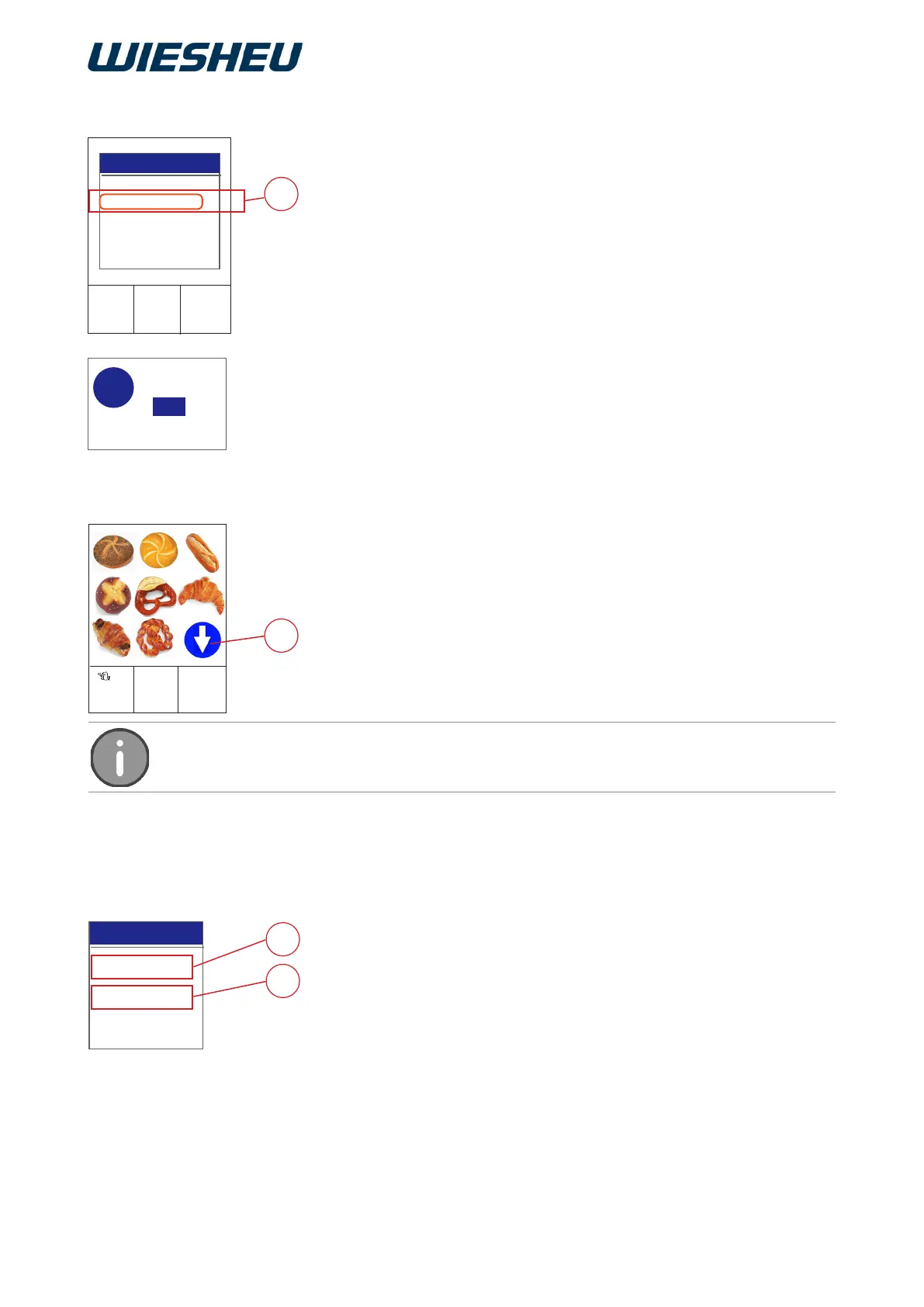
Assign an existing pictogram (product image) from the data store to the
baking program.
You are in the “Program” menu item
Submenu “Edit”.
■ Choose the *.bmp (A) pictogram file.
→ The system shows all the available pictograms on the display.
■ Use the slider/rotary button to choose the desired pictogram.
→ The selected pictogram is applied.
■ Press the “C” button.
→ The system shows the following message on the display:
“Save changes? Yes / No”.
■ Select “Yes”:
→ The setting is saved.
or
■ Select “No”:
→ The process is cancelled.
If more than 9 pictograms are stored in the program list, this is indicated by a blue arrow
(B) on the display.



 To Next Page