Version 18-01 · 9401-191-003-EN · Exclusive and IS 600 E
Page 42
Save changes?
No
Yes
?
Do you need to switch the language of menu navigation in the control-
ler on a regular basis?
If this is the case, select simple language switch to allow you to switch
the stored languages directly from the main screen with just a few
clicks.
You are in the “Country setting” menu.
■ Use the slider / rotary button to select the “Simple language switch”
submenu.
→ The system shows the following message on the display:
“Switch on/off”
■ Choose “ON”:
→ The setting is saved.
To activate the function, carry out the steps below:
■ Press the “C” button several times.
→ You are in the main menu.
■ Switch off the device.
■ Switch the device on.
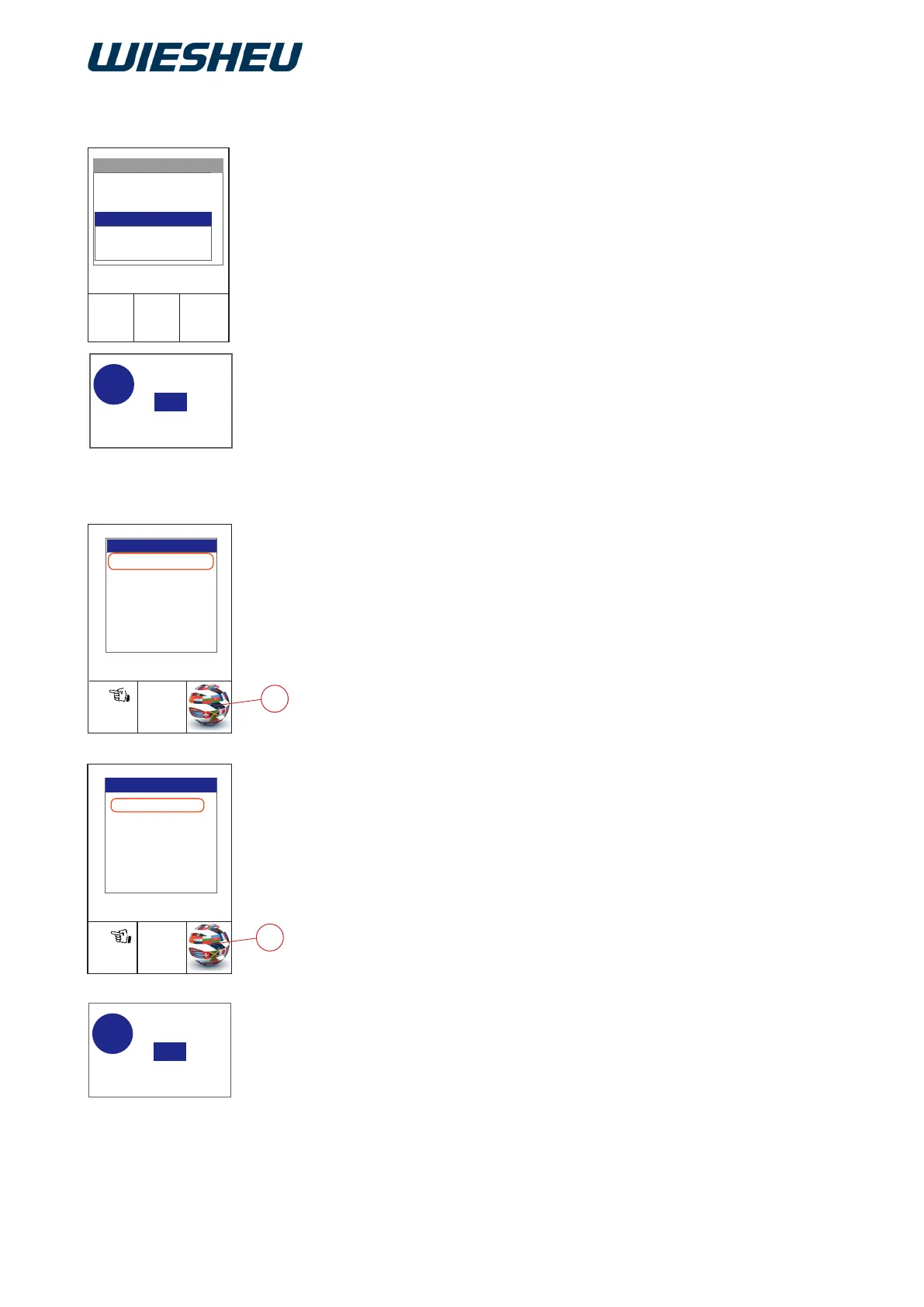
→ In the bottom right-hand corner of the display, the system shows
the icon (A) for language switching.
■ Tap the icon (A).
→ On the display, the system shows all the languages that are
stored on the controller's operating unit.
■ Use the slider/rotary button to choose the desired language.
■ Press the “Return” button to confirm.
→ The display shows the message:
“Save changes? Yes / No”
■ Select “Yes”:
→ The setting is saved.
or
■ Select “No”:
→ The process is cancelled.
2017-01-11
15:32:15
On
Switch on/off
Save changes?
No
Yes
?
°C or °F
Time/Date format
Language
Country settings
2017-01-11
15:32:15
Language
2017-01-11
15:32:15
Work
Manual Baking
Switch off
Appliance ID
Programming
Main menu
A
A
German
English
Italian
Polish
Russian
Spanish
Turkish
12.3.4 Simple language switching (with Exclusive controller only)



 To Next Page