Page 15
Exclusive and IS 600 E · 9401-191-003-EN · Version 18-01
1
A
B
C
F
D
E
2017-01-11
15:32:15
0000 ml
1
(180 °C) 150 °C
open 2 25%
01: 8:00 min 5:20
02: 0:00 min 0:00
03: 5:00 min 1:58
05: 0:00 min 0:00
04: 8:00 min -1:05
1
5
4
7
6
2
8
3
2017-01-11
15:32:15
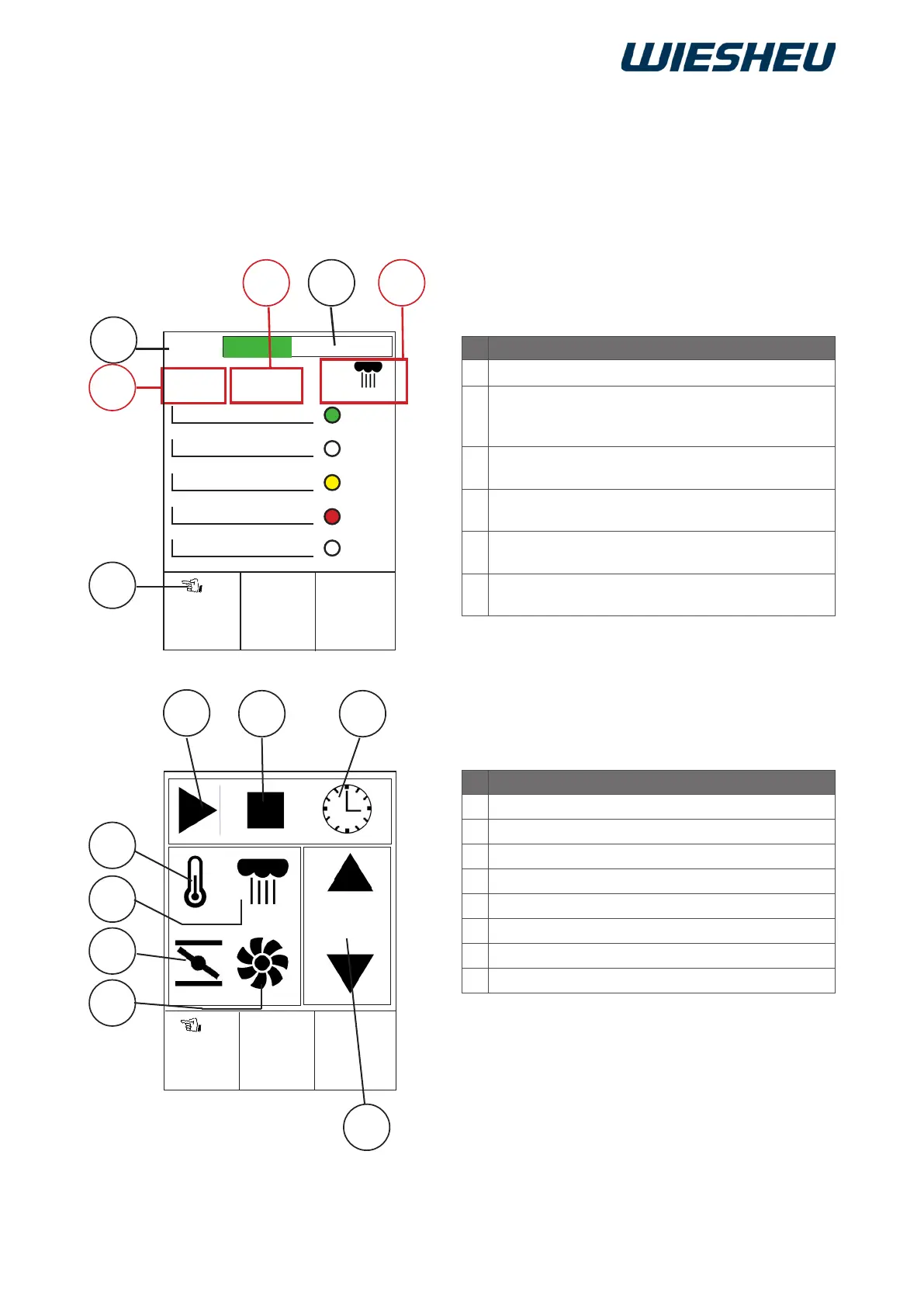
Designation
A
Display of next nished load
B
Display of parameters
(Target temperature/position of exhaust
air valve)
C
Display of touchscreen display
(active/inactive)
D
Display of “Manual steam injection” parameter
(Steam amount)
E
Display of timer
(green/yellow/red)
F
Display of parameters
(Actual temperature/fan speed)
Start an individual timer for each load in the “Stopwatch” submenu. The display shows the status of each
load level via a remaining time display and a coloured highlight.
You are in the main menu.
7 Menu item “Stopwatch” (with Dibas 64 blue and Euromat 64)
Designation
1
Button Start
2
Button Stop/reset
3
Time input
4
Setting of temperature
5
Setting of steaming
6
Setting of exhaust air valve
7
Setting of fan speed
8
Selection of load



 To Next Page