Version 18-01 · 9401-191-003-EN · Exclusive and IS 600 E
Page 38
Preheating sound
Completed sound
Error sound
2017-01-11
15:32:15
Signal time
Preheating sound
Completed sound
Error sound
2017-01-11
15:32:15
Signal time
Once
XXX seconds
Always on
Signal duration
X
sec.
X
sec.
X sec. X sec.
X sec.
X sec.
A
B
E
D
G
C
F
H
K
L
X sec.
X sec.
Set the sequence and duration of the signal tones.
You are in the “Sound” menu.
■ Use the slider/rotary button to select the “Signal time” menu item.
Additional submenus are displayed in the “Signal time” menu item:
● Preheating sound
→ Set the duration/sequence of the acoustic signal on reaching the
pre-heating temperature
● Completed sound
→ Set the duration/sequence of the acoustic signal after the baking
program has run down
● Error sound
→ Setting the duration of the audible signal for error messages
→ Setting in minutes
→ Sound off
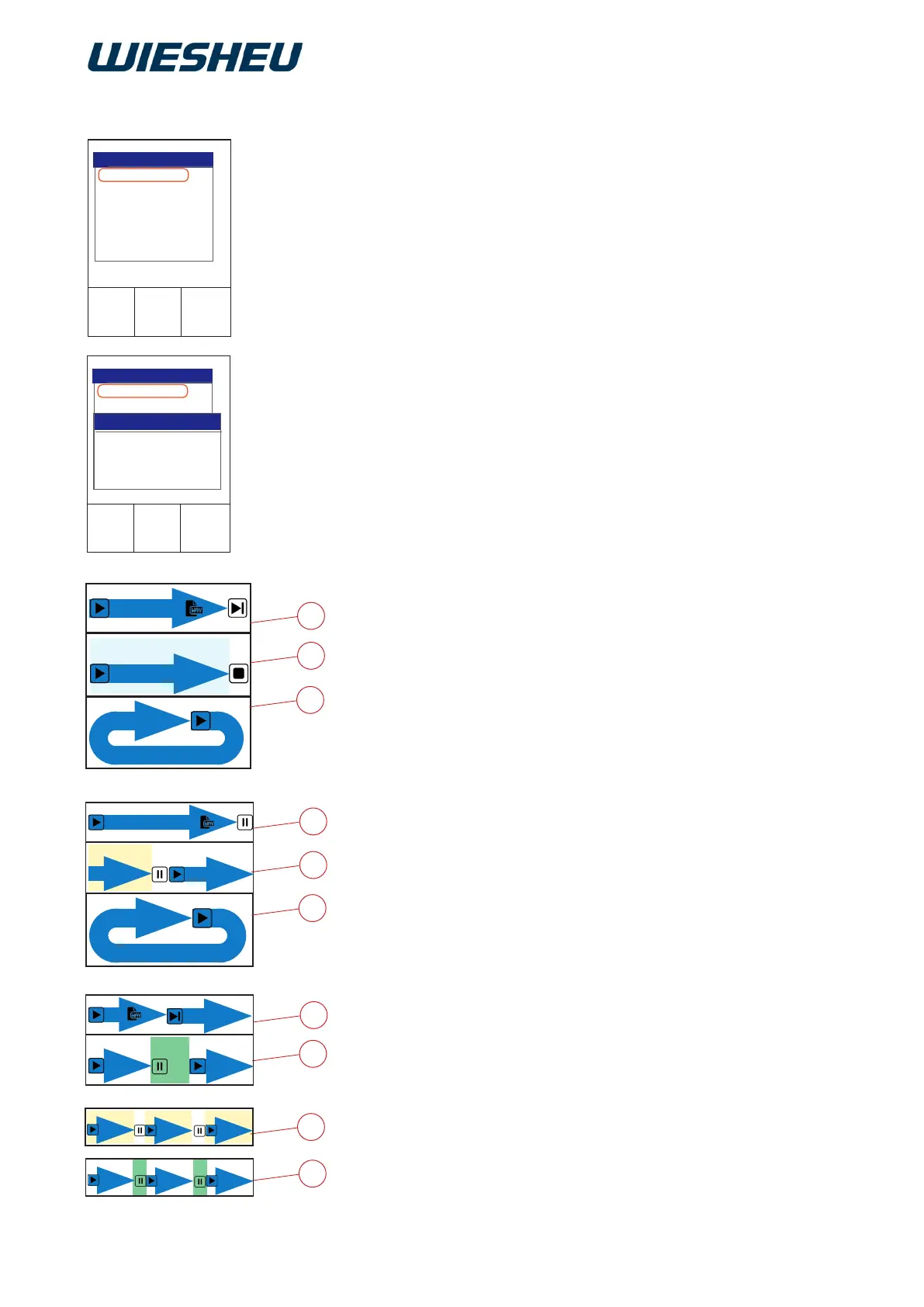
Dene and set the exact sequence of a signal in the menu items
“Preheating sound” and “Completed sound”.
Dene the settings of a continuous signal via different signal intervals
with signal pauses.
The following settings are possible:
● Signal duration
○ Once [On, WAV file is played 1x] (A)
○ Time in seconds [Duration 1-600 seconds] (B)
○ Always On [Continuous signal, WAV file repeats endlessly until
the Return button is pressed or the door is opened] (C)
● Signal interruption
○ Once [Interruption after playing the WAV file] (D)
○ Time in seconds [a WAV file is played for 1-900 seconds and
then interrupted] (E)
○ Without [WAV file repeats endlessly until the Return key is
pressed or the door is opened] (F)
● Continuation
(refers to interruption of the signal)
○ Immediately [WAV file is repeated immediately] (G)
○ Time in seconds [WAV file repeats after a pause for
1-900 seconds] (H)
● Signal active
○ Once [On]
○ Time in seconds [1-900] (K)
○ Always on [Continuous signal]
● Signal Pause
○ Without [Pause]
○ Time in seconds [1-900] (L)
■ Set the individual signal time.
12.2.3 Signal time



 To Next Page