Page 47
Exclusive and IS 600 E · 9401-191-003-EN · Version 18-01
12.8 Continue baking with door movement (Dibas 64 blue only)
2017-01-11
15:32:15
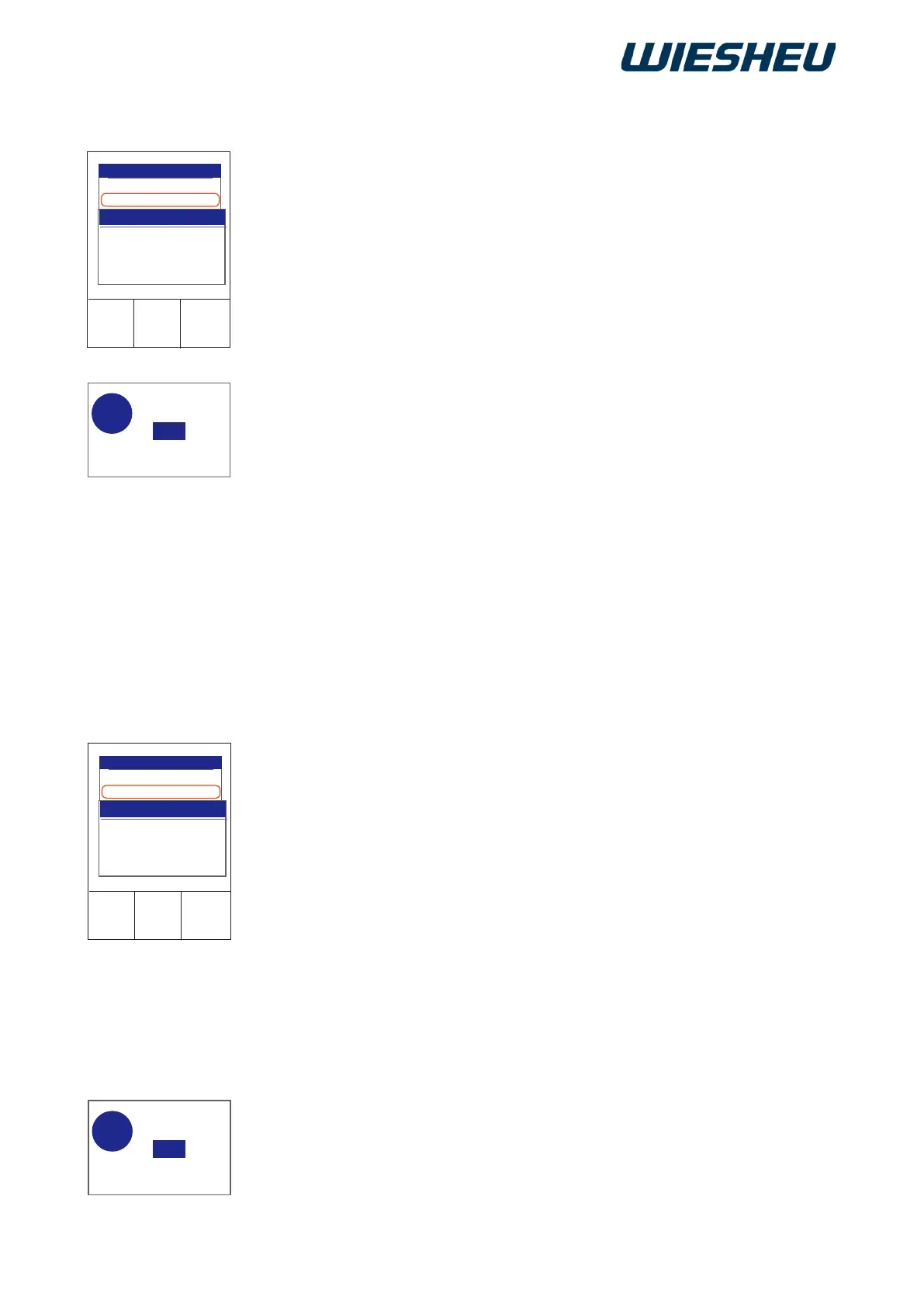
Continue baking...
User settings
On
Switch on/off
2017-01-11
15:32:15
Continue baking...
User settings
On
Switch on/off
Save changes?
No
Yes
?
Save changes?
No
Yes
?
Set in this menu whether the baking program ends automatically after
unloading the oven when closing the door.
You are in the “Operator settings” menu.
■ Use the slider/rotary button to select the “End program through door
movement” submenu.
→ The display shows the selection:
“Switch on/off”
■ Use the slider / rotary button to choose “On” or “Off”.
● Setting “On”:
→ The running program ends automatically after unloading and clos-
ing the baking oven door.
● Setting “Off”:
→ Ending the ongoing program must be conrmed manually after
unloading and closing the baking oven door.
→ The display shows the message:
“Save changes? Yes / No”
■ Select “Yes”:
→ The setting is saved.
or
■ Select “No”:
→ The process is cancelled.
Set whether the baking program is to continue automatically after
loading the oven.
You are in the “Operator settings” menu.
■ Use the slider/rotary button to select the “Continue baking with door
movement” submenu.
→ The display shows the selection:
“Switch on/off”
■ Use the slider / rotary button to choose “On” or “Off”.
● Setting “On”:
→ The ongoing program continues automatically after loading and
closing the baking oven door
● Setting “Off”:
→ Continuation of the running program must be conrmed manually
after loading and closing the baking oven door.
→ The display shows the message:
“Save changes? Yes / No”.
■ Select “Yes”:
→ The setting is saved.
or
■ Select “No”:
→ The process is cancelled.
12.9 End program through door movement



 To Next Page