Version 18-01 · 9401-191-003-EN · Exclusive and IS 600 E
Page 32
2017-01-11
15:32:15
1
Manual baking
Program 1
Program 2
Program 3
Night start-up
Work
2017-01-11
15:32:15
2
2017-01-11
15:32:15
1 o Dat. Progr.
2 o Dat. Progr.
3 o Dat. Progr.
4 o Dat. Progr.
5 o Dat. Progr.
6 o Dat. Progr.
7 o Dat. Progr.
Auto-start
06:15
Dat 11.11.2015
Program
Night start-up
D
E
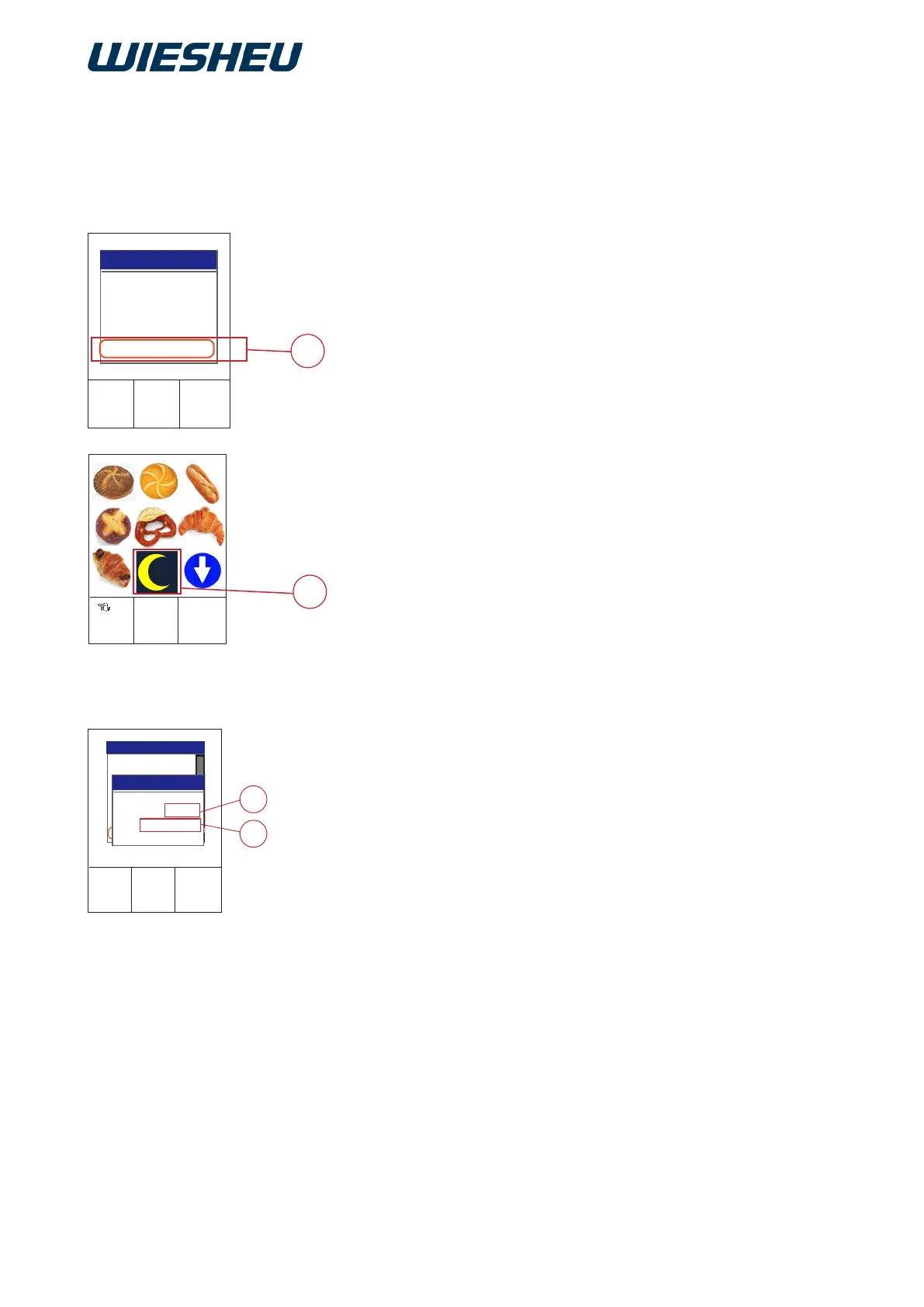
A night start can be activated in the “Work” menu. Quick-access to
Autostart number 40 and the baking program stored there takes place
at this.
Assign a baking program:
You are in the “Settings” menu item.
■ Select the “Autostart” submenu.
■ Select Autostart number 40.
■ Assign the desired baking program to Autostart number 40.
→ You do not need to make any other entries.
→ Exit the menu.
■ Press the “C” button.
→ The system shows the following message on the display:
“Save changes? Yes / No”
■ Select “Yes”:
→ The changes are saved.
or
■ Select “No”:
→ The process is cancelled.
The data entered will be discarded.
Activate night start:
You are in the “Work” menu.
■ Select the “Night start” (1) program.
or
■ Press the “Night start” (2) pictogram.
■ Enter the date (D) of the Auto-start.
■ Enter the time (E) of the Auto-start.
→ Date and time must be in the future.
→ If the date is in the past, the system automatically sets the night
start to “Off”.
→ Check whether date / time of the controller is current.
■ Press the “C” button.
→ The system shows the following message on the display:
“Save changes? Yes / No”
■ Select “Yes”:
→ The changes are saved.
→ Autostart is displayed as soon as the oven is switched off.
11.1.1 Quick-access “Night start” (Autostart)



 To Next Page