Version 18-01 · 9401-191-003-EN · Exclusive and IS 600 E
Page 34
2017-01-11
15:32:15
Light
Sound
Country settings
Door lock
Picto
Display
User settings
Door + control panel lock
Open door when program ends
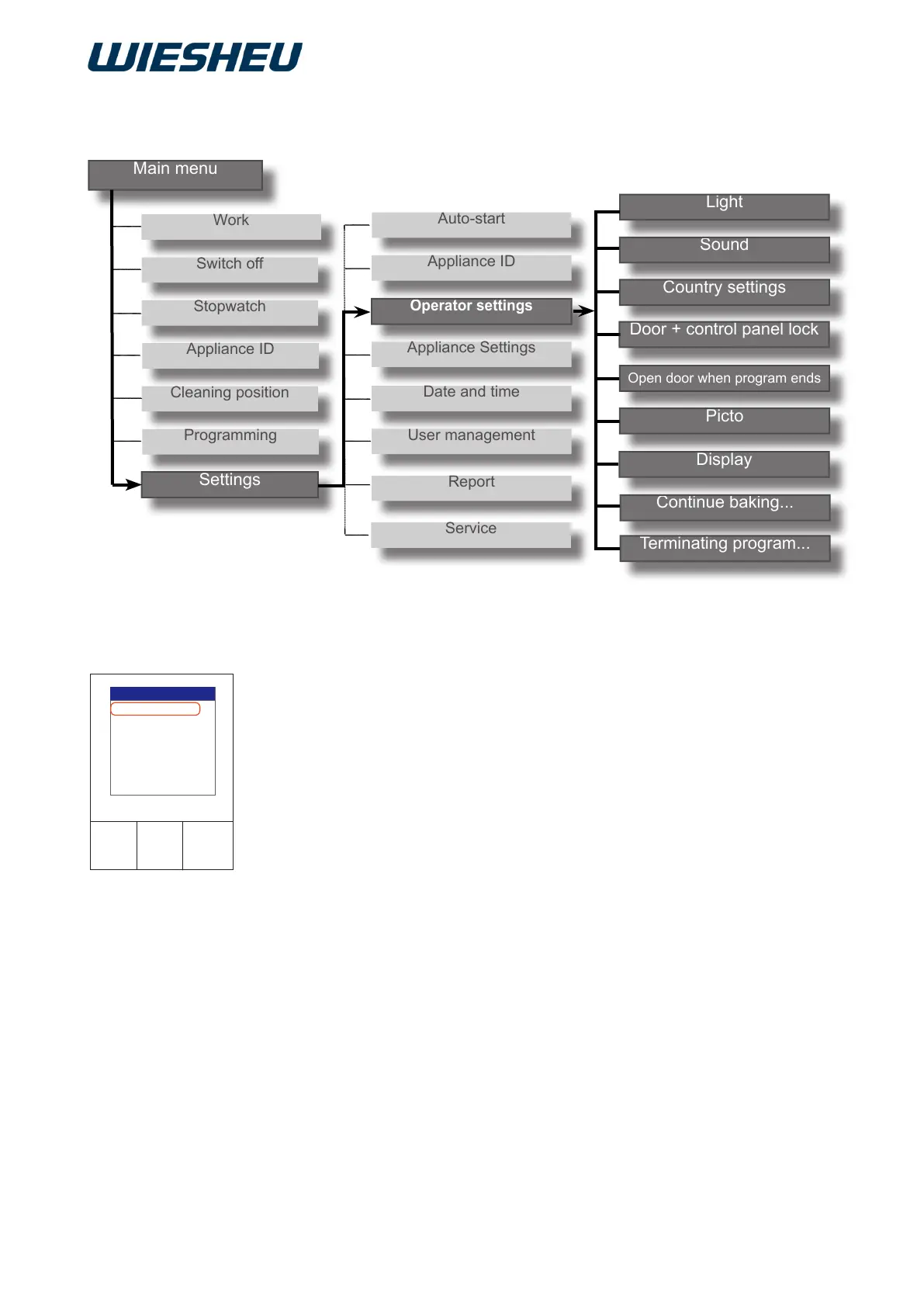
The following menu items are displayed:
● Light
● Sound
● Country settings
● Door + control panel lock
● Open door when program ends
● Picto
● Display
● Continue baking after door movement
● Close program after door movement
Additional submenu items are displayed in the “Operator
settings” menu:
You are in the “Settings” submenu.
■ Use the slider / rotary button to select “Operator settings” menu
item.
12 “Operator Settings” Menu Item



 To Next Page