Page 11
Exclusive and IS 600 E · 9401-191-003-EN · Version 18-01
2017-01-11
15:32:15
Start
-1:00 min
175 °C
Open
2 50%
000 ml
8:00 min
A
ZB
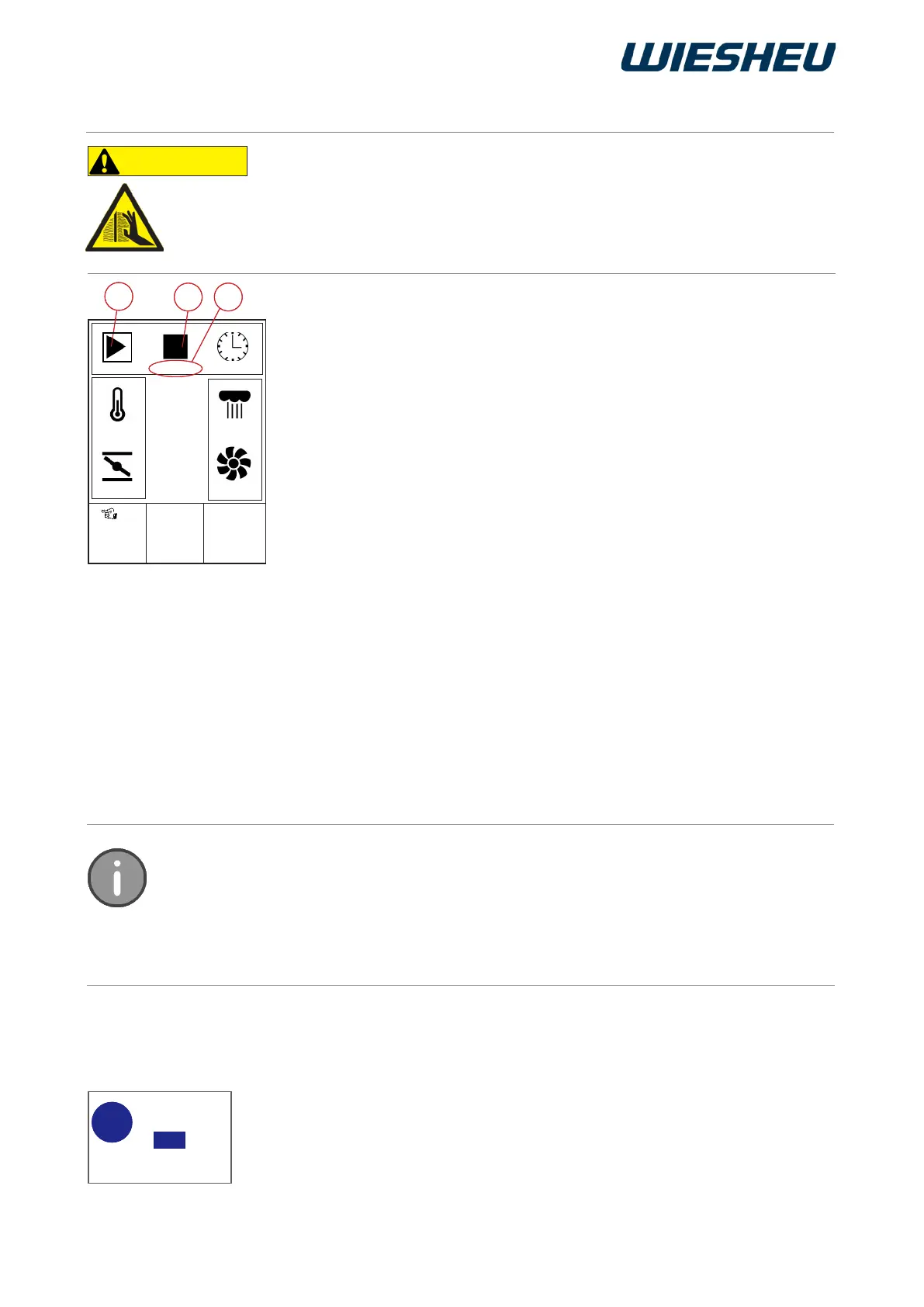
■ Use the slider/rotary button to choose the “Start” button (A).
→ The baking process starts with the specied settings.
→ The system displays the remaining baking time.
→ The system issues an audible signal when the set baking time has
elapsed.
→ The remaining baking time display continues to count the expired
time with a minus sign. (Z)
→ A message is shown on the display.
Info: Stopwatch of slot 1 has expired.
■ Press the “C” button
→ The message is conrmed and goes out.
■ Press the “Stop” button (B)
→ The remaining baking time shows the output value.
→ The system maintains the baking temperature.
■ Use the slider/rotary button to choose the “Stop” button (B).
→ The remaining baking time shows the output value.
→ The system maintains the baking temperature.
Note that the baking process starts immediately after you have pressed the start button.
The in-store baking oven is not pre-heated specially.
We recommend using the quick access feature only with baking chambers that have
already been heated.
Entering the time has the function of a stopwatch.
The specied baking temperature is maintained permanently.
CAUTION
In spite of the safety technology, hot steam and heat exit when you open
the door.
● Stand to one side when you open the door.
● Ensure that nobody else is directly in front of the door opening.
● Open the door carefully.
5.2.1 Starting manual baking
5.2.2 Stopping manual baking
5.2.3 Leaving the “Manual baking” menu item
■ Press the “C” button.
→ The system shows the following message on the display:
“End stopwatch? Yes / No”
■ Select “Yes”:
→ You are in the main menu.
End
stopwatch?
No
Yes
?
A
ZB
Yes
?



 To Next Page