Version 18-01 · 9401-191-003-EN · Exclusive and IS 600 E
Page 30
2017-01-11
15:32:15
Work
Switch off
Stopwatch
Appliance ID
Cleaning position
Programming
Settings
Main menu
Main menu
2017-01-11
15:32:15
1 no date no progr.
2 no date no progr.
3 no date no progr.
4 no date no progr.
5 no date no progr.
6 no date no progr.
7 no date no progr.
Auto-start
Auto-start
2017-01-11
15:32:15
1 o Dat. Progr.
2 o Dat. Progr.
3 o Dat. Progr.
4 o Dat. Progr.
5 o Dat. Progr.
6 o Dat. Progr.
7 o Dat. Progr.
Auto-start
Off 06:10
Dat 11.11.2015
Program
Auto-start
B
C
A
D
E
You are in the main menu.
■ Use the slider/rotary button to select the “Settings” menu.
→ You are in the “Settings” submenu.
In the “Settings” submenu, the system displays further menu items:
● Auto-start
● Appliance ID
● User settings
● Appliance settings
● Date and time
● User management
● Report
● Service
Service settings are accessible to WIESHEU service partners only!
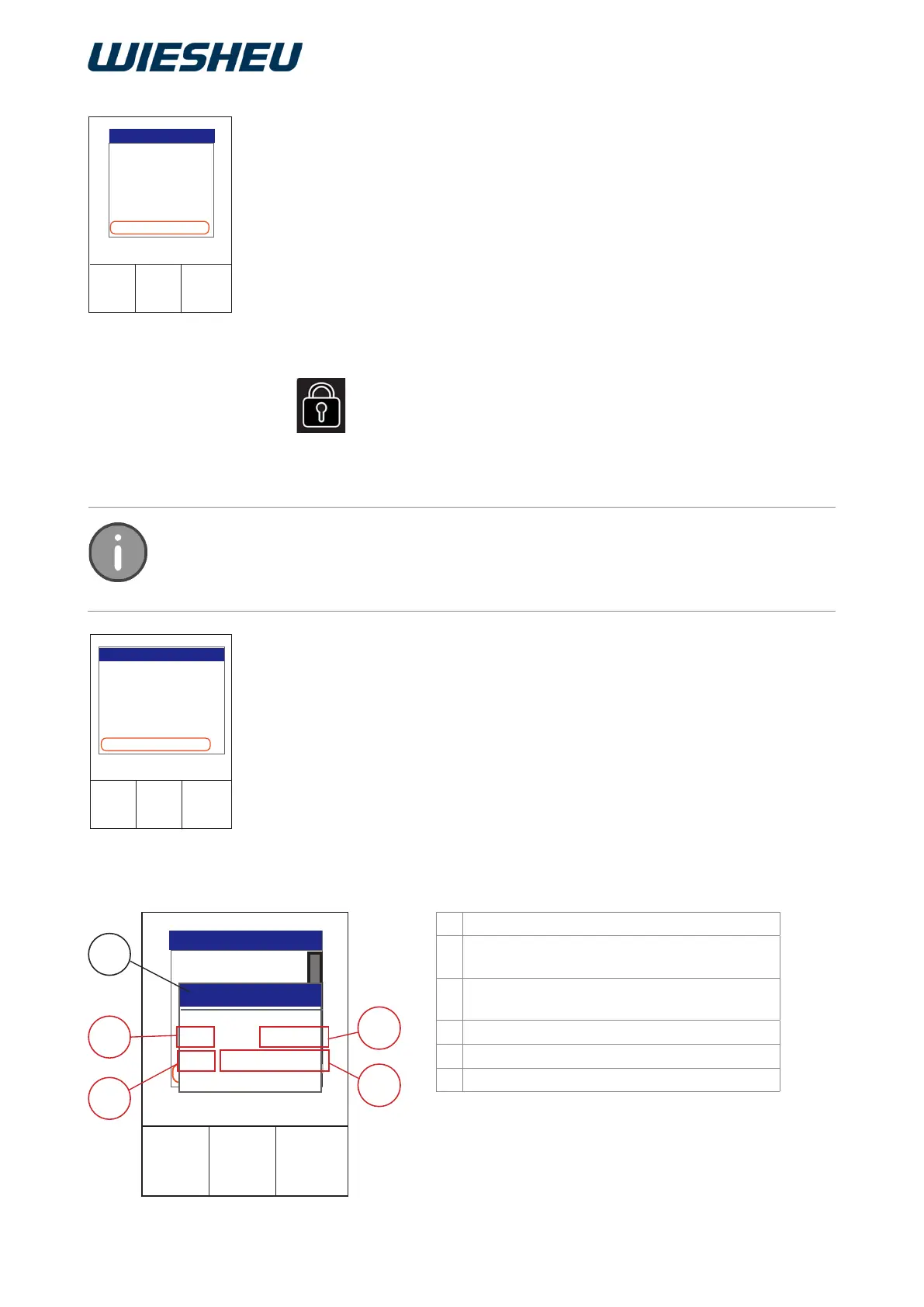
Start each of the programmed baking programs at a predened time in
preheating mode in the “Autostart” menu.
You are in the “Settings” menu item.
■ Select the “Autostart” submenu.
■ Choose the desired Auto-start number.
The individual settings below are available to dene Auto-start as accu-
rately as possible:
Designation
A Baking program
Selection from the program list
B Switch Auto-start
function ON/OFF
C Day of week (Sun-Sat) or date (Dat)
D Setting of a precisely dened start date
E Setting of a precisely dened start time
11.1 Auto-start
You can set and store 39 different, individual Autostart settings.
If weekday and date are dened the rst weekly Autostart starts from the day of the
dened date.



 To Next Page