Page 3
Exclusive and IS 600 E · 9401-191-003-EN · Version 18-01
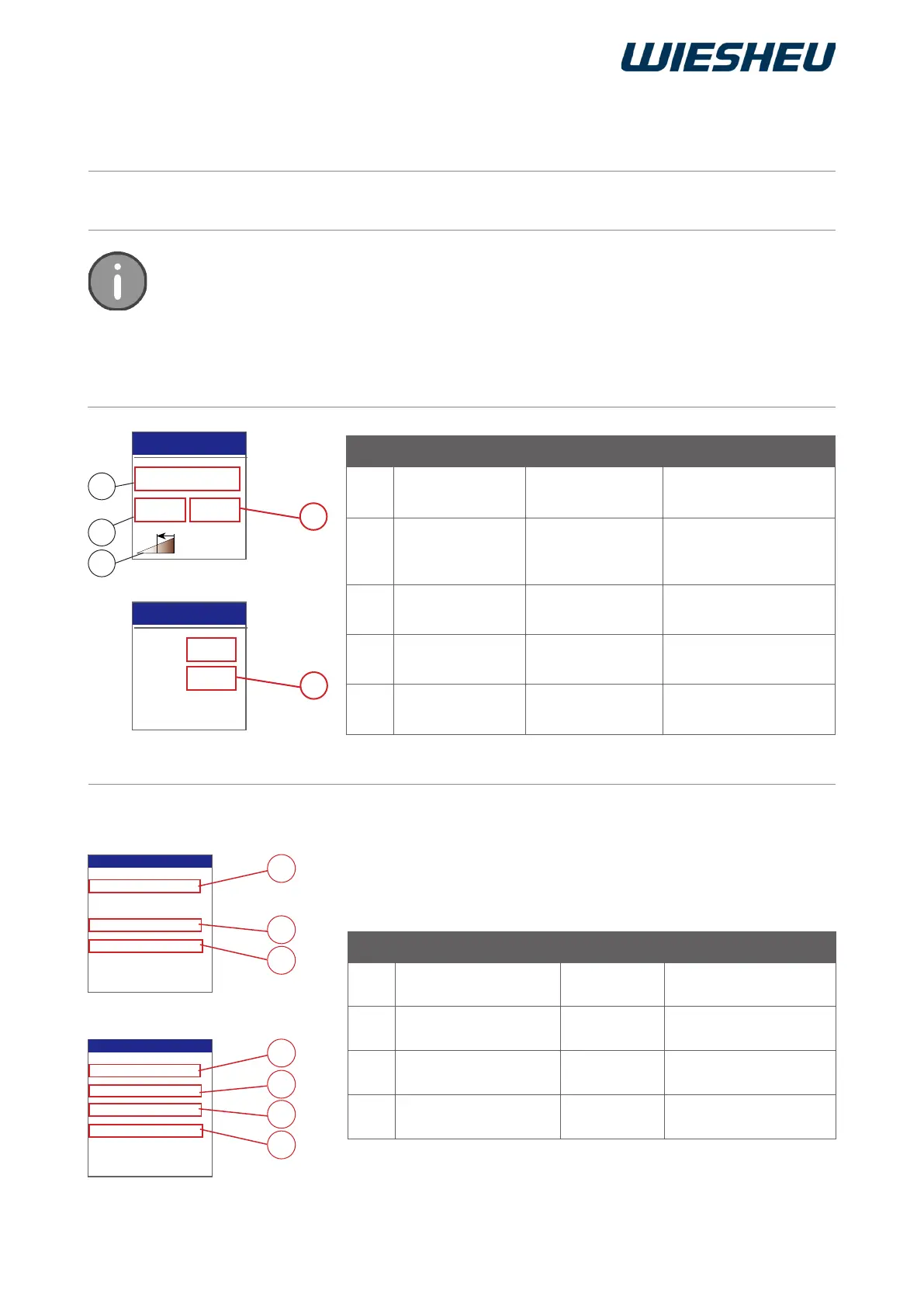
Item Designation Setting Notice
1 IBC Off / On IBC
activate/deactivate
2 Degree of brown-
ing
-30 to +30% Adjust the degree of
browning of the bakery
products individually
3 Energy icon
-
Visible if IBC is active
4 Degree of brown-
ing
+10 / +20 / +30
▀ ▀ ▀
Setting for darker
baking results
5 Degree of brown-
ing
-10 / -20 / -30
▀ ▀ ▀
Setting for lighter
baking results
2.2.2 “Preheating” program step (01 Preh)
2.2.1 Intelligent Baking Control IBC (optional)
IBC ON
Browning +30%
Edit step
1
2
3
IBC ON
Browning - 30%
Edit step
5
4
Auto-start
Auto-start
Temperature 210°C
Fan 8 100 %
Exhaust air closed
Temperature 210°C
Temperature 210°C
Fan 8 100 %
Exhaust air closed
Edit step
Edit step
6
6
8
8
7
9
9
Item Designation Setting Notice
6 Temperature 30-250 °C
Ebo to 280 °C,
Top heat setting
7 Temperature 30-280 °C
With Ebo only,
Bottom heat setting
8 Motor rotation speed
1 - 8
(= 12-100%)
Not with Ebo
9
Exhaust air damper
setting
open / closed
Illustration: convection oven
Illustration: Ebo
When IBC (1) is activated, the baking process is monitored by the integrated “Intelligent
Baking Control” (IBC) system. The same baking program is always used even if the
load of the store baking oven is different. The respective temperature required is
automatically determined and regulated by the system.
Individual ne adjustment of the degree of browning can be programmed by entering a
percentage manually (2).
2.2 Overview of the settings in the different programming/baking steps
Change the following settings within the program steps listed below:



 To Next Page