Version 18-01 · 9401-191-003-EN · Exclusive and IS 600 E
Page 2
2 Technical description
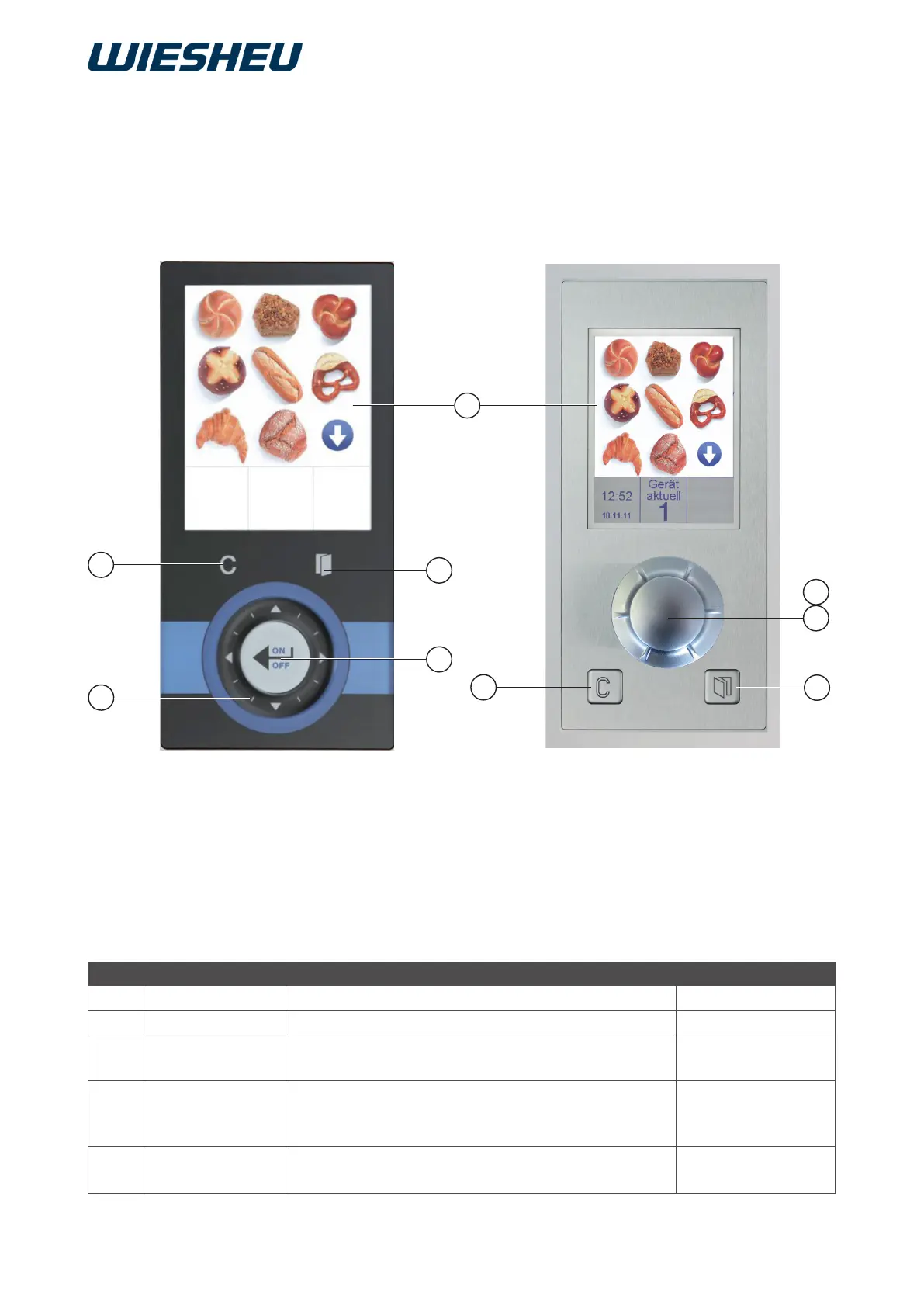
2.1 Overview of the controls
Item Exclusive Function IS600E
1 “C” button Correction, to go back one program step “C” button
2 Display Displaying data Display
3 “Door” button Open door/close door (unlock door depending
on device/option)
“Door” button
4 ON/OFF button Switches the device on/off, conrms entry values Rotary button
(press)
ON/OFF button
5 Slider Sets input values.
(Description chapter 3.)
Rotary button
(turn)
2
5
3
4
1
3
4
1
5
Exclusive
IS 600 E



 To Next Page