Version 18-01 · 9401-191-003-EN · Exclusive and IS 600 E
Page 60
2017-01-11
15:32:15
Appliance ID
Operator settings
Appliance settings
Date and time
User management
Report
Service
Settings
10:12 h
11/11/2015
Enter date
Save changes?
No
Yes
?
Programming
Manual interrupt
Baking off
Leave work
Login
Settings
User management
Service
Reset login
Report
Set the date and time.
You can also set the changes for summer / winter time in this menu
item.
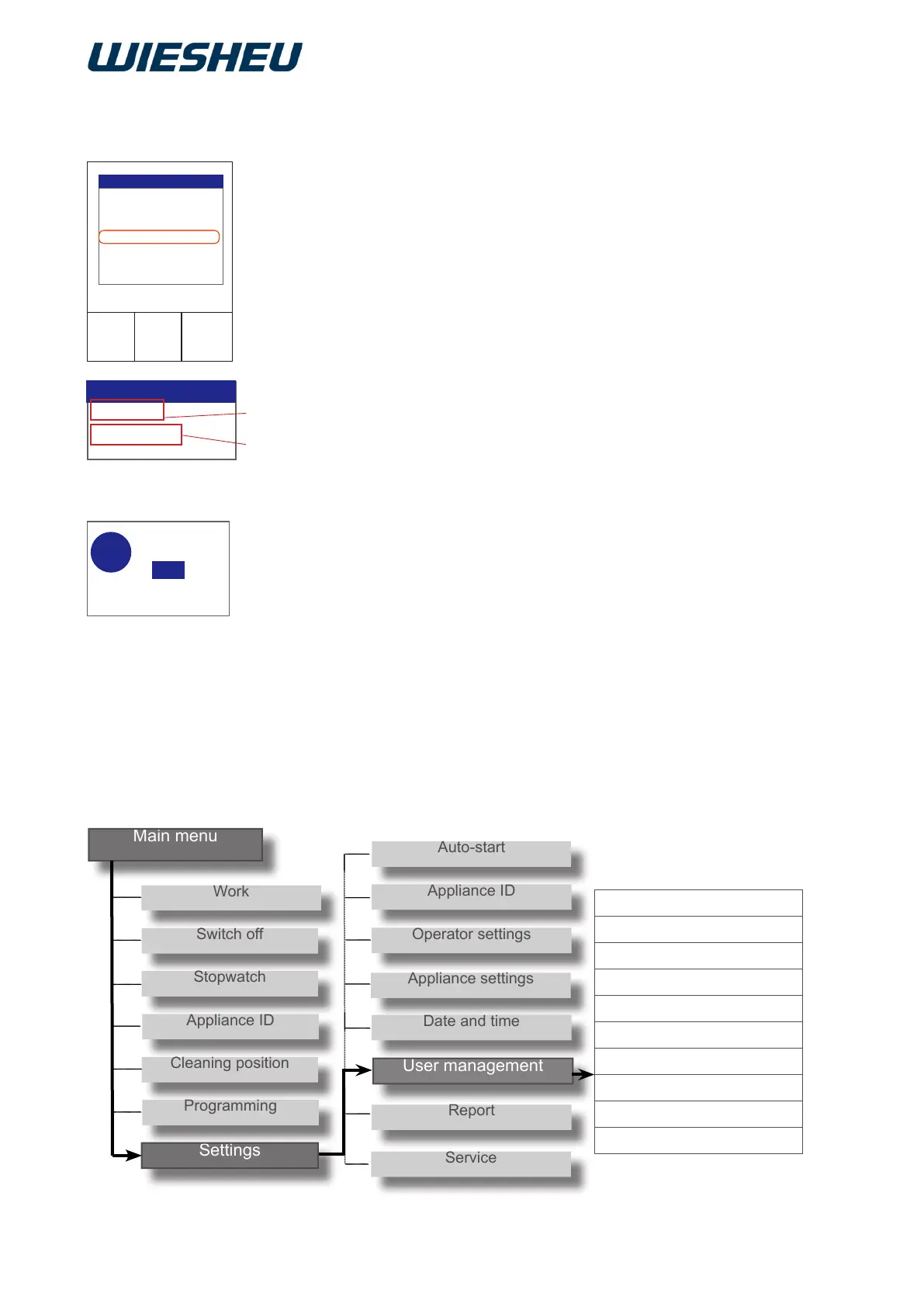
You are in the “Settings” menu.
■ Use the slider/rotary button to choose the “Date and time” sub-
menu.
→ The time (A)
→ and date (B) are displayed.
■ Choose the setting you want to change.
■ Confirm the selection.
■ Change the setting using the slider / rotary button.
■ Confirm the change.
■ Make all settings consecutively.
→ All the settings are made.
■ Press the “C” button.
→ The display shows the message:
“Save changes? Yes/No”
■ Select “Yes”:
→ The setting is saved.
Or
■ Select “No”:
→ The process is cancelled.
14 “Date and time” menu item
15 Menu item “User administration”



 To Next Page