Page 21
Exclusive and IS 600 E · 9401-191-003-EN · Version 18-01
Save changes?
No
Yes
4
1
2017-01-11
15:32:15
A B C D E F G H I J K L M
N O P Q R S T U V W X Y Z
Ä Ö Ü ß ; : % & / * > <
0 1 2 3 4 5 6 7 8 9
Program
2017-01-11
15:32:15
A B C D E F G H I J K L M
N O P Q R S T U V W X Y Z
Ä Ö Ü ß ; : % & / * > <
PRETZEL
4
2 3
?
Display
A B C D E F G H I J K L M
N O P Q R S T U V W X Y Z
Ä Ö Ü ß ; : % & / * > <
0 1 2 3 4 5 6 7 8 9
Program
3
1
2
4
5
2017-01-11
15:32:15
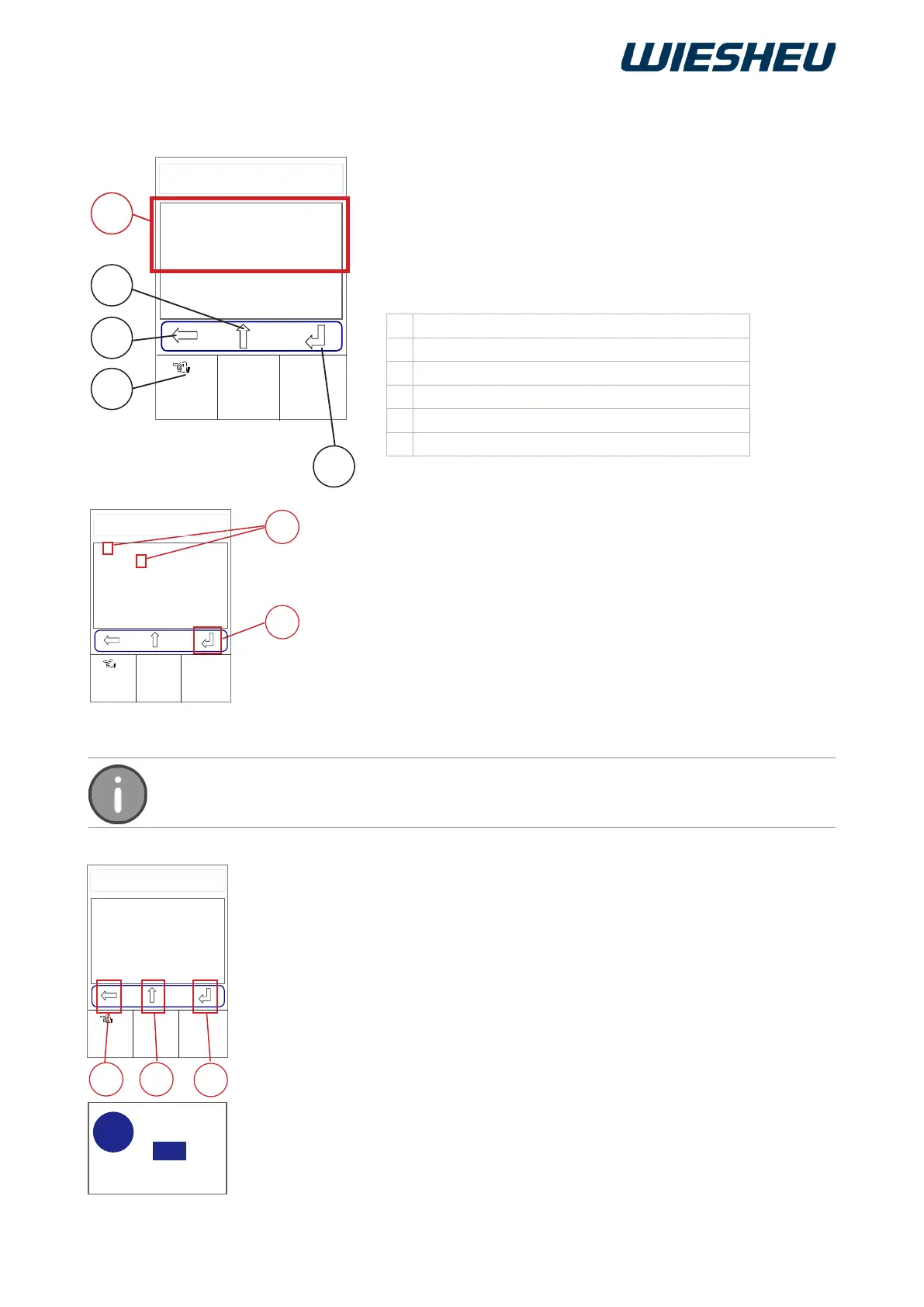
10.1.1 Editing a program name
Selection using the slider/rotary button:
■ Use the slider/rotary button to select the desired characters/numbers
(1).
■ Press the “ON / OFF” button.
→ The system applies the letter/number
■ Continue selecting further characters/numbers as described.
→ The new program name is displayed.
■ Use the slider/rotary button to choose the “Return” icon (4).
→ The system saves the program name.
Selection using the touch display:
As an option, you can use the touch display to choose the “Back/
Delete” (2), “Shift” (3), and “Return” (4) keys. You use the slider/rotary
button to choose letters and numbers.
■ Touch the desired key with your finger.
■ Press the “C” button.
→ The system shows the following message on the display:
“Save changes? Yes / No”.
■ Select “Yes”:
→ The entry / change is saved.
or
■ Select “No”:
→ The process is cancelled.
Change the name of an existing baking program or create a new
one.
You are in the “Program” menu item
“Edit” sub-menu
■ Use the slider/rotary button to choose the program name.
→ The alphabet is shown in the display.
Designation
1 Choosing letters/digits
2 Shift between upper and lower case letters
3 Delete/reset
4 Touch functions activated
5 Return - Conrm - Save
Press the “Return” button to save the name entered. The change made
will be discarded if you leave the menu without conrming the change.



 To Next Page