Product Manual - ZMORPH FAB back to table of content
>>
102
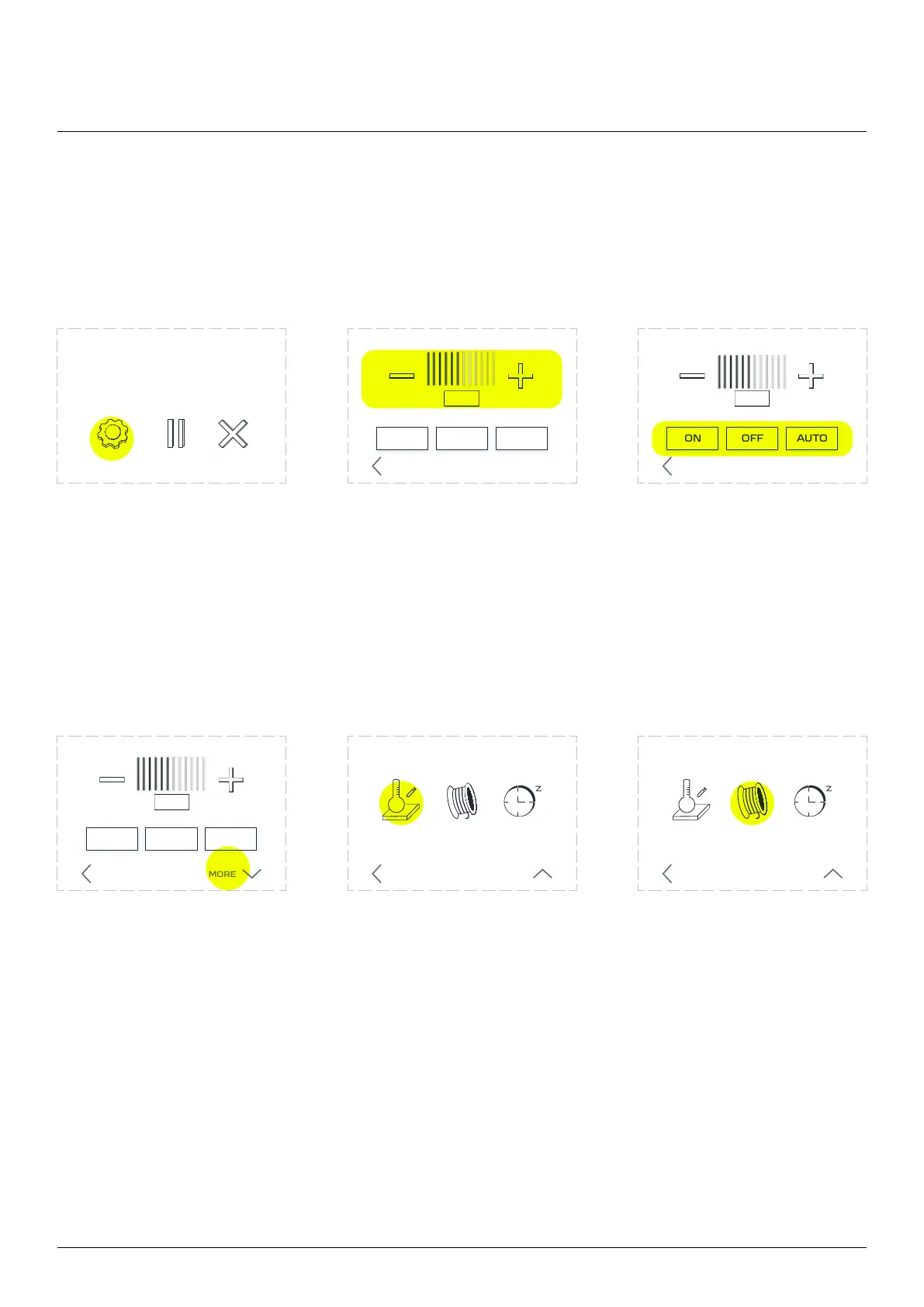
12.13 Editing parameters during printing
Functions allowing to change parameters during the printing process:
3D printing workow
Choose ‘SETTINGS’. The ‘Print Speed’ part allows
you to change the print
speed. Select the plus sign to
increase or the minus sign to
The ‘Fan Speed’ section allows
you to change the settings of
the fan, the ‘ON’ option turns
‘OFF
fan. After selecting the ‘AUTO’
option, the speed of the fan is
set according to the G-code.
Choose ‘MORE’. The Heat function allows you
to change the temperature of
the extruder and the table.
Choose ‘HEAT’ and tap the
needed temperature on
keyboard, then OK.
The ‘CHANGE FILAMENT’
function allows you to change
printout and is described
in the chapter ‘Filament
replacement during printing’.
ABORTSETTINGS
ON OFF AUTO
FAN SPEED
PRINT SPEED
BACK MORE
PRINT SPEED
ON OFF AUTO
FAN SPEED
BACK
HEAT CHANGE
FILAMENT
SLEEP
MORE SETTINGS
BACK LESS
PRINT SPEED
ON OFF AUTO
FAN SPEED
BACK
HEAT CHANGE
FILAMENT
SLEEP
MORE SETTINGS
BACK LESS
example.gcode
progress 20% 0h34m elapsed



 To Next Page