Product Manual - ZMORPH FAB back to table of content
>>
37
Maintenance
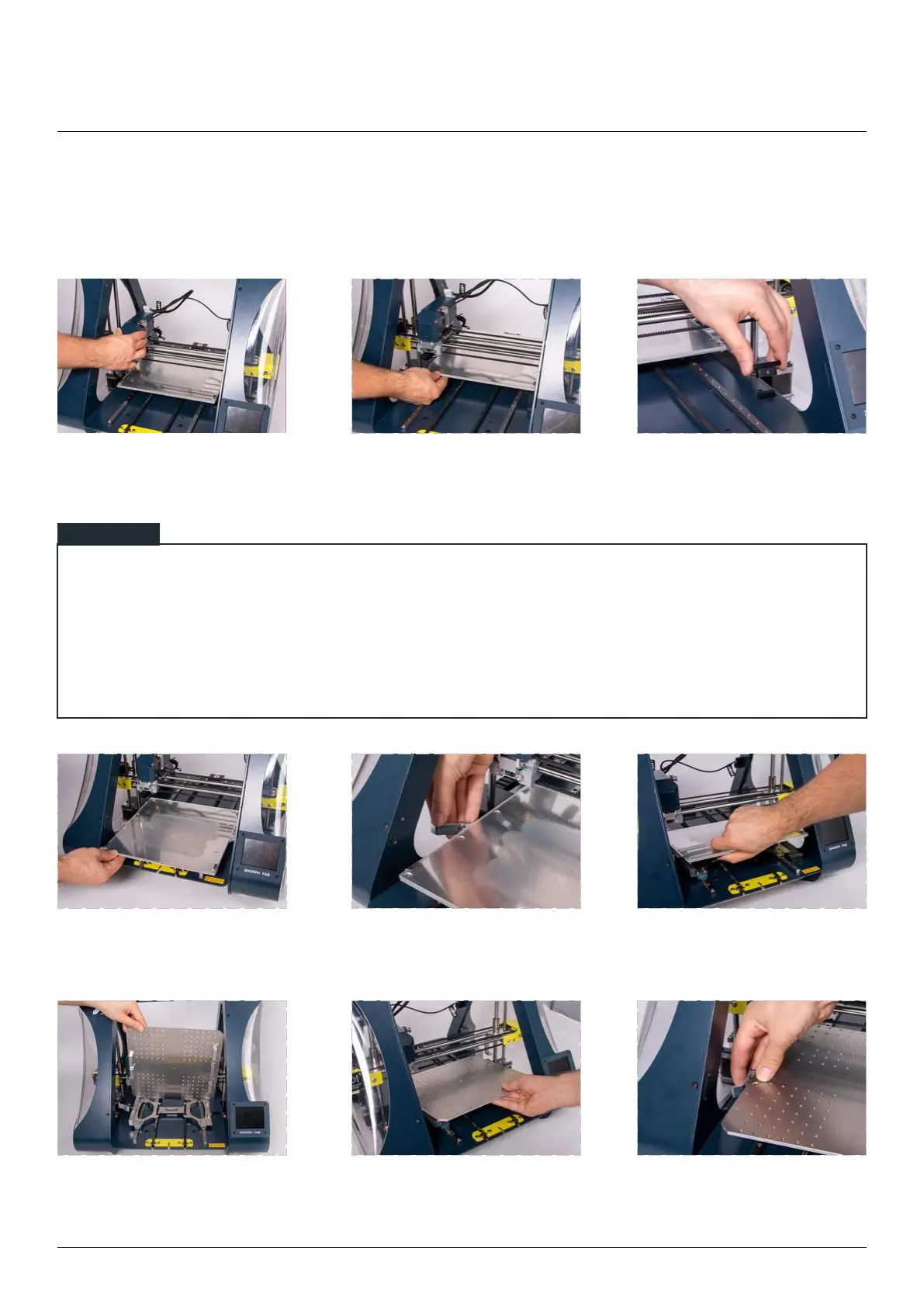
10.2 Changing worktable
Place toolhead in convenient
position for removing the
worktable.
Slide the table backwards. Disconnect the table plug.
Pull the worktable forward. Pull the lever placed on the left
to unlock the heated table.
Lift the table with a little bit
of strength up to disconnect
it from the carriage magnets.
Take the CNC table. Check if the
magnets under the table are on
the proper side.
Place the worktable on the
carriage, magnets will clip it on.
Pull the lever back to block the
table.
User can move the toolhead manually by disabling the motors by:
• pressing the reset button,
• powering down the machine,
• parking the toolhead in the ‘Change toolhead’ section,
NOTE



 To Next Page