Product Manual - ZMORPH FAB back to table of content
>>
163
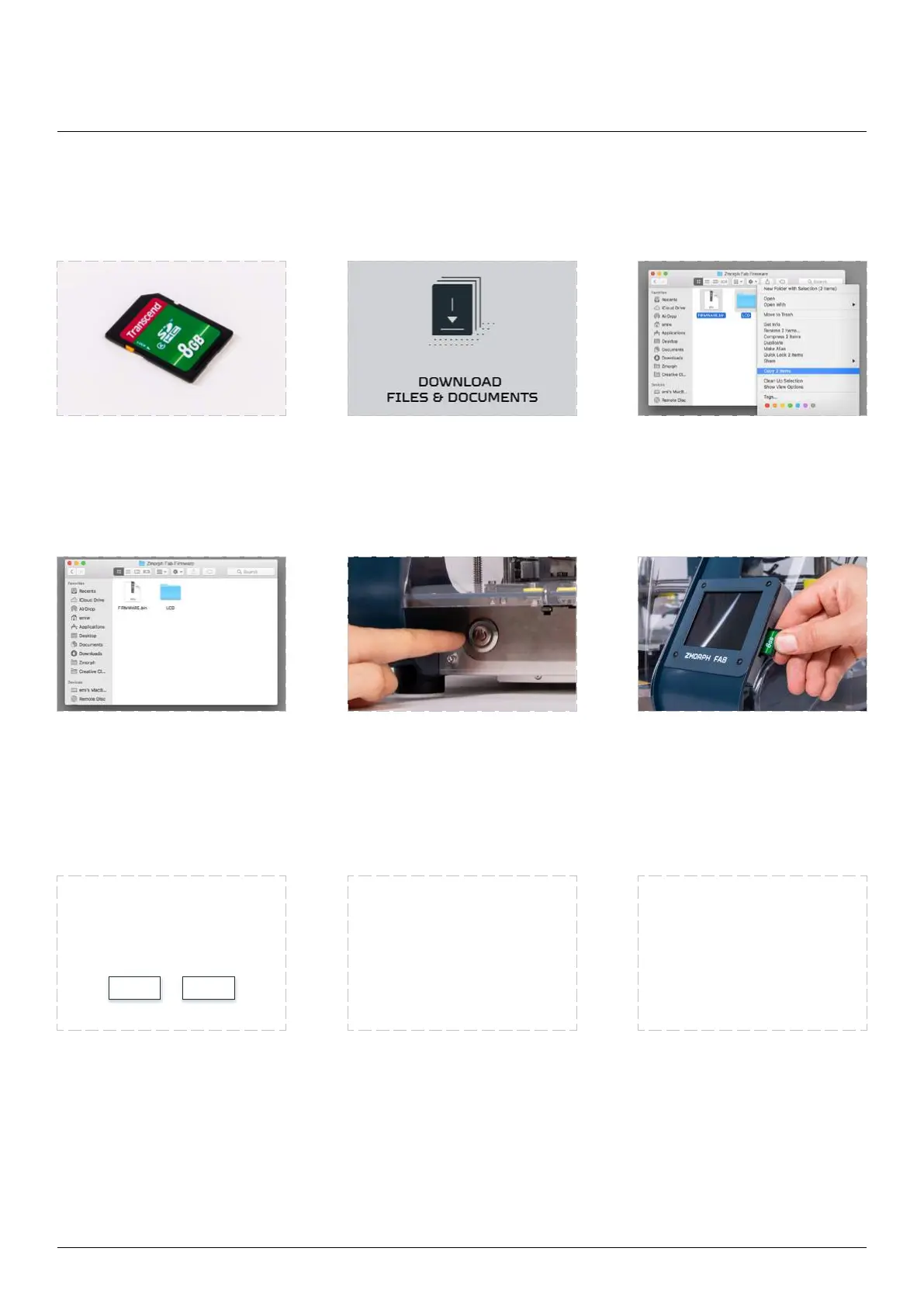
18.2 Updating rmware
Prepare an SD card. Download the newest
.zip extension from Zmorph
Knowledge Base.
downloaded archive.
From the extracted folder
copy the LCD folder and
FIRMWARE.bin and place it
in the main directory of the
SD card.
Make sure that machine is
powered on. If not, turn it
on by pushing the power
button.
Insert the SD card into the
slot located next to the LCD
screen.
update detection should
countdown should start.
After this time the update
will begin automatically.
Choose ‘Yes’ to proceed and
skip countdow.
The machine will start
must not remove the SD
printer during this process.
machine should restart itself.
NO YES
Firmware upgrades
Printer update deceted.
It will start in 30 seconds
Do You want to proceed
Update completed!
Printer will be restarted
Please wait for the update
DON’T TURN OFF
THE PRINTER
DON’T REMOVE
SD CARD



 To Next Page