Product Manual - ZMORPH FAB back to table of content
>>
68
12.7 Autocalibration
Single Extruder Toolhead 1.75
3D printing workow
Before performing the automatic calibration make sure the worktable is clean and prepared.
During the automatic calibration process the printer is heating up.
Choose ‘CALIBRATE’. Choose ‘’. Wait
for the machine to heat up
To ensure the best calibration
result print calibration
pattern. Choose ‘START’.
LOAD
FILAMENT
CHANGE
TOOL
CALIBRATE
3D PRINTING
BACK MORE
CALIBRATION
AUTO
3-POINT
BACK MORE
MANUAL
CALIBRATION
NEW JOB MAINTENANCE
In the last calibration step the machine
will print five lines as a final touch
SKIP
START
CALIBRATION
NOTE
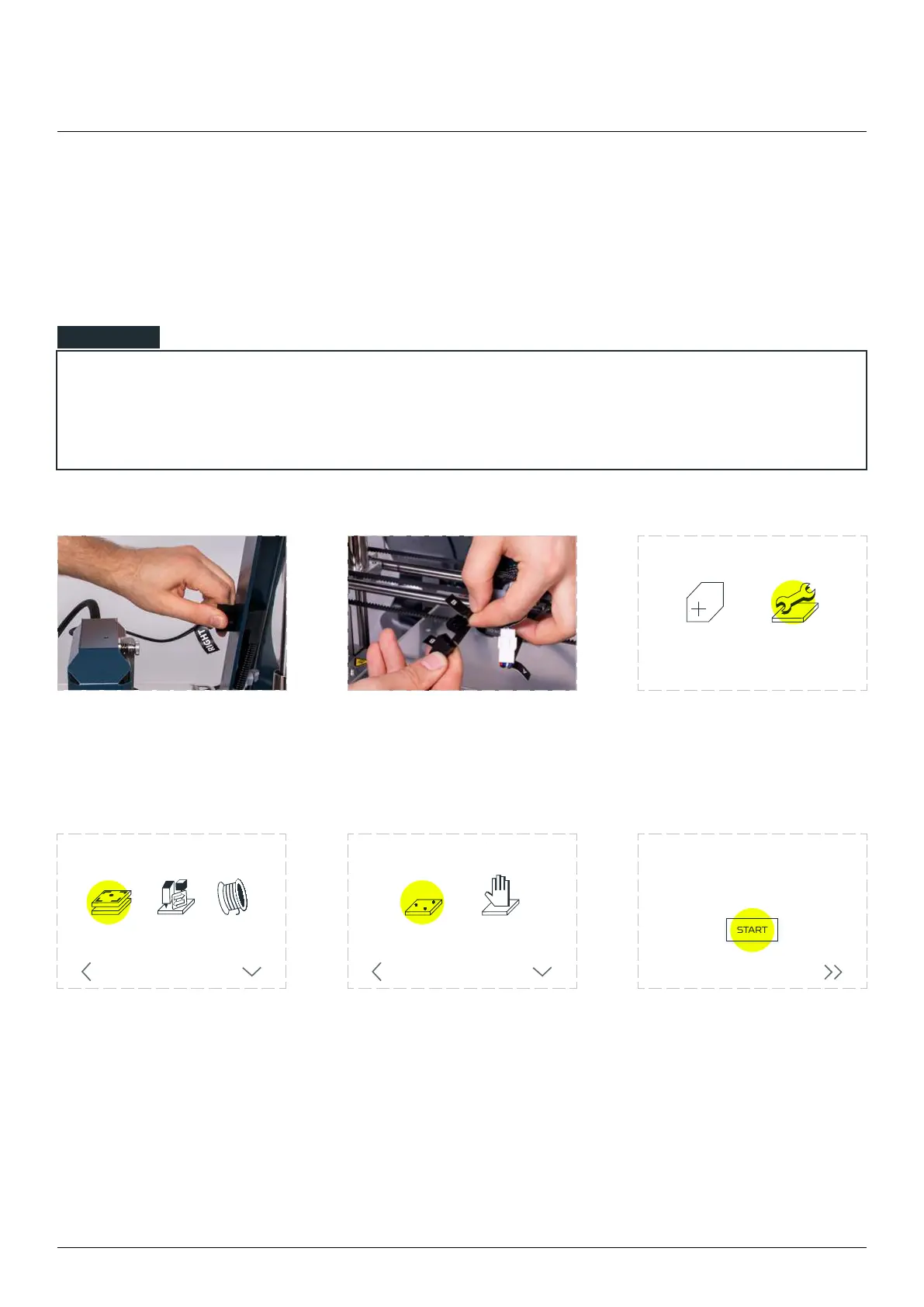
Connect the LEFT cable to
the LEFT frame socket and
RIGHT cable to the RIGHT
frame socket.
Connect the extruder ‘A’ cable
to the ‘A’ plug and the ‘B’
cable to the ‘B’ plug on the X
carriage.
Choose ‘MAINTENANCE’.



 To Next Page