EasyManua.ls Logo

Zmorph FAB - Presets

Default Icon
169 pages
Print Icon
To Next Page IconTo Next Page
To Previous Page IconTo Previous Page
Loading...
Product Manual - ZMORPH FAB back to table of content
>>
48
Voxelizer
11.3 Presets



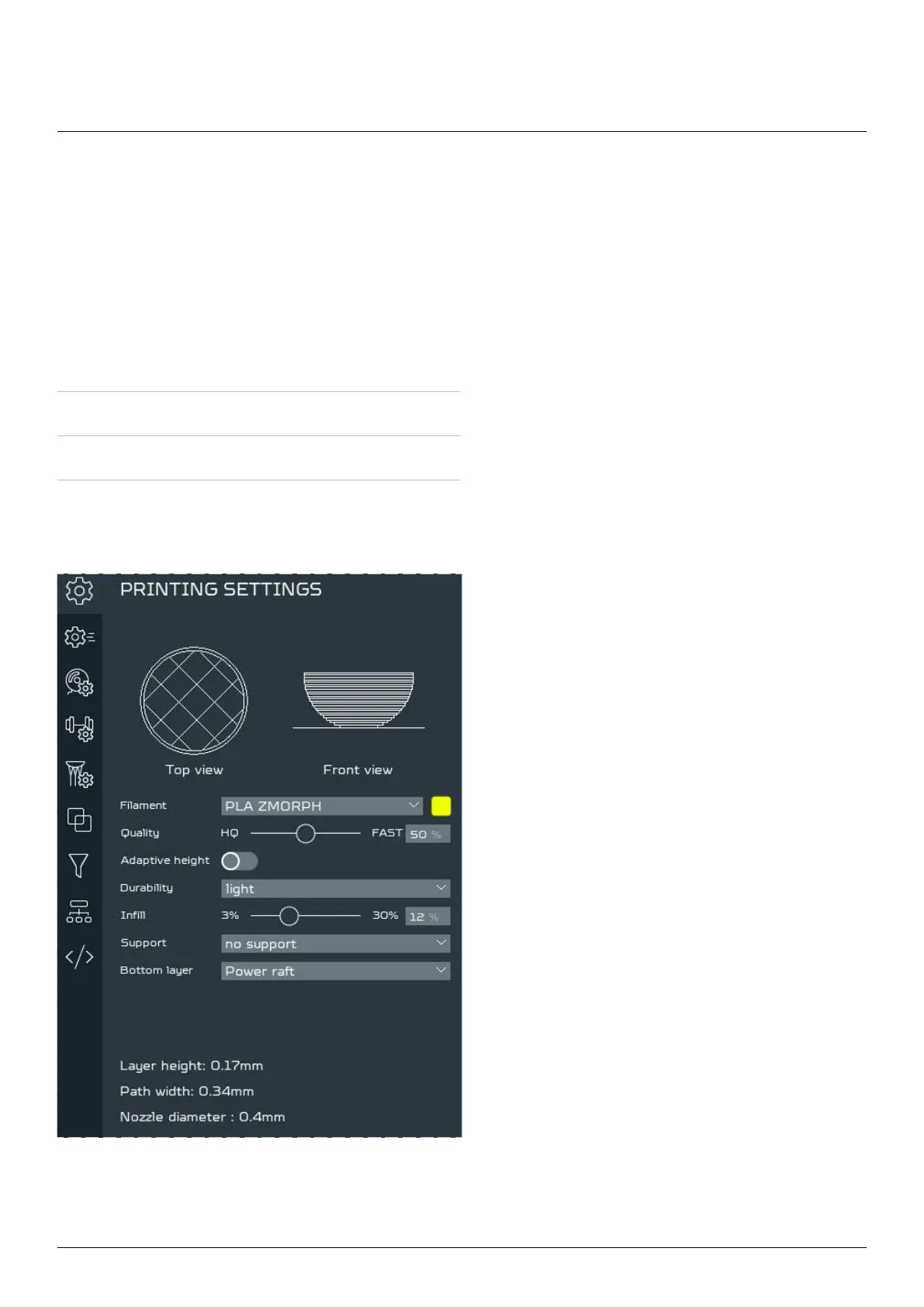
presets can be edited and selected in the
SETTINGS view. In the Printing settings tab,
they can be chosen from the available default
materials and the ones prepared by the user.
Workow Preset types
3d printing Filament, Durability, Support
Laser cutting Material
CNC milling Material, Operation tool

Table of Contents

Other manuals for Zmorph FAB

Related product manuals