Product Manual - ZMORPH FAB back to table of content
>>
31
Setting up Zmorph Fab
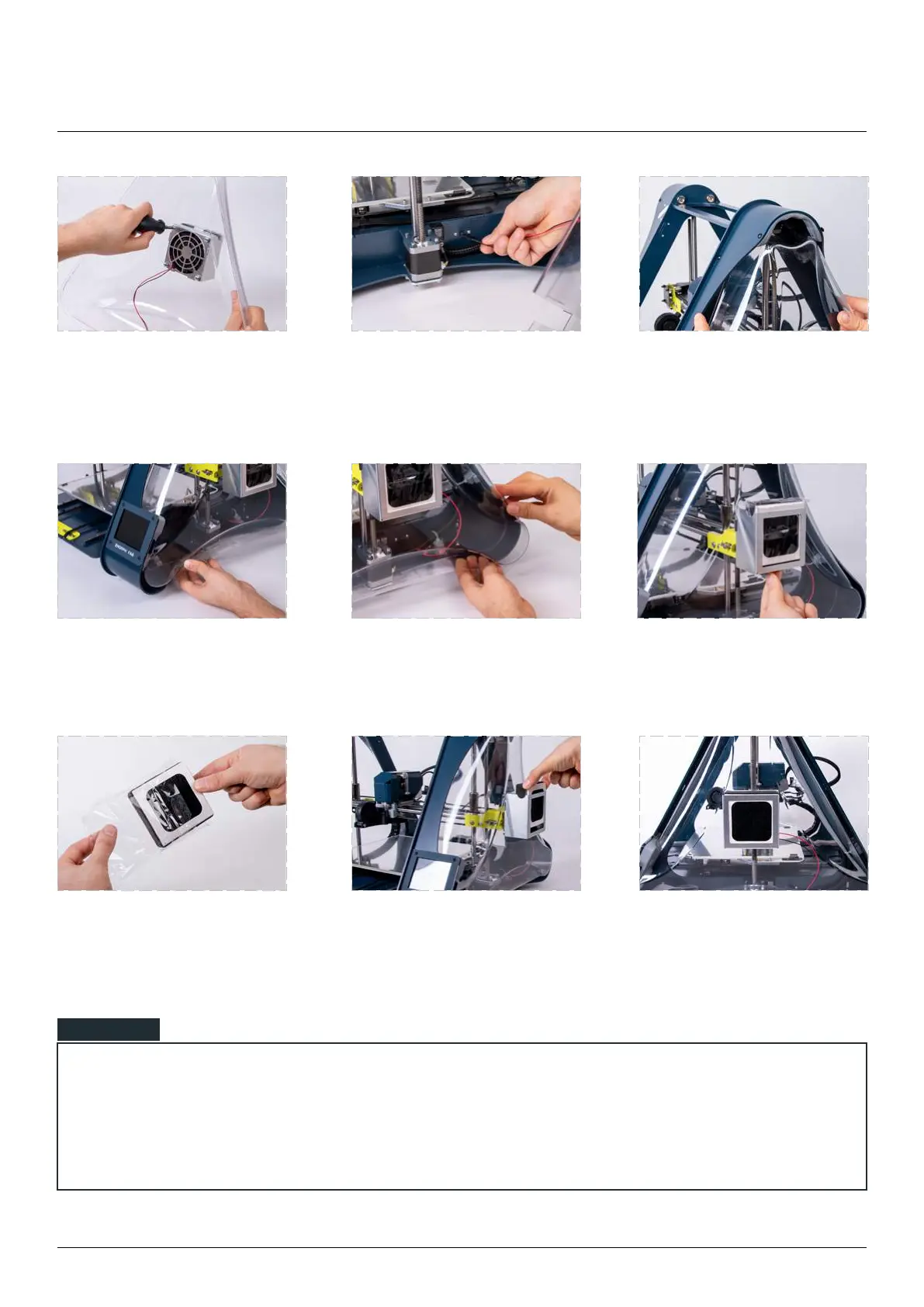
Next push the front corner
behind the LCD screen.
Finally squeeze the rear corner
and push it inside the holding
hooks.
from the metal holder.
Unpack it from the plastic
wrapping.
the metal holder.
Make sure that the carbon
Make sure that the fan cable is correctly positioned and does not interfere with the cover and any
mechanical parts.
Make sure that all hooks are holding the side cover properly.
NOTE
with the provided screws.
Connect the fan cable to the
socket behind the
Z axis motor.
Start mounting the side cover
by placing the top corner in its
position.



 To Next Page