Product Manual - ZMORPH FAB back to table of content
>>
58
LEFT RIGHT ALL
LOAD/UNLOADTEMPERATURES
PARK
TOOL
BACK
3D printing workow
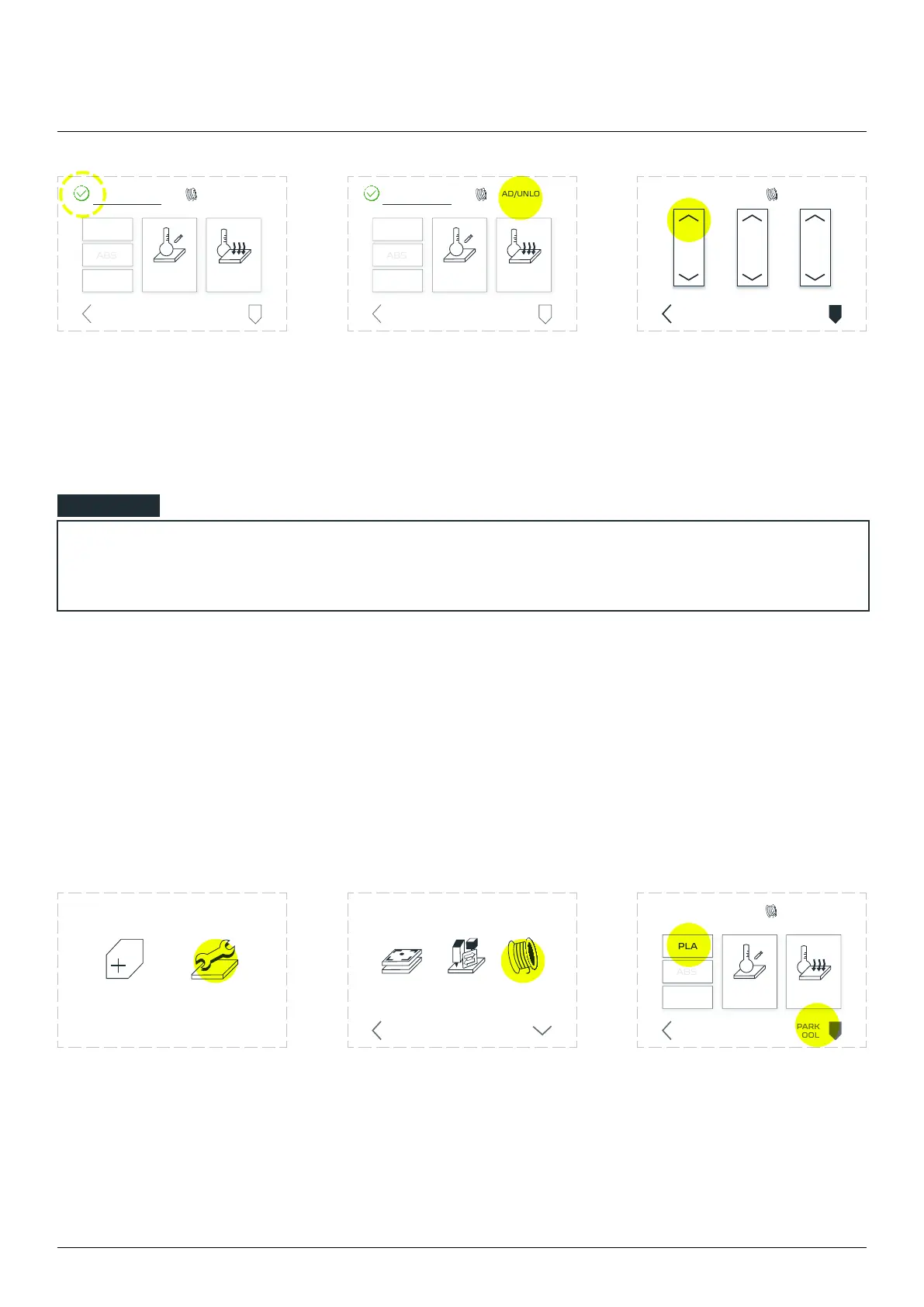
Wait till the extruder reaches
the proper temperature. The
yellow ‘TEMPERATURES’ sign
will change colour from yellow
to green.
Tap the LOAD/UNLOAD
menu.
Tap the upper arrow on
mm to prevent clogging.
Repeat if needed.
Dual Extruder Toolhead
To preheat the extruder, follow these steps.
Choose ‘MAINTENANCE’
from the LCD touchscreen
menu.
Choose ‘LOAD FILAMENT’. Choose ‘PARK TOOL’, wait
for the machine to posi-
tion the toolhead. When
done, choose ‘PLA’ to
preheat the material.
NOTE
LOAD/UNLOAD
PARK
TOOL
CUSTOM
TEMPERATURE
COOL
DOWN
TEMPERATURES
BACK
LOAD/UNLOAD
PARK
TOOL
CUSTOM
TEMPERATURE
COOL
DOWN
TEMPERATURES
BACK
NEW JOB MAINTENANCE
LOAD
FILAMENT
CHANGE
TOOL
CALIBRATE
3D PRINTING
BACK MORE
LOAD/UNLOAD
CUSTOM
TEMPERATURE
COOL
DOWN
TEMPERATURES
PARK
TOOL
BACK



 To Next Page