Product Manual - ZMORPH FAB back to table of content
>>
76
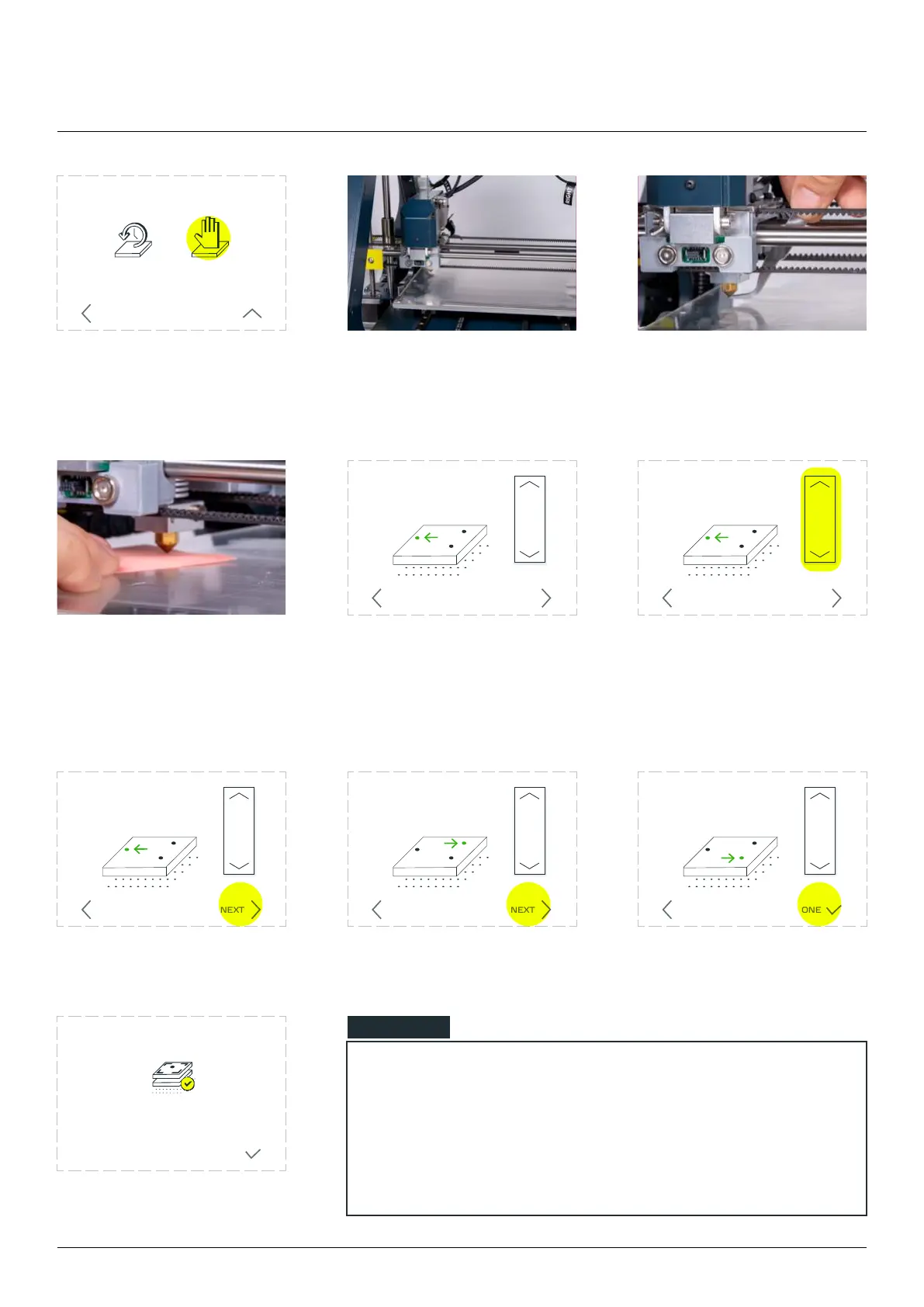
Choose ‘
CALIBRATION’.
Wait until the extruder reaches
the calibration position, on
the left central part of the
worktable.
Clean the nozzle and table
from unnecessary material.
Take a small sheet of paper
and place it between the
nozzle and the worktable.
the nozzle barely touching the
bed.
Use the arrows to set
position. To verify the dis-
tance, you should be able
to place a sheet of paper
underneath
When done, tap ‘NEXT’. Repeat for point number 2
and 3.
Manual 3-point calibration
RESTORE
FACTORY
DEFAULT
MANUAL
3-POINT
ADVANCED CALIBRATION
BACK LESS
Set the nozzle at Z=0 for Point 1:
move the axis to make the nozzle
barely touching the bed
P1
P2
P3
NEXTBACK
MOVE Z
DONE
Set the nozzle at Z=0 for Point 1:
move the axis to make the nozzle
barely touching the bed
P1
P2
P3
NEXTBACK
MOVE Z
Set the nozzle at Z=0 for Point 2:
move the axis to make the nozzle
barely touching the bed
P1
P2
P3
MOVE Z
NEXTBACK
Set the nozzle at Z=0 for Point 1:
move the axis to make the nozzle
barely touching the bed
P1
P2
P3
NEXTBACK
MOVE Z
Set the nozzle at Z=0 for Point 3:
move the axis to make the nozzle
barely touching the bed
P1
P2
P3
MOVE Z
BACK DONE
NOTE
Move the paper between the nozzle and the worktable
surface. If the nozzle is too low, the paper won’t move. If the
nozzle is too high above the surface the paper sheet will be
against the nozzle but it’s not loose.
3D printing workow



 To Next Page