EasyManua.ls Logo

Zmorph FAB - Page 81

Default Icon
169 pages
Print Icon
To Next Page IconTo Next Page
To Previous Page IconTo Previous Page
Loading...
Product Manual - ZMORPH FAB back to table of content
>>
81
3D printing workow
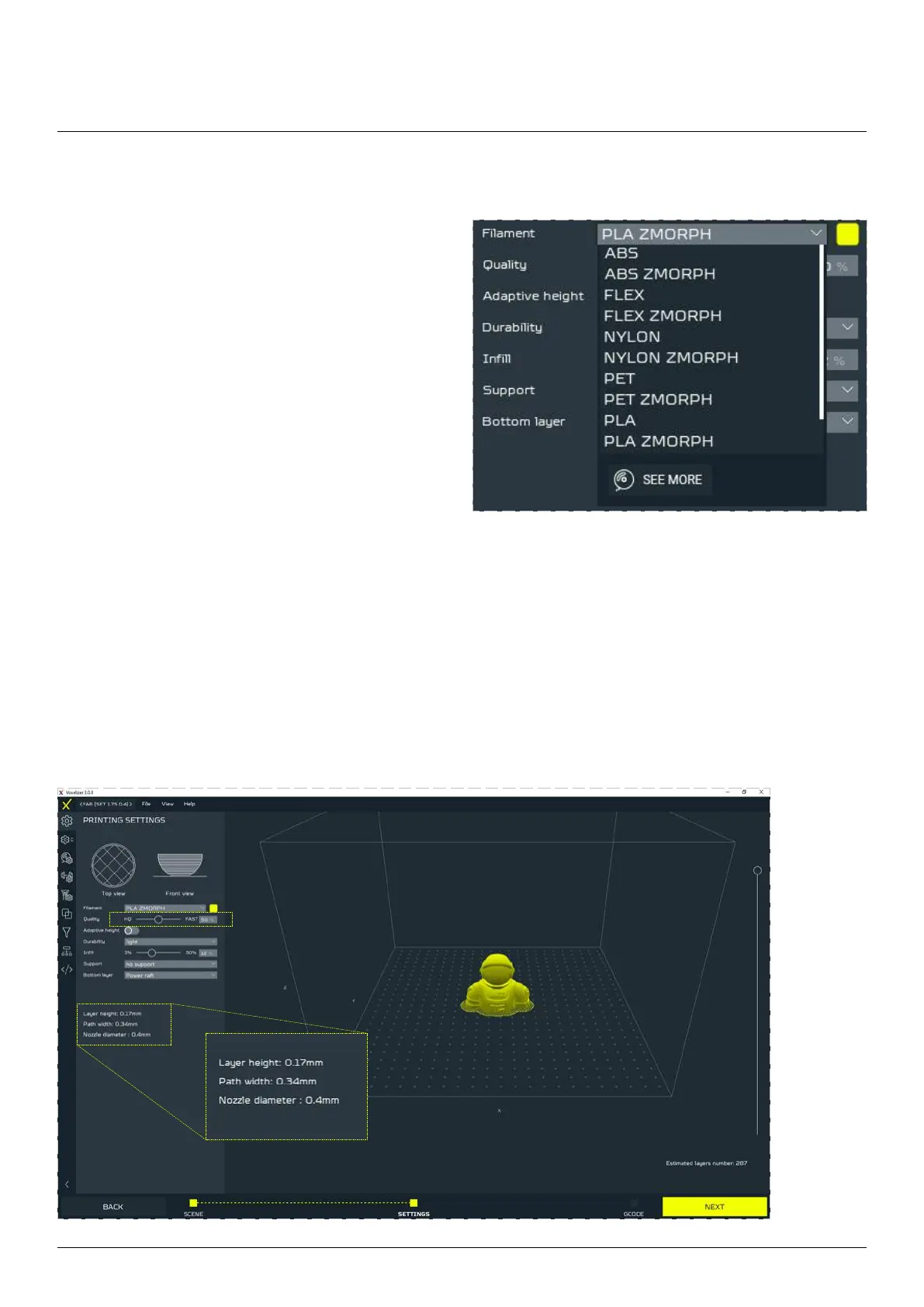
In the global menu you can set:
Filament 
in the project, e.g: PLA ZMorph, ABS ZMorph, PET
      
will adapt printing settings. To see the details of the
print settings, click the button SEE MORE or go to
Filament preset list.
Quality      
path width with a single slider. HQ guarantees the highest quality, at the expense of the print speed (lasts
longer), while FAST guarantees a faster printout, at the expense of a larger layer, and thus lower quality.


editing takes place in the local menu.

Table of Contents

Other manuals for Zmorph FAB

Related product manuals