4-10
Pioneer Gold 3.00 Controller Technical Guide
Touchscreen Sensor Calibration
If it seems that your Touchscreen Sensor’s buttons and other
menu options are not responding properly to your interaction with
them, follow the instructions below to calibrate your touchscreen
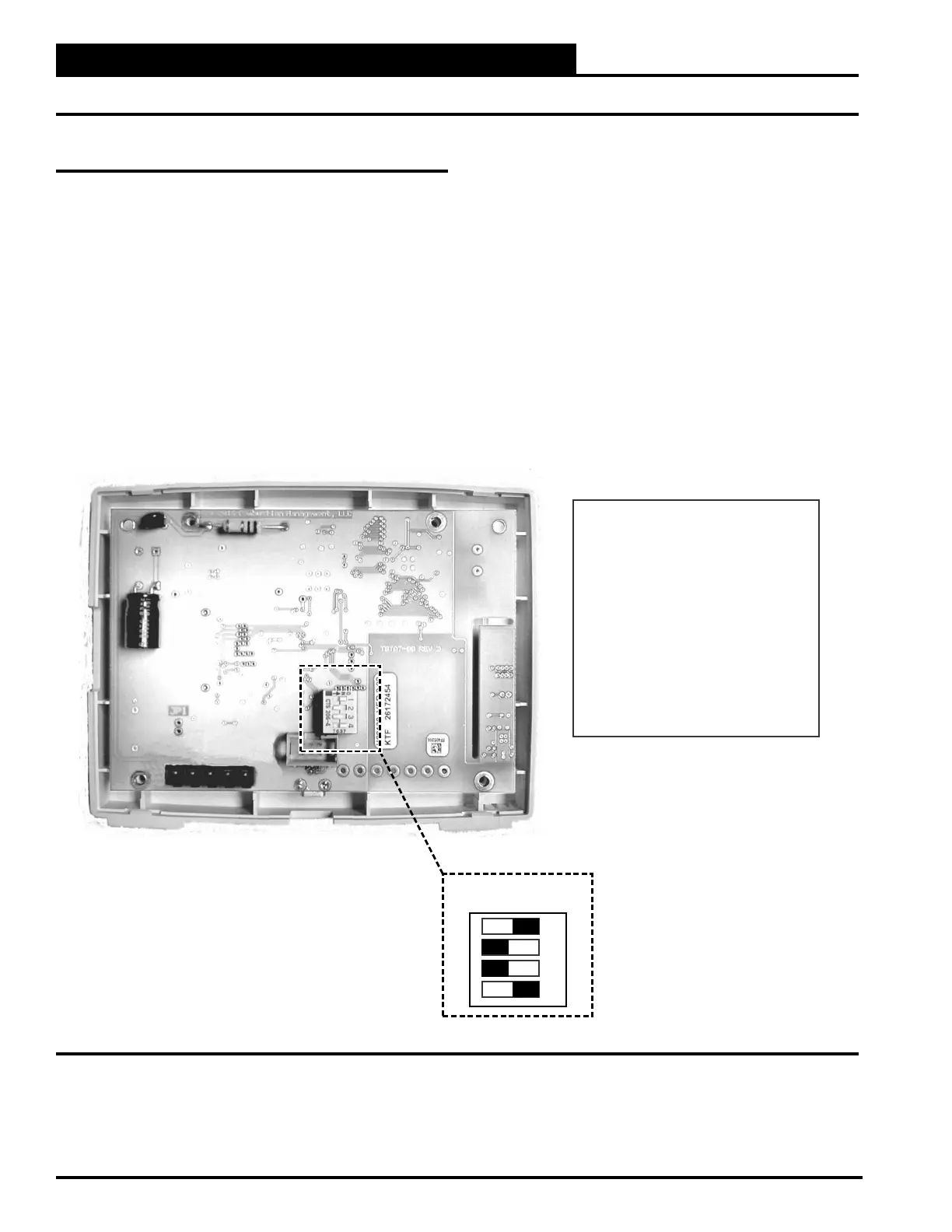
sensor’s screen. Refer to Figure 4-19, this page
1. Remove the Touchscreen Sensor from its wall base.
2. Turn the Touchscreen Sensor over and turn off
Dipswitch 1.
3. Return the Touchscreen Sensor to its wall base.
4.
appears on the screen.
5. After touching this blue circle three times, the Home
Screen will appear.
6. Test the calibration to see if the buttons, etc. are
working properly.
7. If not, repeat steps 1-6. If yes, remove the Touchscreen
Sensor from its wall base and turn Dipswitch 1 back
on.
Figure 4-19: Touchscreen Sensor’s Dip Switch Values
DIP SWITCH VALUES
Dip Switch 1 - Screen Touch Calibration
ON = Calibration Bypass - Default
OFF = Calibrate at Power Up
Dip Switch 2 - Not used - Default: Off
Dip Switch 3 - Display Power Savings
ON = Display Always On
OFF = Display Dimming - Default
Dip Switch 4 - Default: Always On
Pioneer Gold Touchscreen
Space and Humidity Sensor
(Inside Front Cover)
1
2
3
4
OFF ON
TROUBLESHOOTING
Touchscreen Sensor Calibration and Dip Switch Values



 To Next Page