5702269-C I/O Communication and Control 4-5
Pinnacle™ Plus+ 10 kW
DEVICENET™ PORT
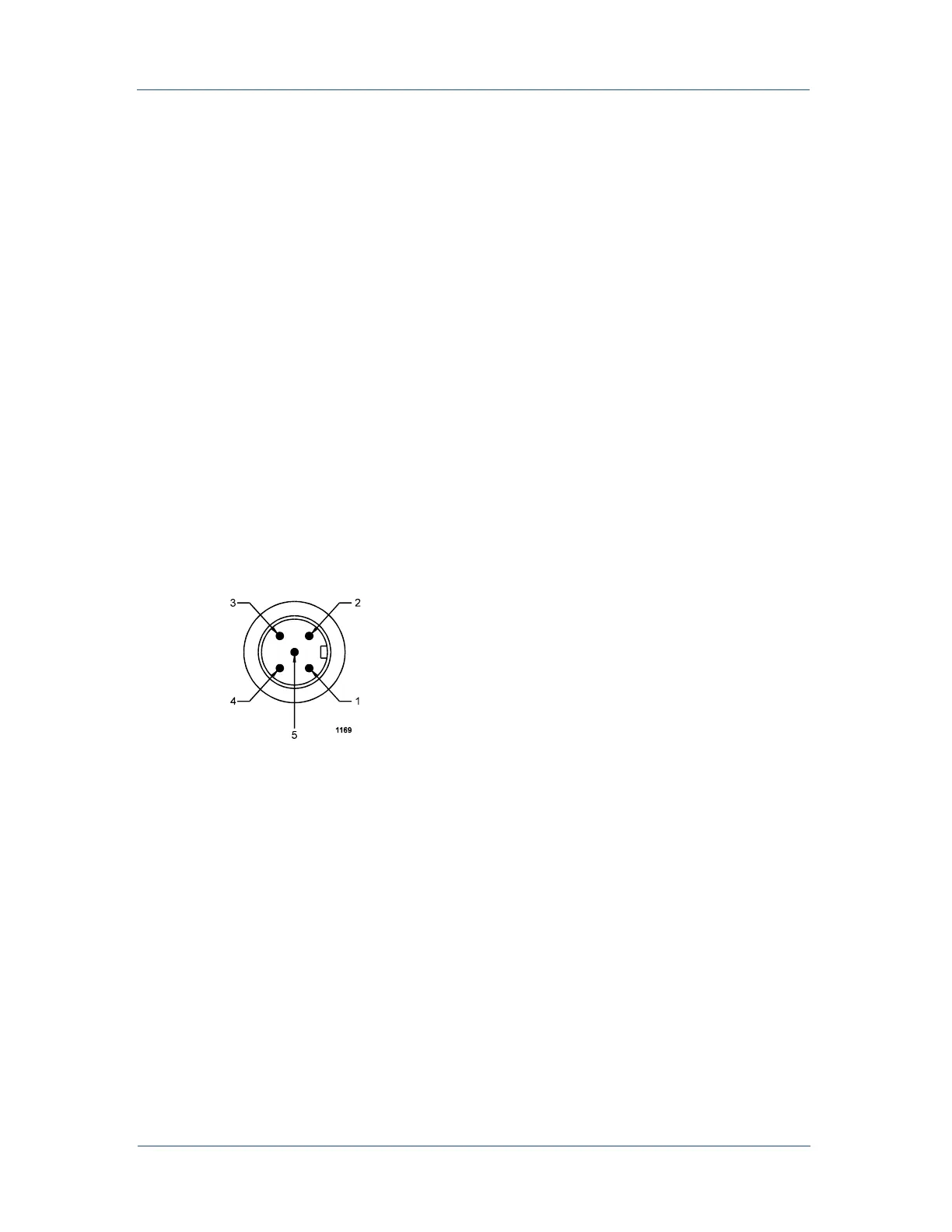
The rear panel of your Pinnacle Plus+ unit features DeviceNet port for interfacing
with a DeviceNet network. The DeviceNet port is a round, five-pin, male micro
connector, which is electrically isolated from the power supply (see Figure 4-2).
Note: Dual Pinnacle Plus+ units (units containing two, seperate inverters) share the
common DeviceNet network micro connector, but each side is controlled and
operated independently through this port. The following discussion describes
the operation of one side of the unit. The other side operates the same way.
The following paragraphs describe the interface and the associated rotary switches
and LEDs.
Figure 4-2. DeviceNet
™ port with pin designations
Installation
Refer to the following pin descriptions when connecting to the DeviceNet port. Use
the appropriate female, micro connector and cable. See the DeviceNet Specification
(revision 2.0) from the Open DeviceNet Vendor Association, Inc. for specifics on the
mating connector and cable. Use the rotary switches to select a baud rate and set the
unit address (MAC ID).



 To Next Page