5702269-C I/O Communication and Control 4-15
Pinnacle™ Plus+ 10 kW
ACTIVE FRONT PANEL/ PINNACLE REMOTE
PANEL
The Pinnacle Plus+ supply presents a broad array of features and settings that you can
easily control through the Pinnacle Remote Active Panel. If you are using the Pinnacle
Remote Active Panel, first ensure that it has been properly connected to the Pinnacle
Plus+ supply; installation information appears in the following section.
Connecting to the Remote Active Panel
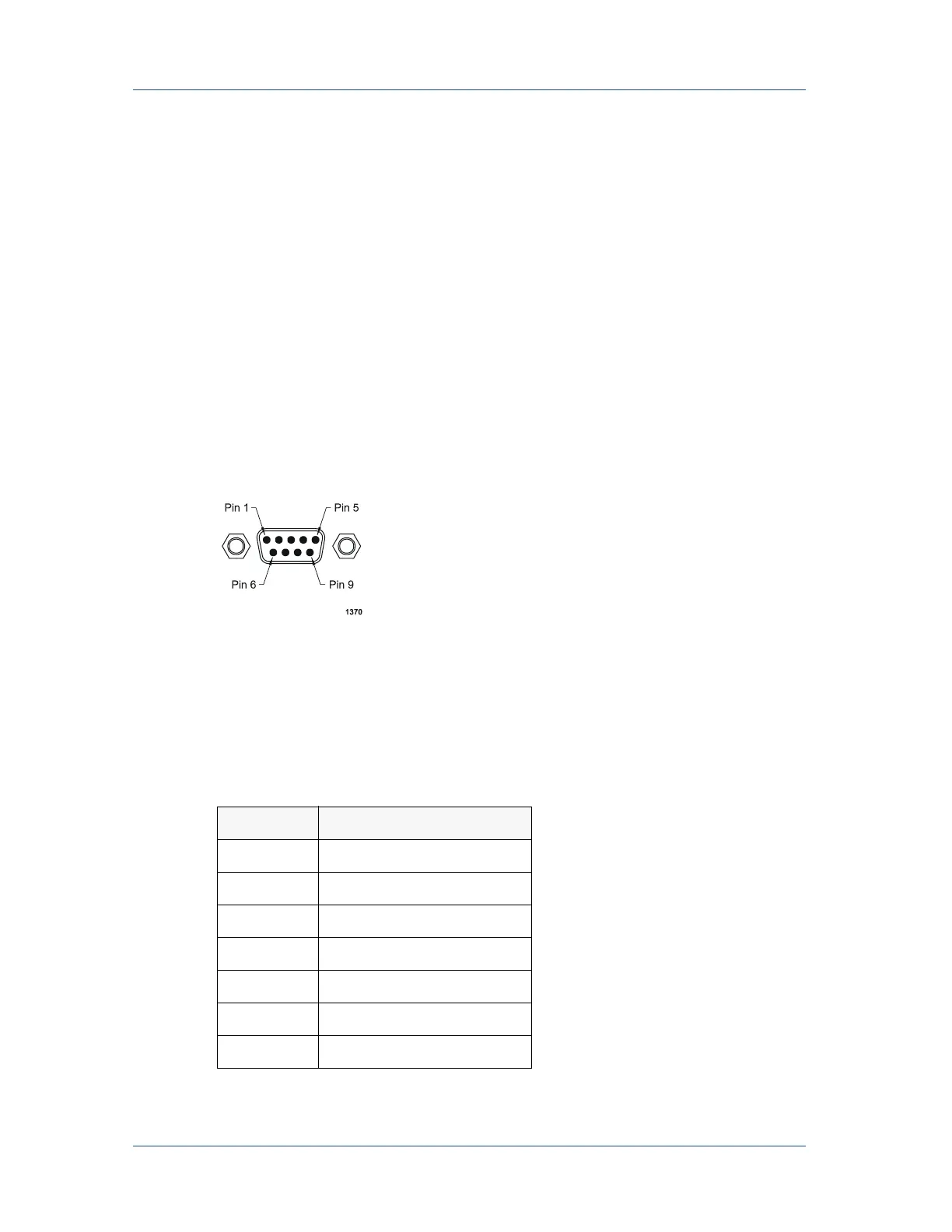
The 9-pin, male, subminiature-D connector labeled REMOTE ACTIVE PANEL on
the rear of the Pinnacle Plus+ power supply lets you connect the supply to the
Pinnacle Remote Active Panel.
Figure 4-4. Remote active panel connector
The pin descriptions for this connector appear in the following table; installation
instructions follow the pin description table.
Table 4-8. Remote Panel Pin Descriptions
Pin Description
1
Do not connect
2
Do not connect
3
Do not connect
4
Do not connect
5
Ground
6
TR-
7
TR+



 To Next Page