4-18 I/O Communication and Control 5702269-C
Advanced Energy
®
CONTROL PANEL INTERFACE
Your Pinnacle Plus+ unit may have either an active front panel, which is an integrated
part of the unit, or an active remote panel, which is connected to the DISPLAY port on
the rear panel of the unit. This manual uses the term “control panel” to refer to either
of these panels since they function identically.
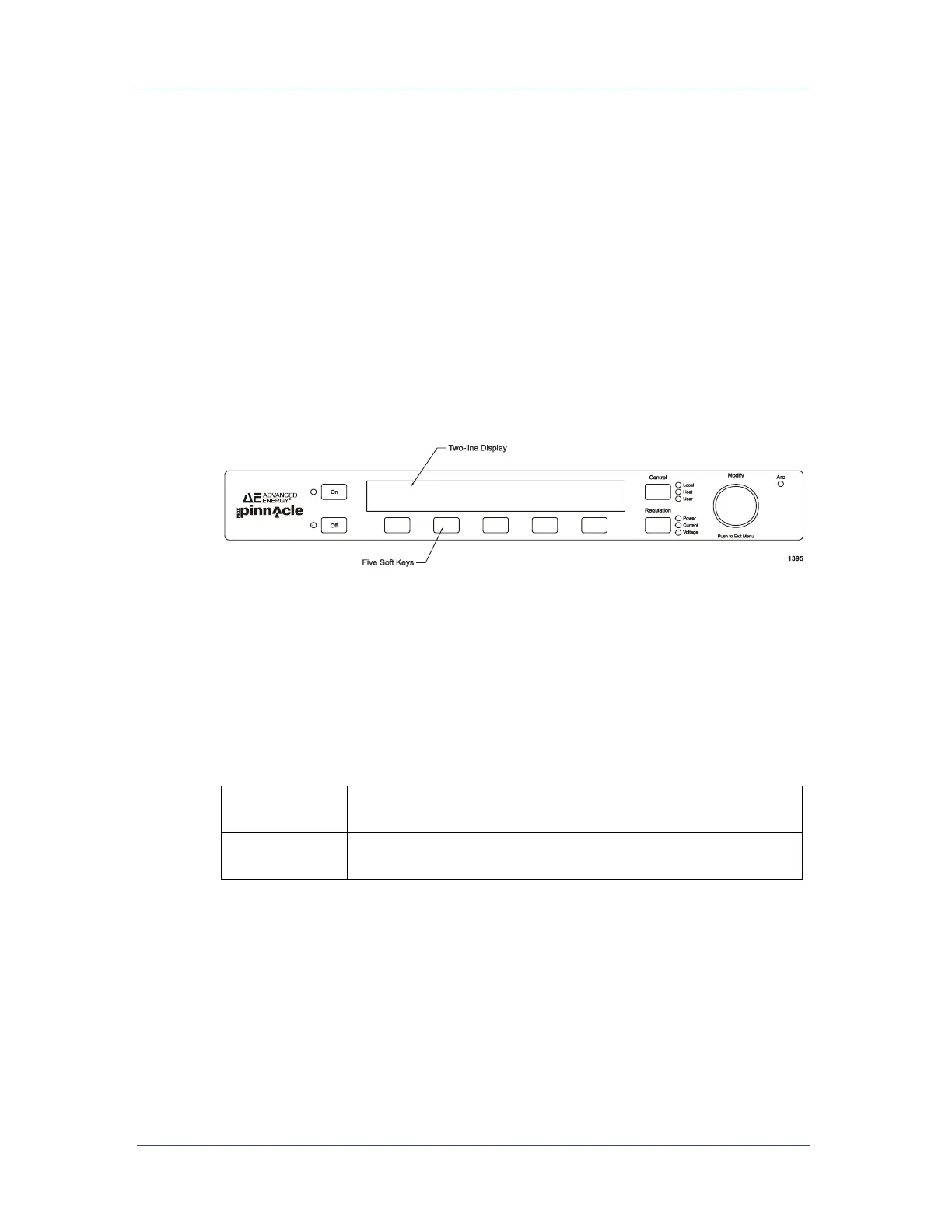
An active control panel has three main sections:
• ON and OFF switches at the far left of the panel
• CONTROL and REGULATION switches at the far right of the panel
• A two-line display, five soft keys, and a MODIFY knob
Figure 4-5. Control panel
Output Power Key
Use the following keys to turn output power on and off.
Control Key
To control your Pinnacle Plus+ supply from the panel, select local mode by pressing
the CONTROL key on the panel until the LOCAL LED lights. Placing the unit in
local mode gives you full access to the front panel menu.
Table 4-9. Output Power Keys
ON
Turns on output power if the control panel has control of the on/
off function and all interlock conditions are satisfied.
OFF
Turns off output power, no matter which interface is currently
controlling the unit.



 To Next Page