116 MENU > Monitoring
17.1.2 Zoom position
MENU > Monitoring > EVF/Monitor > Zoom position
Sets the sensor image area to be magnified by zoom. Activation by user button.
Centered: For zooms into the image center.
Eye level: For zooms into the upper image which, e.g. in a close-up, typically contains
a person's eyes.
17.1.3 Exposure tool
This tool facilitates the evaluation of image exposure. Activation by user button or by
pressing EXP on the viewfinder. Note: Zebra is only available on image paths with
gamma set to Look.
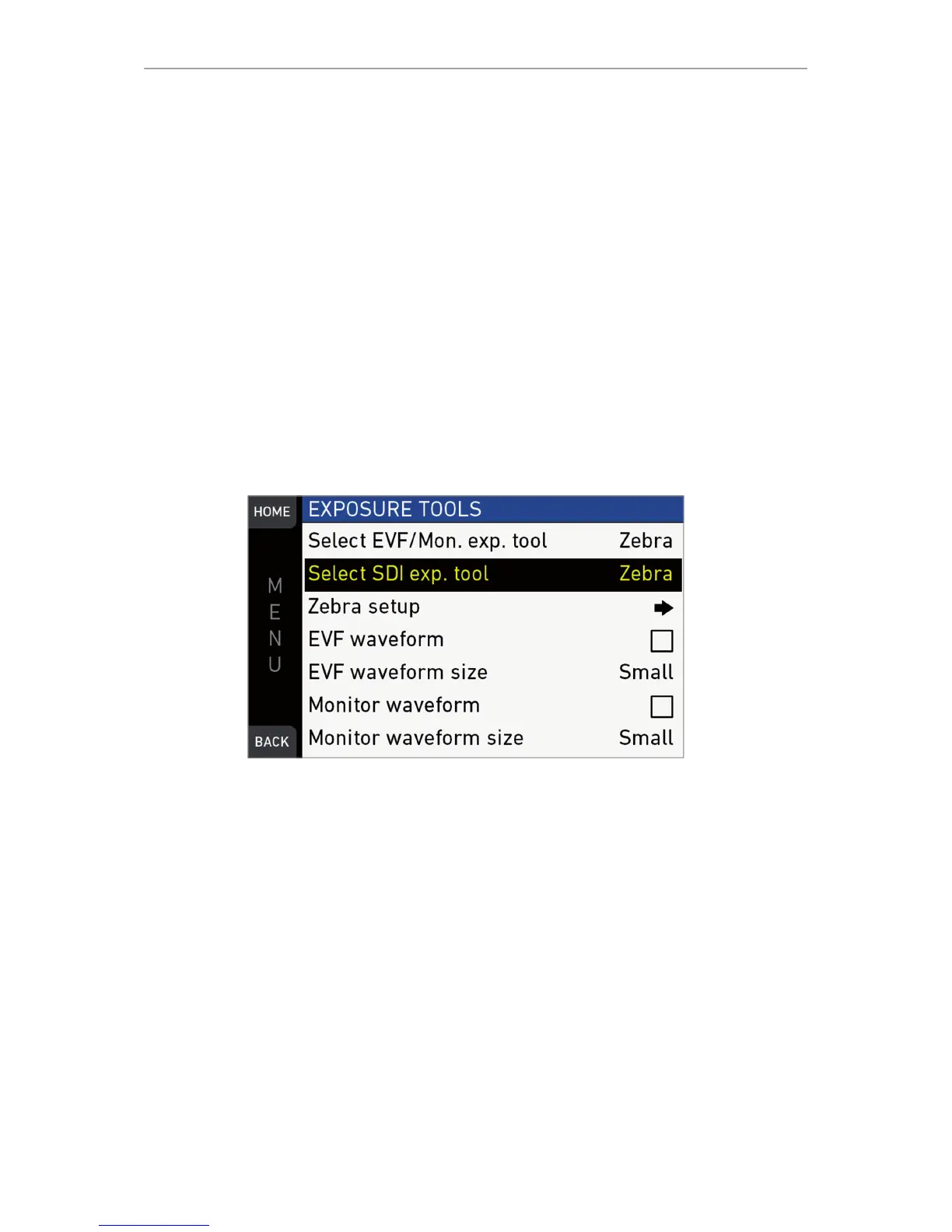
MENU > Monitoring > Exposure tools
Allows you to select the exposure tool.
False color lays predefined luminance ranges over the viewfinder image.
In Zebra mode, the tool overlays up to two luminance ranges with diagonal stripes.
High zebra ranges above, Mid zebra around the user-defined luminance value.
1. For a tool change: Scroll to Exp. tool selection.
2. Press the jogwheel to toggle between False color and Zebra.
3. For zebra options: Open and adjust Zebra setup.
4. EVF waveform: Sets waveform overlay on EVF on or off.
5. EVF waveform size: Sets size of EVF waveform overlay to small or large.
6. Monitor waveform: Sets waveform overlay on monitor on or off.
7. Monitor waveform size: Sets size of monitor waveform overlay to small or large.
8. Note: Waveform is a luminance waveform from a 0-100% signal level, calculated
from the EVF and monitor image signals for each path.



 To Next Page