58 Home screen
Note: If Timecode is forced to Rec Run, or external TC
is missing, the TC label turns orange and shows an
exclamation mark. Enter the TC screen by pressing the
TC button to see more info on the warning.
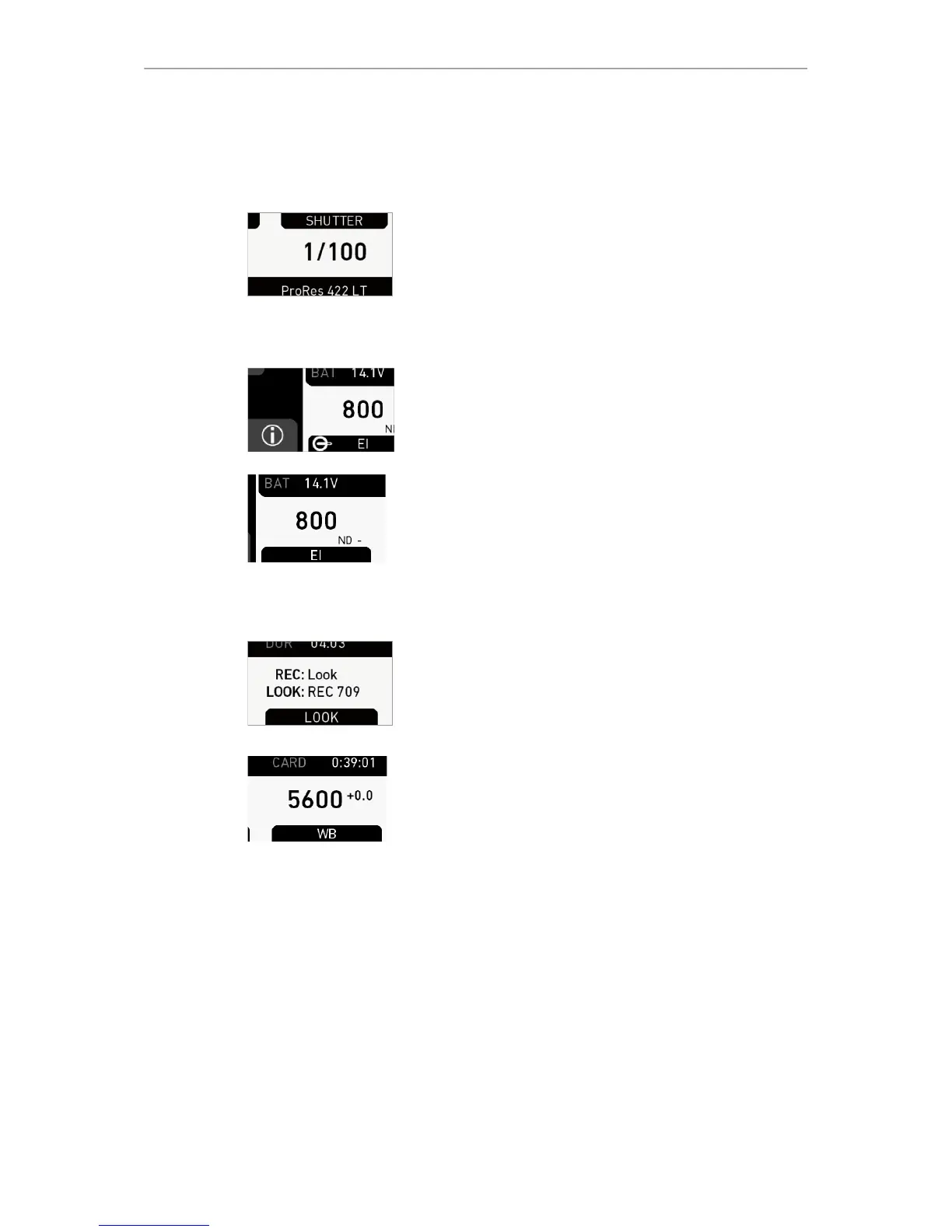
SHUTTER button
Shows shutter settings adjustable either as angle (5.0 to
356.0°) or exposure time (1/25 to 1/8000s).
Shutter angle, sensor rate and exposure time relate as
follows: Exp time=Shutter angle/(360*fps). Maximum
shutter angle limited by resulting exposure time (1/25s
max).
INFO button
Provides access to the camera info screens.
EI button
Shows the current EI rating and active ND filter value.
Allows you to set the exposure index in ASA.
Base sensitivity for the ALEXA Mini is 800 ASA. The EI
rating can be adjusted from 160 to 3200 ASA.
Note: ASA and ISO ratings are identical.
Via EI>ND, the ND filter can be adjusted.
LOOK button
Shows the REC path gamma setting and the name of the
active look. Opens the look screen, which provides further
access to gamma settings of all image paths and global
look.
WB button
WB shows the camera’s current white balance (=
preadjusted color temperature of a light source).
You can adjust WB from 2,000 to 11,000 Kelvin (here:
5,600) in steps of 10 K for red/blue correction.
Also, you can color-compensate for green/magenta tints
in a range from -16.0 to +16.0. Positive or negative CC
color compensation values then appear in superscript
(here: +0.0).
For automatic white balance: Assign Auto WB to a user
button and press it twice within one second.



 To Next Page