50 MVF-1 controls
10.6 Live monitor
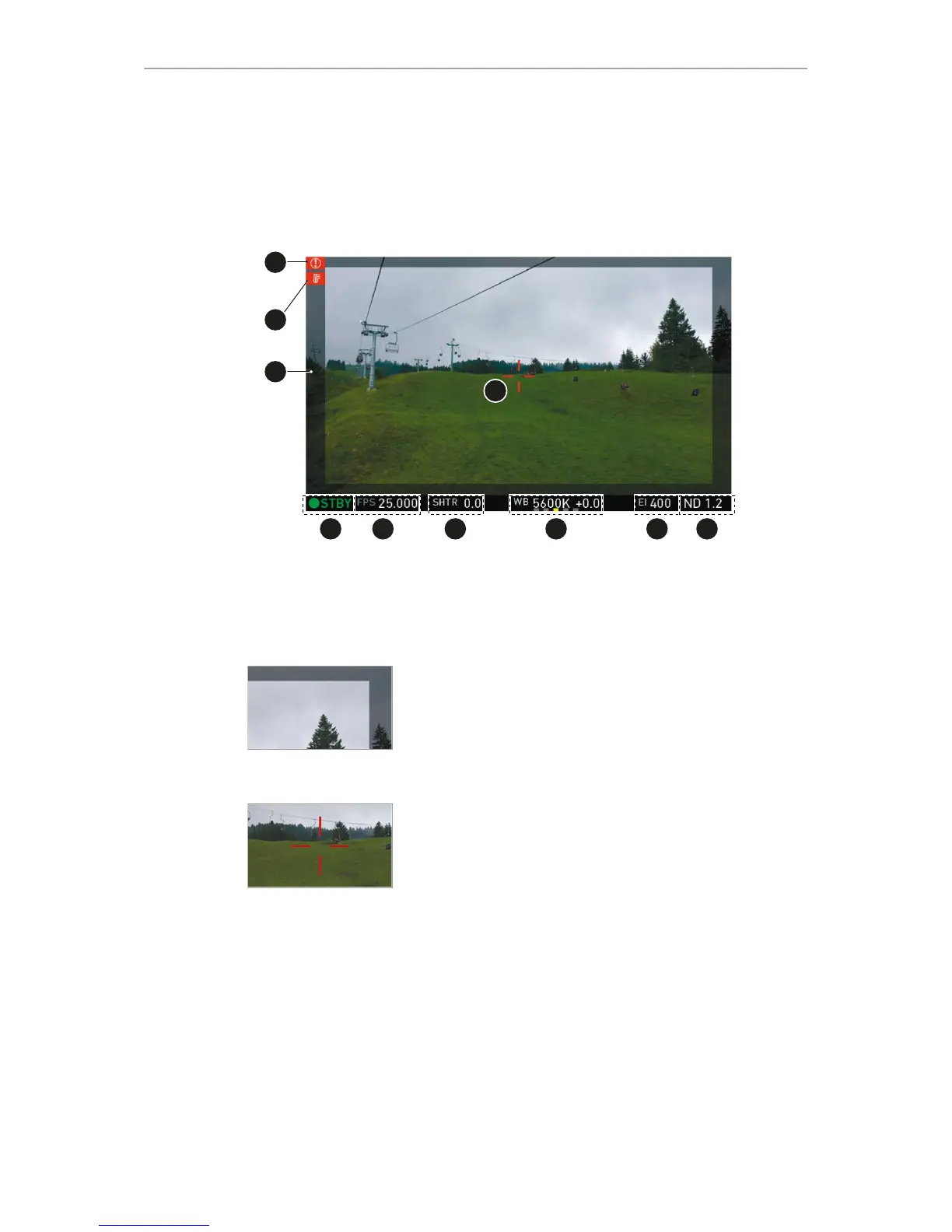
Below the camera live image, the live screen shows image and camera status. You
can toggle the bar's content via the left or right oval button below. The center oval
button returns you to the main status bar.
1 Surround mask 6 Exposure index
2 Camera temperature warning (warning=red) 7 White balance
3 ALERT message 8 Shutter value (° or sec)
4 Center mark 9 Sensor frame rate
5 Active ND filter 10 Camera status (here: Standby)
Surround mask
This grayed-out frame marks all non-recorded parts of the
sensor image. Can be deactivated.
If surround view is active, the non-recorded area is
masked. Style options are: Black line, colored line, or
semitransparent mask (as shown here).
Center mark
Marks the image center. Can be set to Off, Cross, Dot or
Small Dot.



 To Next Page