EasyManua.ls Logo

ARRI ALEXA Mini - TC (Timecode) Settings; TC Settings Access and Editing

ARRI ALEXA Mini
162 pages
Print Icon
To Next Page IconTo Next Page
To Previous Page IconTo Previous Page
Loading...
70 Home screen
13.5 TC settings
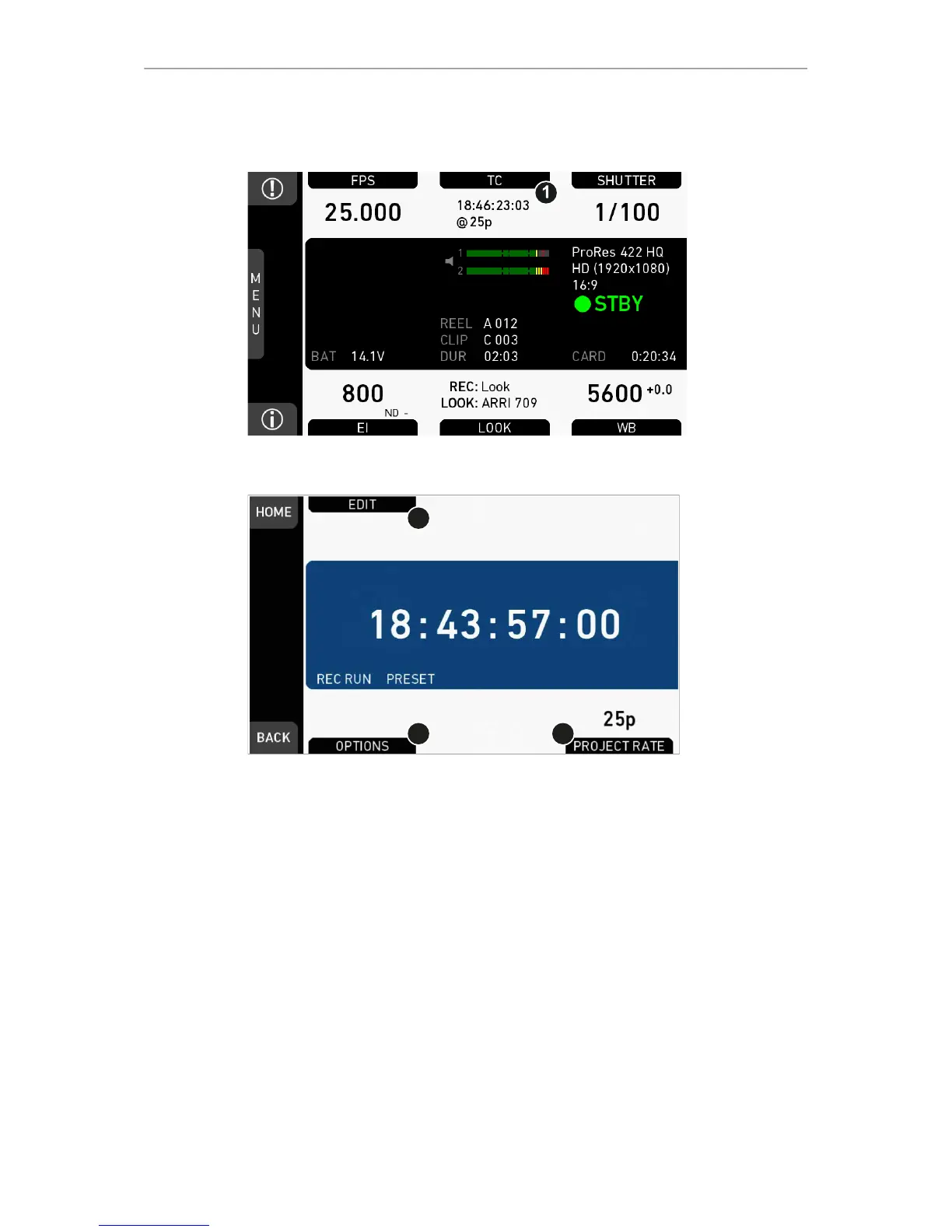
1. Press TC (1) on the home screen.
1
2
3
2. Current timecode and project rate show.
3. To change the active format: Press OPTIONS (2).
4. To change the project rate via the recording menu: Press PROJECT RATE (3).
5. Press EDIT (1) to change the current TC value.
6. Note: EDIT (1) is available only with TC not in Regen mode.
°
Disable Regen via OPTIONS > Mode > Preset (2).


Table of Contents

Other manuals for ARRI ALEXA Mini

Related product manuals