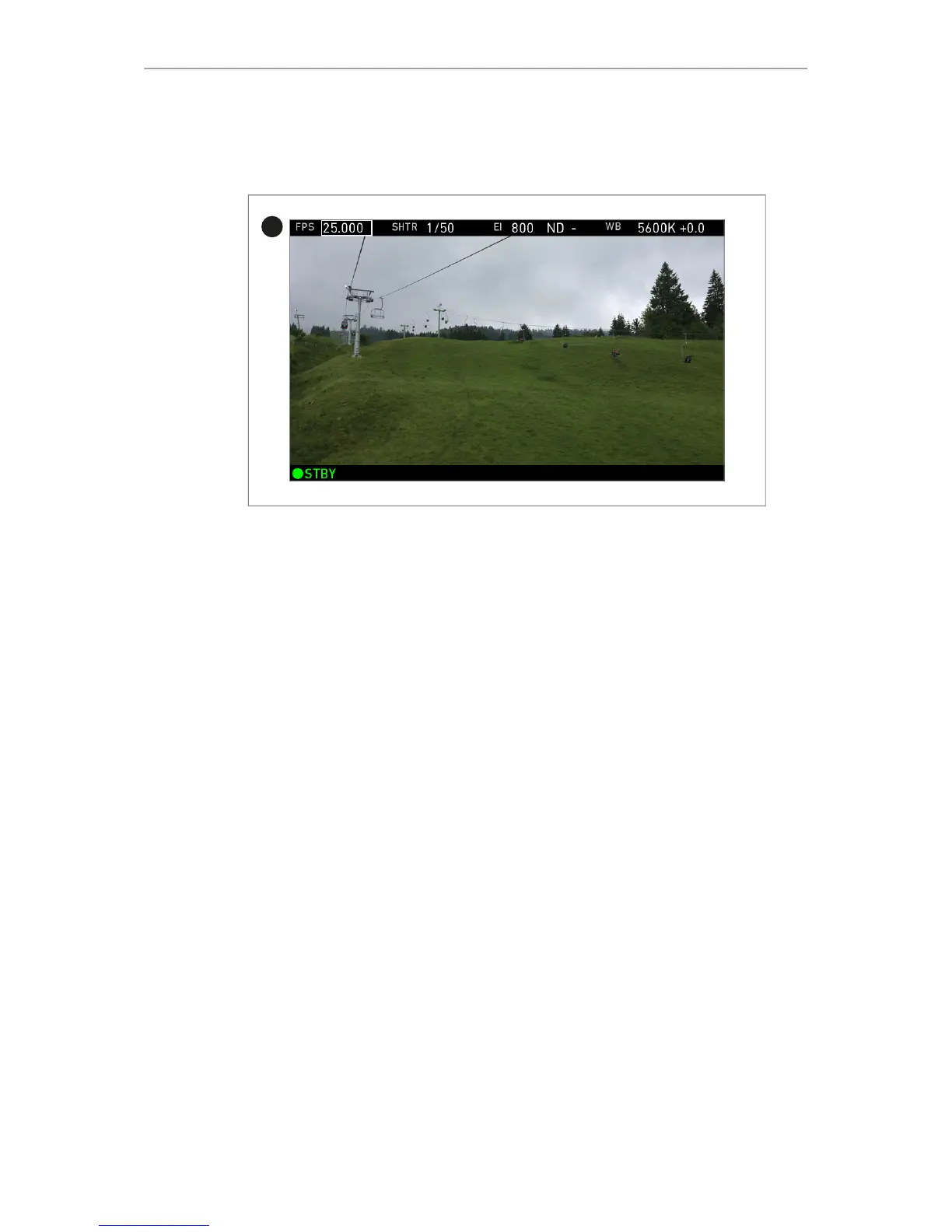
The overlay menu offers a reduced set of camera parameters for adjustment. When
activated, it is visible in the top section of the image (1) on the MVF-1 monitor and
EVF and on any SDI output which has SDI processing activated. The overlay menu is
a quick way to change the following camera settings:
•
Sensor FPS
•
Shutter (Shutter Angle / Exposure Time)
•
Exposure Index
•
ND filter
•
White Balance
Sensor FPS, Shutter and White Balance cannot be changed manually, but in the
range of their user predefined lists. ND filter is changed instantly and requires no
additional confirmation step.
A white frame marks the selected parameter. A yellow font means it is in edit mode
and can be changed. For detailed instructions on how to activate and operate the
overlay menu, see the following sections.
Camera buttons
1 Activate the overlay menu by pressing FN + 1.
2 Select a parameter with buttons 1 or 2.
3 Start editing the parameter by pressing button 3.
4 Select the new parameter value with buttons 1 or 2.
5 Confirm the new value by pressing button 3.
6 If required, repeat steps 2-5 for other parameters.
7 Exit the overlay menu by pressing FN + 1.
Transvideo StarliteHD5-ARRI
The Transvideo Starlite HD5-ARRI monitor (K2.0006960) is a 5" 3G-SDI Oled monitor
with an integrated H.264 recorder, a touchscreen and a special ARRI bus interface to
communicate with the camera.



 To Next Page