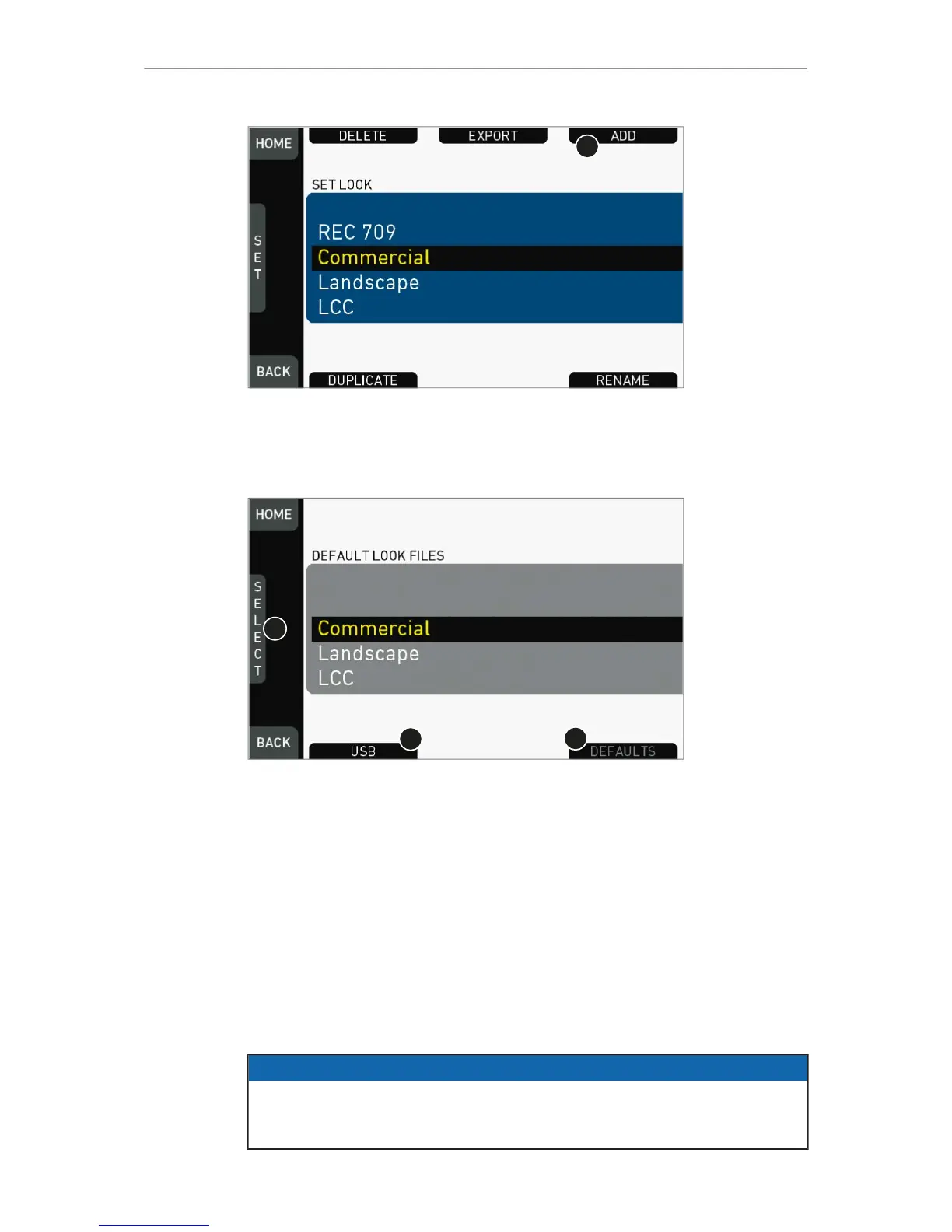
4. Open the list of installed looks.
5. Press ADD (1).
6. Note: ADD is inactive/gray if the maximum number of looks (20) is installed.
7. A list of default look files appears.
8. If sufficiently licensed: Press USB (2) or DEFAULTS (3) to select a file source:
°
DEFAULTS: ARRI default look files delivered with the camera.
°
USB: User look files on the camera USB stick.
9. Via jogwheel (1), scroll to the required file.
10. Confirm by pressing the jogwheel (1).
11. Note: Use unique file names to avoid possible overwritings. For details on file
naming, see page 93.
12. Repeat for other look files if required.
13.8.4 Deleting a LOOK file
NOTICE
User-defined look files are deleted irreversibly. For loss prevention and future re-
installation, always export user-defined look files to a USB memory stick before
deletion. Default looks are re-installable without prior export.
HOME > LOOK > SET LOOK



 To Next Page