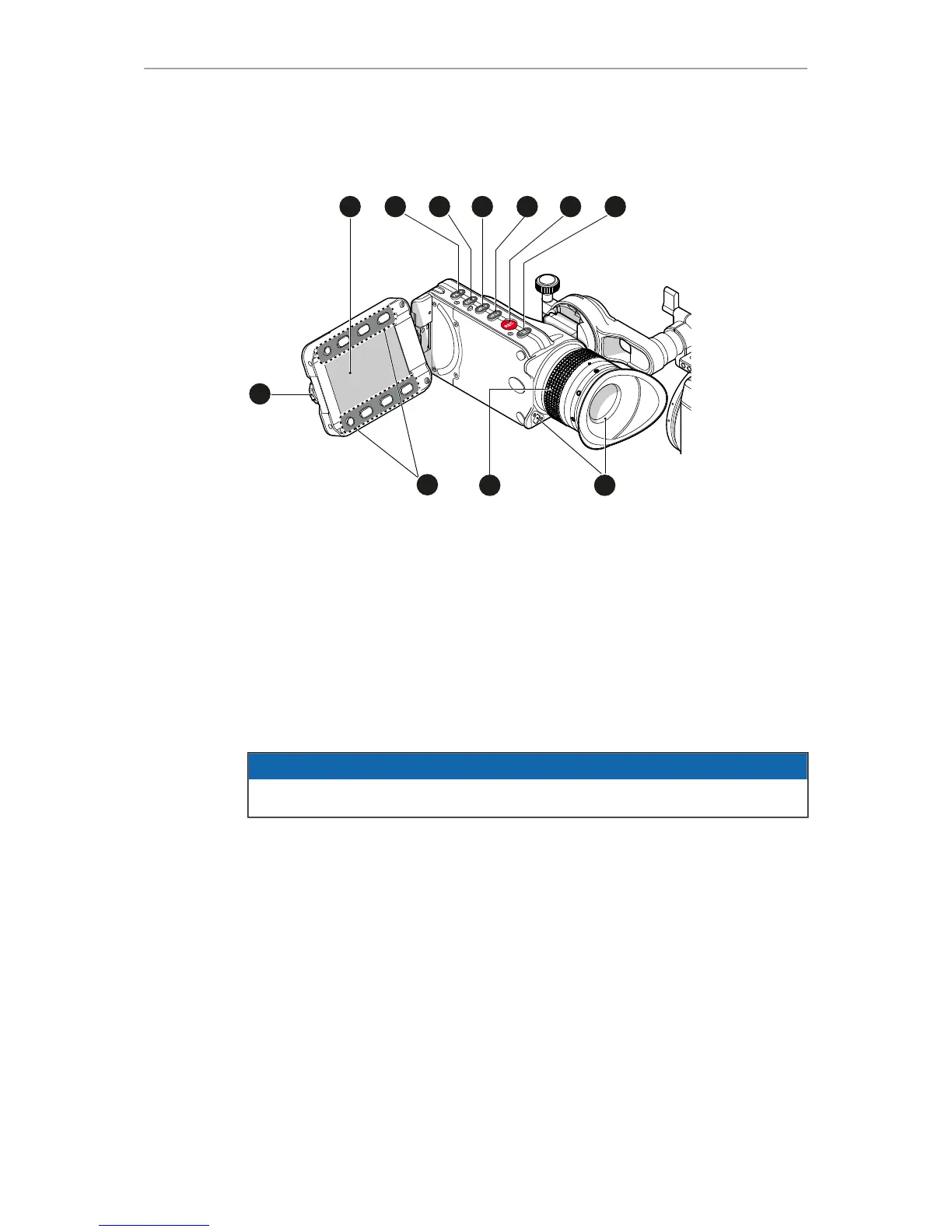
1 Monitor (Live & GUI) 7 Monitor button
2 Peaking button 8 Proximity sensor
3 Exposure tool button 9 Diopter control
4 VF-1 user button 10 Screen buttons
5 VF-2 user button 11 Jogwheel
6 Recording button
Proximity sensor
This infrared sensor automatically deactivates the MVF-1's internal OLED panel when
you withdraw your eye. The sensor is placed either on the bottom left-hand side of the
viewfinder (Generation 1), or it is integrated in the eye cup (Generation 2).
The Alexa Mini MVF-1 contains the generation 2 proximity sensor.
NOTICE
To avoid hardware damage, always keep the sensor unobstructed.



 To Next Page