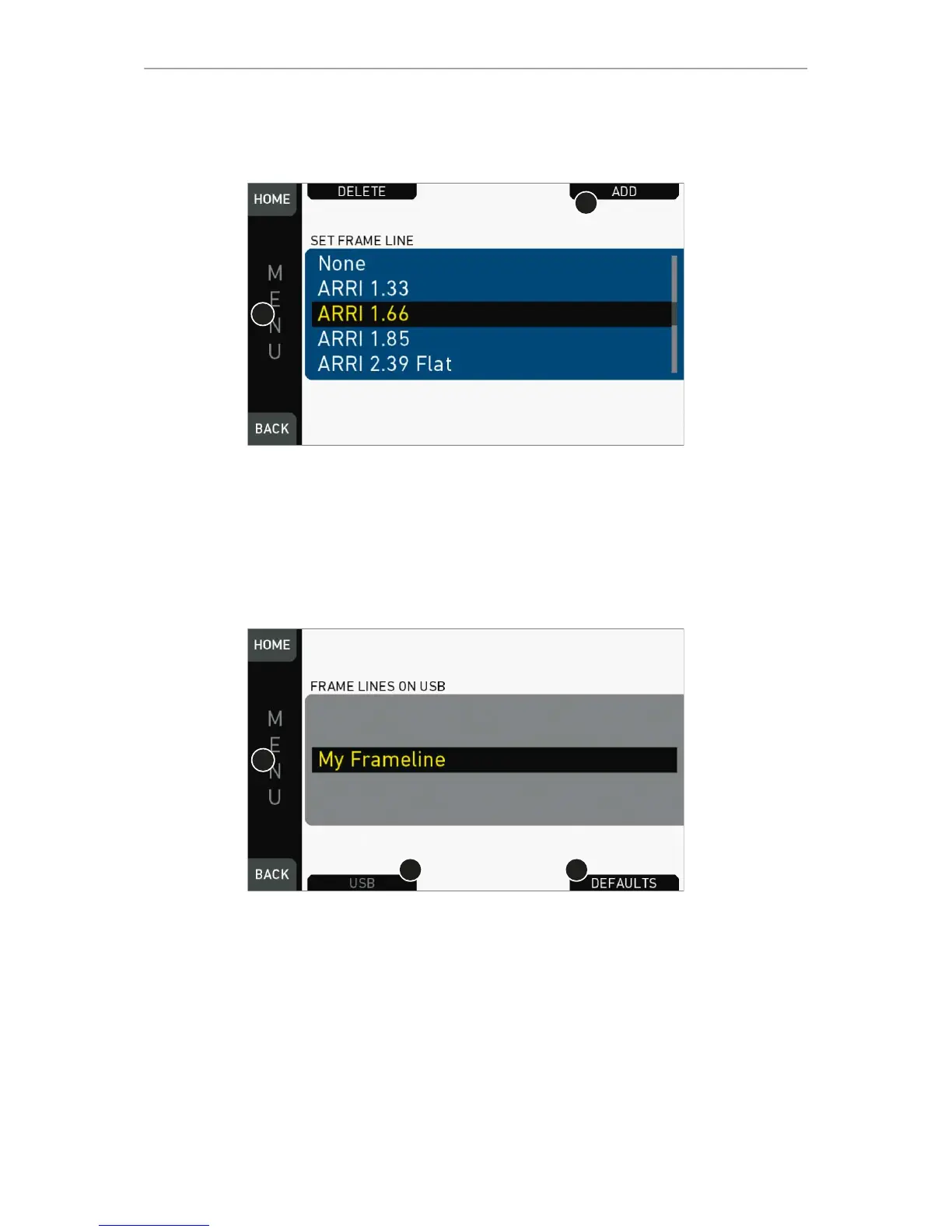
1. Via jogwheel, open MENU > Monitoring > Frame lines > Frame line.
2. A list of installed frame lines appears.
3. Scroll to the required entry (here: ARRI 1.66).
4. Confirm by pressing the jogwheel (1).
5. If a required entry is not listed: Press ADD (2).
6. Note: ADD is inactive/gray if the maximum number of 20 frame lines is installed.
7. For internal frame files: Press DEFAULTS (3) to open the default list.
8. Via jogwheel (1), scroll to the required file: Press wheel to confirm.
9. Repeat for all required files.



 To Next Page